
How to choose a Art & Design APK
Check the app name, package name, latest version, file size, update date, source notes, SHA-256, and whether the download page includes clear safety context.
Browse Art & Design APKs for Android with latest versions, file sizes, package details, scan notes, and verified download links.

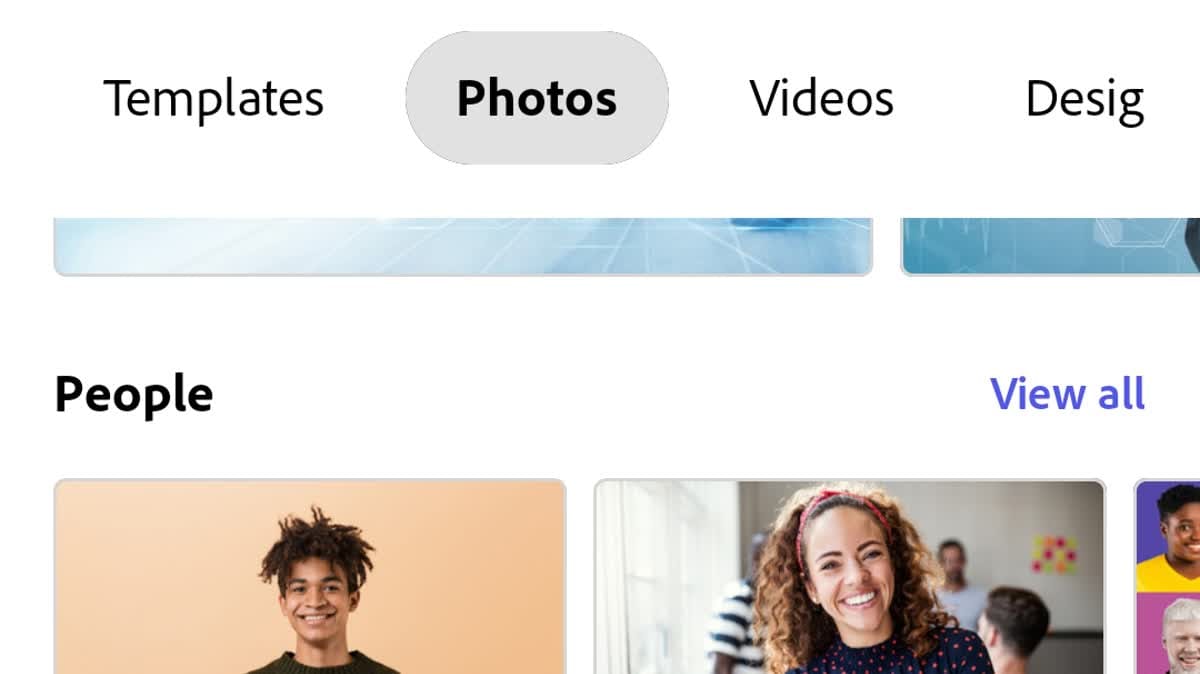
Adobe Express is a mobile design and content-creation app for turning everyday ideas into social posts, images, videos, flyers, and other polished assets. Creators can start with templates, browse photos and videos, import media from the gallery, or jump into focused Quick Actions such as background removal, resizing, logo creation, and QR-code generation. The home screen also brings search, recent files, and new-project entry points together. With optional brand tools, AI-assisted creation, captions, music, and transitions, it supports fast personal, school, and small-business work.
10.0

PosterMyWall: Design & Promote is an AI-assisted design and marketing app for small businesses, event organizers, creators, and community groups. Start with a prompt or a customizable template, then shape posters, flyers, social posts, logos, videos, or emails in a drag-and-drop workspace. The app also brings event pages, calendars, social publishing, and email campaigns into one workflow, with brand colors and logos ready to reuse. It suits anyone who needs polished promotional material quickly and wants to adapt one idea across several channels.
10.0

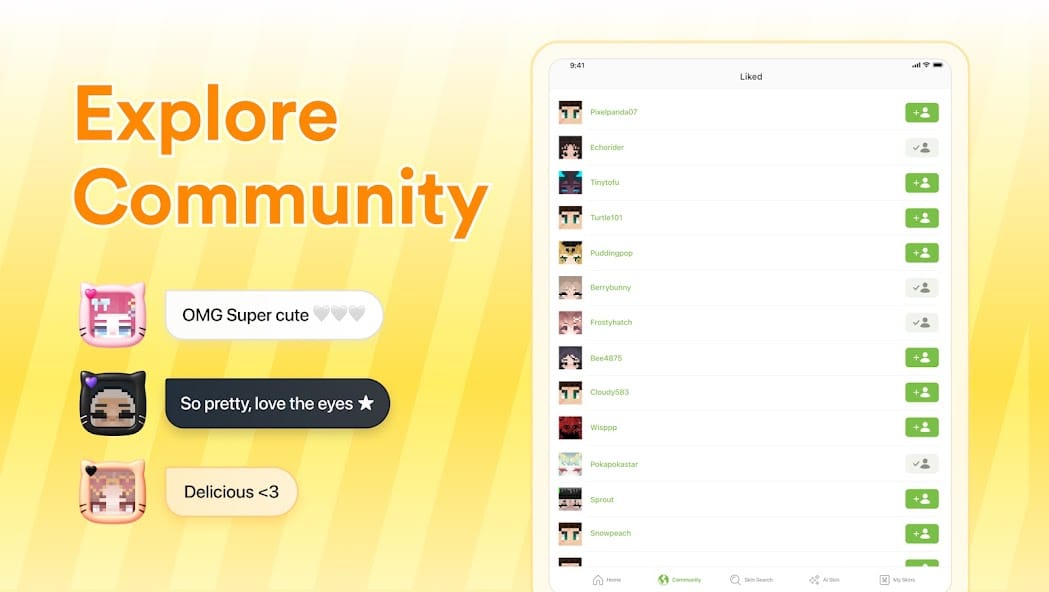
Skinseed is a Minecraft skin creation and discovery app for players who want a more personal character look. You can begin with a blank template, customize individual pixels, browse community-made designs, or use an existing skin as a creative starting point. Search and category views make it easier to find ideas, while My Skins keeps personal work close at hand. Interactive previews help you inspect a design before using it, and sharing and export options connect the editing process with Minecraft on mobile or PC.
10.0

vivago.ai is an AI visual creation app for turning written ideas and personal photos into shareable images and short videos. Users can describe a subject or style for an AI-generated picture, upload a photo for motion and camera effects, or begin with a trending template when they want a faster visual direction. The app also offers portrait, pet, cinematic, fantasy, and playful effects, with a home screen that keeps image and video creation close at hand. It suits creators preparing social posts, refreshing old memories, and exploring quick visual concepts.
9.9

Magnific is an AI-powered image and video creation app for people who want to develop visual ideas from an Android phone. Creators can turn text prompts or reference images into new artwork, animate stills, edit details, remove backgrounds, and improve image quality without a desktop-only workflow. The app also brings together ready-to-use creative assets and keeps projects and collections available across devices. It suits marketing drafts, social posts, concept work, and quick visual experiments, giving beginners and experienced creators a flexible place to shape content on the move.
9.9

Mapchart is an Android map-making tool for turning geographic, historical, or imaginative regions into clear visual maps. Choose a world, continent, country, subdivision, or themed map, then color areas, add a legend, adjust the presentation, and preview the result. The app also provides map themes, save and load actions, image export, and sharing options for projects, lessons, planning, or personal creativity. Its touch-friendly workflow suits students, teachers, hobbyists, and creators who want to build and revisit custom maps from a phone.
9.9
Songer AI is an AI music-creation app for turning a short idea, lyric, or mood into a complete song. You can describe the sound you want, choose a genre or vibe, select a vocal style, or switch to an instrumental direction before generating a track. The app also supports multilingual prompts, inspiration ideas, and a personal library for saving, playing, downloading, and sharing finished work. It suits beginners, songwriters, and content creators who want quick demos or musical starting points without building every arrangement manually.
8.9

Vidu is an AI video creation app for Android that helps creators turn ideas, images, and visual references into short clips. Users can describe a scene, choose a reference, and move from a prompt-based creation screen toward generated video without a complex editing setup. The app also presents community creations with Remix and Recreate actions, plus event and reference feeds for discovering new starting points. Audio features such as background music, voiceovers, and sound effects broaden the output beyond silent visuals. It suits social posts, story experiments, and quick creative drafts.
8.3

ibisPaint X is a mobile drawing and illustration app for artists who want to sketch, ink, color, and refine ideas on an Android device. You can build artwork with customizable brushes, layers, rulers, materials, filters, text, and other editing tools, then organize projects in the gallery. Photo import, animation support, time-lapse recording, and cloud storage extend the workflow from a quick study to a shareable finished piece. It suits beginners learning digital drawing as well as experienced creators who want a flexible canvas for manga, illustrations, and image editing.
7.9

MusicGPT is an AI music creation app for turning a short idea into a song with lyrics, vocals, and instrumental backing. Songwriters, hobbyists, and content creators can start with a prompt, theme, or mood, then explore different genres while shaping a more complete musical draft. Its home feed also works as a listening space, with trending tracks, MusicGPT Originals, creator names, and genre-oriented discovery. A player, personal music area, playlists, and sharing tools help users move from inspiration to an organized track library.
9.5

Customuse is a mobile AI creation studio for turning ideas into skins, outfits, avatars, images, videos, and game-ready 3D assets. It is designed for Roblox, Minecraft, ZEPETO, and other avatar-focused projects, so creators can begin with a prompt, a reference image, or a template. A 3D editing workspace adds layers, brushes, symmetry, colors, textures, and avatar previews for refinement. The app also helps users explore visual variations before sharing designs or preparing them for supported platforms, keeping concept work approachable on a phone.
8.5

pixiv is a mobile creative community app for discovering and sharing illustrations, manga, and novels. Readers can browse daily works, follow creators, save favorites with Likes and Bookmarks, and receive recommendations shaped by their interests. Search and ranking views make it easier to find artists, characters, tags, and stories worth returning to, while creators can post their own work and build an audience. With visual discovery, writing, and community interaction in one place, pixiv gives Android users a focused way to explore new ideas or share original creations.
8.9
ARArtWorkout is a guided drawing and painting trainer for Android that turns practice into short, interactive lessons. Beginners can follow prompts through sketching, doodling, painting, tracing, and handwriting exercises, while more experienced artists can use focused drills as a warm-up. The app evaluates stroke accuracy and quality, then turns progress into scores and completion feedback. With themed courses, regular new lessons, and collaborative drawing sessions, it gives learners a structured way to build steadier hand control while keeping practice relaxed and approachable.
8.5

WigglyPaint - Cute Pixel Paint is an animated pixel-art drawing app for Android creators who want sketches that move with every stroke. Start a canvas with touch or a compatible stylus, choose from lively brushes and color palettes, and use the editor's background, crop, undo, and redo controls to shape a scene. Live animation keeps the motion visible while you work, while GIF, video, and frame-sequence export turn finished pieces into shareable loops. Aspect-ratio presets make it easy to prepare doodles, stickers, memes, and social posts for different spaces.
9.8
Adobe Express is a mobile design and content-creation app for turning everyday ideas into social posts, images, videos, flyers, and other polished assets. Creators can start with templates, browse photos and videos, import media from the gallery, or jump into focused Quick Actions such as background removal, resizing, logo creation, and QR-code generation. The home screen also brings search, recent files, and new-project entry points together. With optional brand tools, AI-assisted creation, captions, music, and transitions, it supports fast personal, school, and small-business work.
10.0

MediBang Paint is a mobile digital art and comic creation app for artists who want a full canvas on an Android phone or tablet. Users can sketch, ink, color, and refine illustrations with customizable brushes, layers, color controls, snap guides, and selection tools. Comic creators can organize panels, add tones and fonts, and manage multi-page projects, while cloud options support moving work between devices and collaborating with others. Its adjustable workspace and familiar pen-based controls make it useful for quick studies, detailed illustrations, and manga production away from a desktop.
8.8
vivago.ai is an AI visual creation app for turning written ideas and personal photos into shareable images and short videos. Users can describe a subject or style for an AI-generated picture, upload a photo for motion and camera effects, or begin with a trending template when they want a faster visual direction. The app also offers portrait, pet, cinematic, fantasy, and playful effects, with a home screen that keeps image and video creation close at hand. It suits creators preparing social posts, refreshing old memories, and exploring quick visual concepts.
9.9

HomeByMe is a home-design app for planning rooms, arranging furniture, and exploring interior ideas in 3D. It gives homeowners, decorators, and renovation planners a mobile way to browse community images, reuse room inspiration, and shape a project around their own space. You can explore a catalog of furniture and décor, review items with a 3D viewer, and keep project details close while shopping or discussing changes. Sharing images and accessing project information across devices makes it easier to compare layouts before committing to a new interior.
9.4

Canva is a mobile design studio for turning ideas into social graphics, documents, presentations, photos, and short videos. Start with a template or a custom canvas, then arrange type, images, colors, illustrations, audio, and motion in a single workspace. Its editing tools cover quick photo adjustments, collages, video sequences, and AI-assisted image creation, while sharing and brand options support repeat projects. Students, creators, educators, small businesses, and everyday users can use the app to make polished visual work without carrying a full desktop workflow.
8.4

Infinite Painter is a mobile drawing and painting studio for artists working on Android phones, tablets, or Chromebooks. It combines a spacious canvas with customizable brushes, layers, selection tools, guides, shapes, color controls, and transformations for sketches and finished illustrations. Stylus pressure and tilt support help artists shape expressive strokes, while reference images, project history, live effects, and timelapse tools support longer sessions. Projects can be exported as JPG, PNG, WEBP, ZIP, layered PSD, or Painter files, making the app useful for quick studies and more structured creative work.
9.2

Floor Plan Creator is an Android design tool for sketching, measuring, and refining detailed home or renovation layouts while you are on site or planning at a desk. You can move rooms and symbols, set wall and object dimensions numerically, add doors, windows, furniture, and other library items, then review a project in 3D across multiple floors. Metric and imperial units, Bluetooth laser-measure support, cloud sharing, and export options make it useful from the first rough idea through a plan you can print or share.
9.6

WhatTheFont is a font-identification app for Android that helps designers, crafters, and typography enthusiasts recognize typefaces from images. Use the camera or an image to capture lettering, select the text you want to inspect, and review matching font options. The app also lets you type sample words to preview a found style, compare similar choices, and gather ideas for creative projects. It turns visual clues into actionable ideas. Its focused workflow turns a hard-to-name typeface into a practical starting point for design research and everyday inspiration.
9.6

GoArt is an AI art and photo-editing app for turning everyday pictures and text ideas into stylized images. Users can upload a selfie, pet photo, landscape, or food image, then apply cartoon, anime, sketch, ukiyo-e, or painterly filters and adjust the effect strength. Text-to-image tools support prompts for cyberpunk, surreal, oil-painting, and conceptual looks. Background removal, one-click replacement, and high-definition export round out the workflow, giving creators a quick way to make finished artwork from a phone for personal creative projects.
7.3

AI Home Design: Interior DecAI is an AI-assisted home design app for visualizing room makeovers and renovation ideas from photos. Homeowners, renters, DIY decorators, and design professionals can upload a space, choose a style, and generate new interiors, exteriors, gardens, or material looks. The app also supports conversational refinement through a design agent, along with focused edits for furniture, walls, flooring, and unwanted objects. By turning a real room into a set of visual options, it helps users compare directions before committing time, money, or permanent changes.
7.3

Phonto is a focused photo typography editor for Android, built for turning everyday images into quote cards, invitations, labels, and social graphics. Users can open a photo on the canvas, add text, and shape the layout with more than 200 fonts, custom font support, adjustable size and color, shadows, rotation, strokes, backgrounds, spacing, and blend modes. The straightforward workspace keeps lettering at the center instead of burying it in a broad editing suite. It suits creators who want precise, recognizable type treatments and a practical way to refine visual messages on a phone.
8.3

niji・journey is an AI anime art app that turns text prompts into stylized illustrations for Android creators. You can describe a character, scene, setting, or imaginative idea, then choose a visual direction and let the service shape it into a set of images. The creative workflow supports prompt exploration, style discovery, references, moodboards, and model or personalization choices as you refine an idea. A community feed and sharing tools make it easy to browse inspiration and keep favorite results close. It suits artists, anime fans, and storytellers who want flexible visual ideation on mobile.
8.6

GenV is an AI video and image creation app for Android that turns prompts, scripts, and creative ideas into short visual concepts. You can describe a scene, choose a generation path, and explore cinematic motion, lighting, camera movement, or detailed environments without building every frame on a timeline. The app brings text-to-video, still-image creation, consistent characters, style and mood controls, voiceovers, and background sound into one workspace. It suits creators, marketers, educators, and storytellers who want to move quickly from a rough idea to a shareable visual draft.
7.9

PicSo - Customize Your AI Girl is an AI art and character-creation app for Android. It turns text prompts into digital artwork, lets users explore anime and human-style characters, and supports fantasy or science-fiction directions. Photo and video tools add cartoon-style transformations, while editing and Pro options offer more control over looks, image output, and generation work. It suits digital creators, design enthusiasts, and casual users who want a simple way to experiment with personalized AI visuals. The workflow is approachable for quick visual ideas, character concepts, and shareable creative projects.
8.5

Bazaart AI Photo Editor Design is a mobile photo editor and design studio for turning everyday images into polished social, business, and personal graphics. Start with a photo, product shot, or blank canvas, then use AI prompts to replace objects, remove backgrounds, create scenes, or explore new styles. Layered editing tools add text, shapes, templates, filters, shadows, and precise adjustments without requiring a design background. Projects can be organized, exported as JPG, PNG, or PDF, and shared when the design is ready. It suits creators, sellers, marketers, and anyone making visual content on Android.
8.4
Magnific is an AI-powered image and video creation app for people who want to develop visual ideas from an Android phone. Creators can turn text prompts or reference images into new artwork, animate stills, edit details, remove backgrounds, and improve image quality without a desktop-only workflow. The app also brings together ready-to-use creative assets and keeps projects and collections available across devices. It suits marketing drafts, social posts, concept work, and quick visual experiments, giving beginners and experienced creators a flexible place to shape content on the move.
9.9
Compare highlighted Art & Design APK listings with package details, file sizes, update signals, and available download links.
Check the app name, package name, latest version, file size, update date, source notes, SHA-256, and whether the download page includes clear safety context.
Before installing a Art & Design APK, review package identity, source notes, file verification, permissions, and install behavior.
A Art & Design APK should be checked by package name, version, source, SHA-256, scan notes, and install behavior before installation.