
How to choose a Reading APK
Check the app name, package name, latest version, file size, update date, source notes, SHA-256, and whether the download page includes clear safety context.
Browse Reading APKs for Android with latest versions, file sizes, package details, scan notes, and verified download links.

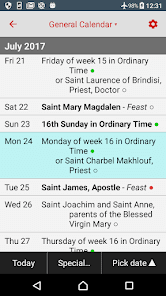
Catholic Calendar From Universalis is a liturgical reference app for following the Catholic year and keeping daily prayer texts close at hand. Users can check feasts, memorials, saints' notes, Mass readings, and the Liturgy of the Hours, then move between dates or prayer pages from the reading toolbar. Morning, daytime, evening, and night offices sit alongside About Today, Mass Today, and other spiritual reading. Adjustable text styling, brightness controls, optional spoken audio, and offline access make it practical for quiet prayer at home, preparation before Mass, or use while travelling.
10.0

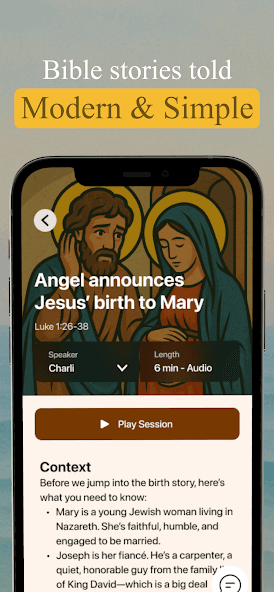
Bible BFF is a Bible-learning app that retells Scripture through short, conversational audio stories for listeners who want a simpler starting point. Users can browse stories from Genesis to Revelation, follow major biblical moments, and choose narrators whose delivery suits their listening style. The app also pairs episodes with readable passages and context, while a verse finder connects everyday feelings with relevant Scripture. A question-and-answer chat adds another way to explore biblical themes, making Bible BFF useful for brief daily listening, guided discovery, and approachable study.
10.0

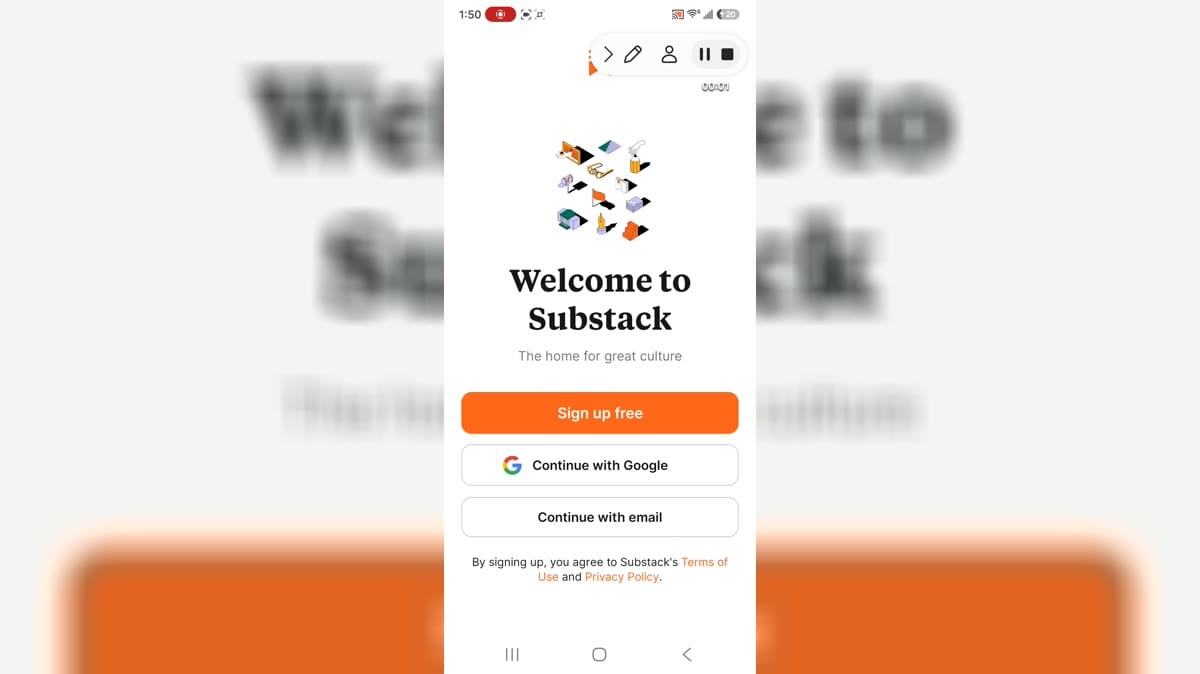
Substack is a mobile reading and media app for following independent writers, publications, and creator-led communities. Readers can explore a personalized feed, open newsletters and posts, watch short videos, listen to podcasts, and join live conversations or group chats. The service also lets people subscribe to publications for free or choose paid access when a creator offers it, while creators can share ideas across topics such as culture, sports, finance, and politics. It brings discovery, conversation, and ongoing creator support into one account-based Android experience.
9.9

Literie is a mobile reading app for readers who enjoy serialized fiction and discovering new stories. It brings romance, fantasy, teen lit, chick lit, and other genre-led narratives into one organized library, so you can choose a mood and settle into a continuing read. New authors and fresh titles add variety, while story pages help you move from browsing to the next chapter without leaving the app. Literie suits quiet evening reading, short breaks, and anyone who prefers a steady stream of character-driven fiction in one place.
9.9

BibleRef is a Bible study and commentary app for readers who want clear explanations without leaving their Android device. It combines Scripture reading with verse-by-verse and chapter-by-chapter commentary, contextual notes, and connected references that help users examine difficult passages. Readers can search the Bible and commentary, move between books and chapters, save favorites, revisit recent material, and follow newly added studies. Adjustable fonts, spacing, themes, and Bible versions make longer sessions easier to personalize, whether the goal is quick reference, lesson preparation, or regular study.
9.9

GTA 5 Map Unofficial is an interactive map companion for players exploring Grand Theft Auto V and trying to complete more of Los Santos and Blaine County. It brings collectibles, activities, items, locations, mysteries, and other points of interest into a searchable map that is easier to scan than memory alone. Players can filter categories, mark progress toward the displayed total, add custom markers, and attach notes to useful locations. Google Drive sync is available for keeping map progress across devices. It is a practical reference for planning sessions, finding missed objectives, and working toward a more complete playthrough.
9.8

Bible is a reading, listening, and study app for people who want Scripture, devotional material, and reflective routines in one place. Users can move between Bible versions, read selected translations offline, listen to audio editions, and follow Reading Plans that turn a topic or daily habit into manageable sessions. Highlights, bookmarks, private notes, verse images, and sharing tools help readers respond to passages in a personal way. Friends can also discuss verses and plans together, making the app useful for individual study, group reflection, and regular faith-focused reading.
7.1

Janitor AI is an interactive fiction and AI character chat app for readers who want to step inside a story rather than only read it. Browse community-created characters by genre, tags, popularity, or recent activity, then open a character page to review its premise, traits, and shared chats. After signing in, conversations let you shape the direction through your own replies and roleplay choices. Character pages also surface creator details, public chats, and comments. It is designed for exploring imaginative scenarios and returning to new story ideas from one mobile library.
9.7

Moon+ Reader Pro is an Android ebook reader and document library for people who want one place to open, organize, and customize their reading. It handles EPUB, PDF, MOBI, CBZ, CBR, TXT, DOCX, and other formats, while the bookshelf groups titles by favorites, downloads, authors, and tags. Readers can tune fonts, themes, page turning, scrolling, brightness, and gestures, then use annotations, dictionaries, translation, text-to-speech, or cloud backup when needed. It suits focused local reading as well as personal libraries connected to online catalogs and sync services.
9.1

Perfect Viewer is an Android comic, image, and ebook reader for people who keep illustrated books, folders, and archives on a phone or tablet. Open individual images or browse supported books in formats such as EPUB, HTML, TXT, CBZ, CBR, 7Z, and ZIP. Page, vertical-scroll, and horizontal-scroll modes pair with pinch zoom, thumbnails, bookmarks, favorites, and adjustable filters. A bookshelf helps organize a personal collection, while brightness, contrast, gamma, slideshow, and wallpaper tools add everyday flexibility. Its broad format support makes reading mixed collections more convenient.
8.2
GTA 5 Map Unofficial is an interactive map companion for players exploring Grand Theft Auto V and trying to complete more of Los Santos and Blaine County. It brings collectibles, activities, items, locations, mysteries, and other points of interest into a searchable map that is easier to scan than memory alone. Players can filter categories, mark progress toward the displayed total, add custom markers, and attach notes to useful locations. Google Drive sync is available for keeping map progress across devices. It is a practical reference for planning sessions, finding missed objectives, and working toward a more complete playthrough.
9.8

Wattpad is a social storytelling app for readers and writers who want original stories in a community setting. Browse novels, fanfiction, poetry, and other fiction across genres such as romance, fantasy, mystery, science fiction, and historical fiction, then save favorites to a personal library. Readers can comment, vote, follow new chapters, and keep reading across supported devices, while writers can create and publish their own work. With stories available in over 25 languages and options for offline reading, Wattpad brings discovery, conversation, and creative sharing into everyday reading time.
7.5

JW Library is a Bible reading and personal-study app for Android users who want scriptures, publications, audio, and video in one organized place. You can compare Bible translations, browse books and articles, and download selected material for convenient access when you are away from a connection. Search helps you locate verses, topics, and publications, while highlights, notes, tags, bookmarks, and playlists support a more personal routine. Daily Text and meeting material add useful structure for regular study, whether you read quietly or listen on the move.
8.4
Substack is a mobile reading and media app for following independent writers, publications, and creator-led communities. Readers can explore a personalized feed, open newsletters and posts, watch short videos, listen to podcasts, and join live conversations or group chats. The service also lets people subscribe to publications for free or choose paid access when a creator offers it, while creators can share ideas across topics such as culture, sports, finance, and politics. It brings discovery, conversation, and ongoing creator support into one account-based Android experience.
9.9

BookSnap is a reading and learning app that turns bestselling books into concise text and audio summaries for busy Android users. It helps readers choose a goal, explore topics such as productivity, leadership, health, relationships, and finance, then absorb key ideas in short sessions built around the app’s 15-minute format. Personalized recommendations, curated lists, reading challenges, and a daily summary make it easier to keep a routine. Audio playback supports hands-free learning, while saved summaries and book requests help users keep discovering useful ideas.
7.6

Ancestry: Family History & DNA is a genealogy app for people who want to turn scattered names, photos, and family stories into a personal history. Start with one relative, build a tree, and add facts, images, and memories as new connections emerge. The app helps you search historical records, review personalized hints, and explore ancestor stories on a map, while DNA tools can connect ethnicity results and matches with your research. It also supports messages, collaboration, and learning videos, giving families a practical way to preserve discoveries and keep their history growing.
7.8

Pocket Novel Reader is a mobile reading and writing app for Android users who enjoy serialized stories. Explore novels across romance, suspense and thriller, drama, fantasy, horror, and classic categories, then follow daily chapter updates as new parts arrive. The platform also connects readers with aspiring authors, giving writers a place to share stories, enter contests, and reach people who enjoy similar genres. Its account-based start makes it easy to begin a personal reading journey or work toward publishing stories for a community with shared interests.
7.7

My Reading is a reading organizer for people who want to build a steadier book habit around the time they have available. Add books you are reading or plan to read, record page totals, and set a target completion date so the app can turn a broad goal into a daily reading plan. You can update pages as you progress, adjust your pace, and keep estimates current, while annotations, sharing, notifications, and reminders support ongoing follow-through. It suits readers managing physical or digital books and anyone trying to make reading more consistent.
7.8

Mangayomi is a reading and media library app for Android users who want manga, anime, novels, browsing sources, local content, downloads, history, settings, and reader or player controls in one open-style interface. The app opens with empty Manga, Anime, and Novel library tabs, plus browse, categories, statistics, download queue, and settings sections. Version 0.7.80 adds fixes and improvements around startup errors, webview handling, streaming links, library state, downloaded chapters, dialogs, and dependencies. It suits users who manage their own reading and anime sources and understand broad storage access.
8.4

Mangago is a manga reading app for Android users who want a mobile library interface for browsing comic titles, reading chapters, and moving between home, rankings, library, and account-style tabs. The app is aimed at readers who prefer a lightweight manga client rather than a general web browser. It can help users discover series, continue reading, and organize common manga navigation from the bottom bar. Version 2.4.1 is an older build listed with bug fixes.
7.7

Manga Fox is a manga and comic reader app for Android users who want search, web-based manga discovery, reading history, bookmarks, downloads, feedback, and share tools in one interface. It is aimed at readers who browse manga catalogs, search the web, and keep track of recently read pages. The app opened to a privacy agreement, search home, keyboard search suggestions, browser-style results, a login prompt, and a premium ads-free entry point. Users should review camera, phone, notifications, advertising, billing, network, and page-routing behavior before use.
8.7

Smart AudioBook Player is a local audiobook player for Android listeners who keep their own audio files. Choose a root folder, place each book in its own subfolder, and refresh the Library to see titles grouped as All, New, Started, or Finished. The player remembers progress independently, while playback history, speed controls, bookmarks, sleep pause, and a listening queue make longer sessions easier to manage. Sorting, folder view, quick scroll, and playback statistics help readers keep a growing collection organized and return to the right chapter.
7.8

Librera: EPUB & PDF Reader is an Android ebook and document reader for people who keep books, papers, and comics on a phone. It scans local storage into a visual library, then lets readers search, sort, and open titles from a grid of covers. Folder, Recent, Favorites, and Bookmarks views make it easier to return to a growing collection. Support for formats such as EPUB, PDF, MOBI, FB2, DjVu, CBZ, and CBR keeps different libraries in one place, while adjustable themes, fonts, and reading controls help match personal habits.
7.8

Libby is a digital library app for readers who want to borrow ebooks, audiobooks, and magazines through a participating local library. After adding a library card, users can search or browse the catalog, borrow available titles, place holds, and organize reading plans with tags. Its built-in reader offers adjustable text and background settings, while the audiobook player includes speed controls, a sleep timer, bookmarks, and notes. Loans can download for offline use, and reading progress can stay synchronized across devices, making public-library reading easier to manage at home or on the move.
8.1

Kobo Books is a digital reading and listening app for Android that brings eBooks and audiobooks into one portable library. Readers can browse by author, title, topic, or genre, save books for offline access, and continue reading across the Kobo app, Web Reader, and compatible eReaders. The app also supports adjustable text size and style, Night Mode, portrait or landscape reading, and an audiobook player with progress controls and a sleep timer. It suits readers who want one place to discover stories, manage a personal library, and switch between reading and listening throughout the day.
9.5

eReader Prestigio is an Android book-reading app for people who want to keep ebooks, PDFs, and other supported text files in one readable library. You can scan for books on the device, browse recent and personal titles from the shelf, or explore the in-app store. Reading tools include adjustable fonts, themes, backgrounds, night mode, a built-in dictionary, and text-to-speech in multiple languages. Collections help organize books by author, genre, series, or added time, while optional account and cloud features make it easier to continue reading across devices.
7.8

eBoox is an Android e-book reader for people who keep books in different folders, cloud services, or browser downloads. It opens popular formats such as EPUB, PDF, FB2, MOBI, DOC, DOCX, TXT, HTML, CBR, CBZ, ZIP, and RAR, then brings them into a simple Library with Books and Shelves views. The reading screen supports quick page loading and adjustable display settings for focused sessions. Search, sorting, saved content, and optional synchronization help readers keep a growing collection easy to browse and return to.
9.8

Cary Area Public Library is a mobile companion for patrons who want the library’s catalog and local services close at hand. Use it to search for books and other materials, place holds, review your account, and keep a digital library card ready for checkout. The home screen also links to events, study-room reservations, digital services, and library information. Notification preferences can separate emergency alerts from optional event or service updates. It is useful for managing library tasks, discovering programs, and staying connected between visits.
8.4

BookBuddy: Digital Library is a personal reading companion for readers who want one organized place for their reading life. Build a library of owned, current, and finished titles, then add ratings, reviews, notes, and reading statuses to keep the collection useful. Barcode scanning speeds up book entry, while AI recommendations help turn your taste into a daily next-read idea. Social activity, wishlists, loan tracking, and Amazon links add practical ways to share, lend, and find books. It suits casual readers and dedicated collectors alike.
7.7

Archive Reader is an Android reading companion for users who want tag search, keyword search, author lookup, collections, saved searches, to-read lists, and local reader settings for archive-style fiction browsing. The interface shows Explore, keyword search, bookmarked authors, collections, navigation drawer items, and settings for language, blocked tags, backups, and premium. A visible app notice says the version may no longer work, so users should be cautious. The package declares notifications, alarms, storage, billing, advertising, and background-service capabilities.
8.5
Compare highlighted Reading APK listings with package details, file sizes, update signals, and available download links.
Check the app name, package name, latest version, file size, update date, source notes, SHA-256, and whether the download page includes clear safety context.
Before installing a Reading APK, review package identity, source notes, file verification, permissions, and install behavior.
A Reading APK should be checked by package name, version, source, SHA-256, scan notes, and install behavior before installation.