WigglyPaint - Cute Pixel PaintIntro: WigglyPaint - Cute Pixel Paint is an animated pixel-art drawing app for creators who want sketches that move instead of staying still. Start a project with touch or a compatible stylus, choose lively brushes and bright colors, and watch each stroke wiggle on the canvas. Background layers help place art over a photo or solid color, while GIF and video export turn finished drawings into shareable loops. Projects, Community browsing, and flexible editor settings make it useful for quick doodles, stickers, memes, and playful social posts.
ibis Paint XIntro: ibis Paint X is a mobile drawing app for artists, illustrators, comic creators, and casual sketchers who want a full creative workspace on Android. Users can start a canvas, draw with brush tools, organize artwork with layers, import images, record creation steps, and refine details with touch controls. The app suits quick sketches as well as longer illustration sessions. It is especially useful for users who want a portable art studio with flexible tools, shareable work, and room to grow from simple doodles into polished digital pieces.
MediBang PaintIntro: MediBang Paint is a mobile digital art and comic creation app for artists who want a full canvas on an Android phone or tablet. Users can sketch, ink, color, and refine illustrations with customizable brushes, layers, color controls, snap guides, and selection tools. Comic creators can organize panels, add tones and fonts, and manage multi-page projects, while cloud options support moving work between devices and collaborating with others. Its adjustable workspace and familiar pen-based controls make it useful for quick studies, detailed illustrations, and manga production away from a desktop.
Clip Studio PaintIntro: Clip Studio Paint is a digital drawing and painting app for artists working on phones and tablets. Use it to sketch illustrations, develop character art, plan comics or webtoons, and build animation ideas in a portable workspace. The app combines customizable brushes, layers, canvas presets, reference materials, and a simplified smartphone mode so beginners can start quickly while experienced creators keep more control. Asset catalogs, projects, notices, and account tools sit alongside the canvas workflow, making it easier to move from a rough idea to a polished page or sequence.
Infinite PainterIntro: Infinite Painter is a mobile drawing and painting studio for artists who want a flexible canvas on Android phones, tablets, or Chromebooks. It lets users sketch with customizable brushes, blend and erase strokes, organize artwork with layers, and refine compositions with selections, guides, shapes, and transformations. Stylus pressure and tilt support make brushwork feel responsive, while reference images, project history, color tools, and timelapse recording support longer creative sessions. Finished work can be exported in common image formats or layered PSD files for sharing and further editing.
Cricut Design SpaceIntro: Cricut Design Space is a mobile design companion for crafters who use Cricut cutting machines to turn digital ideas into physical projects. You can begin with a blank canvas, personalize ready-to-make projects, add text and shapes, or bring in your own images for cutting and drawing. The app also helps you browse fonts and project inspiration, arrange design layers, save work to your account, and prepare materials for a compatible machine. It brings project planning, editing, and machine setup together in one Android workspace for craft sessions at home or on the go.
SketchIntro: Sketch is a drawing and painting app for Android users who want a simple sketchbook-style space for quick ideas, canvas creation, and saved artwork. The main screen opens to My sketches with a clear empty-state message and a start control, while the new-sketch dialog offers portrait, 4:3, square, and custom canvas choices. The side menu includes about and information entries, and the app can connect with Android notification and media permissions when needed. It suits casual artists who want a lightweight drawing entry point.
SketchbookIntro: Sketchbook is a digital drawing and painting app for artists, students, and anyone who likes to turn ideas into images. Start with a clean canvas, choose a pencil, marker, airbrush, or other brush, and shape the result with layers, color tools, rulers, guides, and symmetry. The Android workspace keeps the toolbar close while leaving room for expressive strokes, whether you are practicing, planning a finished illustration, or refining a visual note. Customizable brushes and precise controls make quick sketches feel natural while giving more experienced creators room to build polished artwork.
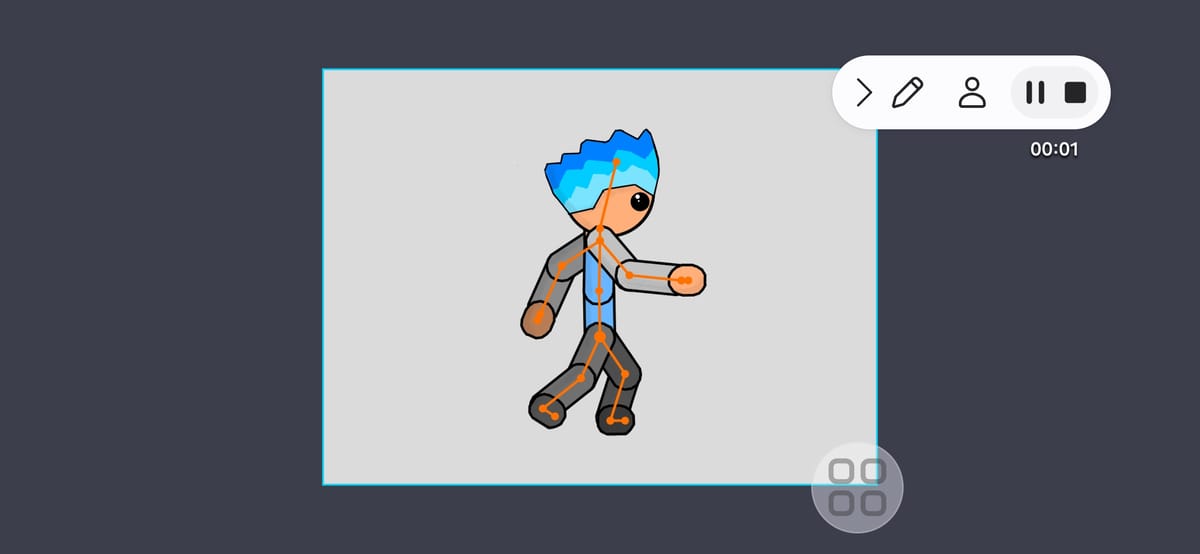
Drawing Cartoons 2Intro: Drawing Cartoons 2 is a mobile animation editor for making short movies and cartoons on Android. Beginners can pose characters on a frame sequence with skeletal joints and keyframes, then use motion tweening to smooth the movement between important poses. A library of characters, props, weapons, backgrounds, and effects gives each scene a starting point, while the item constructor supports custom creations. Camera movement, zoom, and variable speed add visual rhythm before a finished clip is exported or shared. It suits creative lessons, storytelling projects, and hobby animation without requiring a complex desktop workflow.