
Tools APKs for Android

Browse Tools APKs for Android with latest versions, file sizes, package details, scan notes, and verified download links.

Popular Tools APKs

OKX app icon

OKX

APP

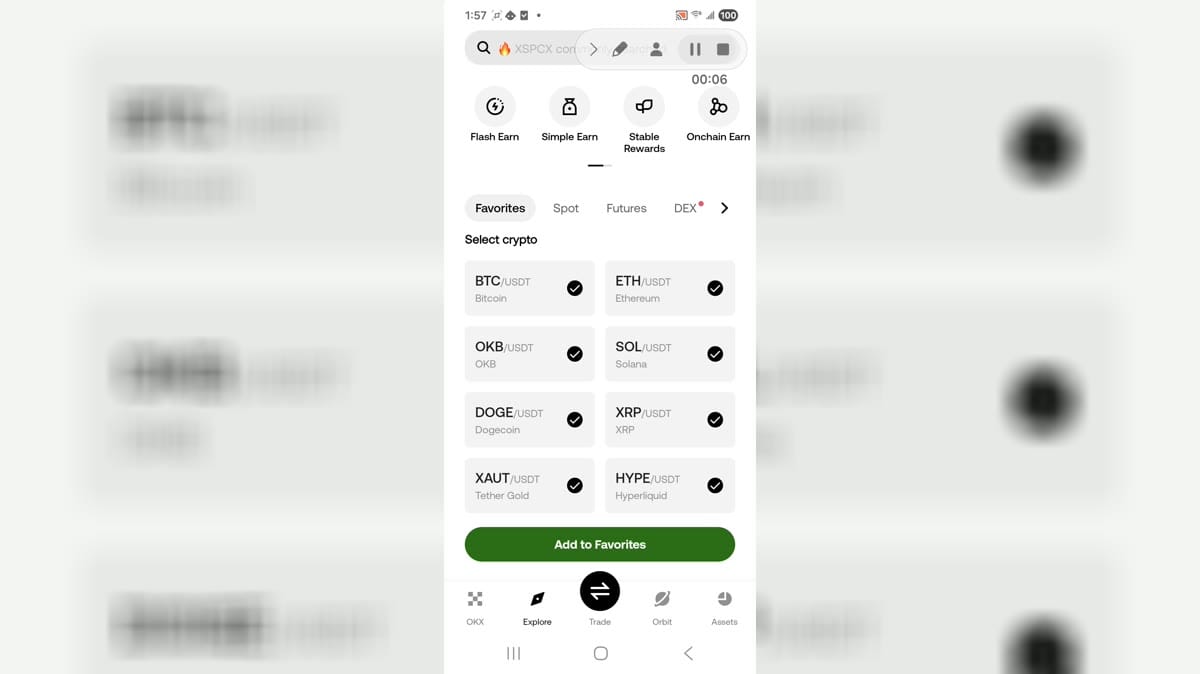
OKX is a cryptocurrency exchange and market-discovery app for Android users who want to follow digital assets and access trading tools from one place. Its Explore area organizes tokens and pairs such as BTC/USDT and ETH/USDT, while favorites make frequently watched markets easier to revisit. Users can move between market discovery, trading, earning options, asset management, and the Orbit community feed. Public areas are available before sign-in, making the app useful for both casual market monitoring and deeper account-based crypto activity.

10.0

Miracast - Wifi Display app icon

Miracast - Wifi Display

APP

Miracast - Wifi Display is a screen-mirroring utility for Android users who want to show their phone display on a compatible TV or wireless display adapter. It keeps the setup focused on one task: place the phone and receiver on the same Wi-Fi network, tap Connect, and choose an available display. A built-in checklist and manual guide explain device support, network preparation, and common adapters, while light, dark, and system themes keep the interface readable. It is best suited to quick whole-screen casting when both devices support Miracast.

10.0

Temp Number com.tempnumber.Temp Number.Temp Number app icon

Temp Number

APP

Temp Number com.tempnumber.Temp Number.Temp Number is an Android app for people looking for Android tools and utilities from a mobile device. It provides a focused experience that users can explore at their own pace, whether they are getting started, returning to a familiar activity, or choosing settings that suit their routine. The app can be useful when a phone is the most convenient place to access its main functions without switching between several services. Users should review available settings, permissions, network use, and any account or payment choices before relying on features that handle personal information or connected content.

10.0

Deck Shop launcher image

Deck Shop

APP

Deck Shop presents profile setup, favourite decks, deck-building, and deck-checking areas for Clash Royale players. Its visible navigation also includes 2v2 decks and support information. The supplied Android session installed and launched successfully into the app. No account sign-in, payment checkout, or advertising placement is established by the supplied screens.

10.0

Toomics app icon

Toomics

APP

Toomics is an Android app for people looking for Android tools and utilities from a mobile device. It provides a focused experience that users can explore at their own pace, whether they are getting started, returning to a familiar activity, or choosing settings that suit their routine. The app can be useful when a phone is the most convenient place to access its main functions without switching between several services. Users should review available settings, permissions, network use, and any account or payment choices before relying on features that handle personal information or connected content.

10.0

Clone App app icon

Clone App

APP

Clone App is a parallel-space utility for Android users who want to run cloned app instances, separate accounts, and manage duplicate app environments from one tool. It is designed for workflows where a user needs personal and secondary app spaces on the same device. The app may help with social, messaging, or game-account separation, but that role requires broad Android access. This package declares many sensitive permissions, including media, location, accounts, phone, contacts, microphone, camera, overlay, package management, usage stats, advertising, and billing capabilities.

10.0

Latest Tools updates

People Playground app icon

People Playground

APP

People Playground is an Android helper app for users who want quick guidance and quiz-style practice around People Playground games. Its simple menu separates play-related help, viewing options, and general information, then lets users choose whether they are learning from a phone or PC context. Difficulty buttons such as Low, Medium, and High organize short knowledge checks without turning the app into the full sandbox game. This focused structure makes it useful for newcomers who want tips, basic orientation, and a lightweight way to review game-related concepts.

9.9

Soccer Score app icon

Soccer Score

APP

Soccer Score is a dedicated match scoreboard for coaches, referees, players, and anyone keeping track of a football game from an Android device. The large display places home and away scores beside the match clock, period labels, and total values so updates remain easy to read during play. Users can adjust points, move between halves and extra-time periods, change team names, and reset the timer or score from a simple control menu. Two scoreboard layouts, sound options, score colors, and configurable game times make it practical for training, scrimmages, and casual matches.

9.7

PropsMadness app icon

PropsMadness

APP

PropsMadness is a sports analytics app built for users who research player prop markets before making their own betting decisions. It organizes scheduled matchups, players, and statistical categories for leagues such as MLB, NBA, WNBA, NFL, and World Cup soccer. Users can search for a player or team, move between prop markets, open performance views, and compare trends with matchup context. League selection, graph preferences, odds format, and temperature units keep the research setup practical, while free and Premium access levels support both quick checks and deeper analysis.

9.3

Uniuni Tracking app icon

Uniuni Tracking

APP

Uniuni Tracking is a parcel-tracking utility for people waiting on deliveries handled by Uni Express. Enter a shipment number from a seller or delivery notice to request current parcel updates from the main screen. A tracking-history area keeps previous searches together, with search and status filters for delivered, in-transit, customs, and processing items. History entries can also be removed individually or cleared when they are no longer useful. The focused layout makes it easy to revisit active shipments and check delivery progress from an Android phone.

8.5

HND app icon

HND

APP

HND is a companion tool for HND Wi-Fi ear-camera devices, turning an Android phone into the camera's viewing and capture screen. Users connect the accessory through its local Wi-Fi network, return to the app, and start a live view for examining details the small camera can reach. During a session, the app can capture still images or record video and save the results to the phone's album for later review. A simple connection guide, language selection, and direct status controls keep setup focused for people using a compatible ear-camera accessory.

7.8

PDGA Live app icon

PDGA Live

APP

PDGA Live is a disc golf tournament companion for players, scorekeepers, and fans following sanctioned events. It brings digital scorecards, real-time tournament and league results, and the disc golf rule book into one Android app. Players can enter an event access code to record scores, while spectators can browse live events, search by event, and follow favorite players. A dedicated Rules area covers the rule book and Competition Manual, and settings include language, metric units, and dark mode. The focused layout keeps essential competition tools easy to reach on the course or from home.

9.4

ApowerMirror app icon

ApowerMirror

APP

ApowerMirror is a screen-mirroring utility for people who want to view and manage a phone on a larger display. Android users can cast to a PC, Mac, TV, tablet, or another phone over Wi-Fi or USB, depending on the receiving device. The app supports device discovery, QR and PIN-style connection methods, and audio-aware mirroring for videos, games, presentations, and remote demonstrations. Its companion tools include a whiteboard, file access, browser mirroring, photo and video entries, plus account and connection settings, giving home, classroom, and workplace users a flexible display workflow.

9.7

Copi app icon

Copi

APP

Copi is a ride-offer assistant designed for ride-hailing drivers who want faster context before accepting work. It places a simple copilot overlay over compatible driver apps, helping users review an incoming offer without leaving the screen. Drivers can define minimum and excellent thresholds for distance-based rates, hourly earnings, and customer ratings, then activate the tool at the start of a workday. Quick controls keep thresholds, app settings, account details, and support close at hand, creating a focused workflow for comparing offers and managing day-to-day driving decisions.

8.4

Imp3 app icon

Imp3

APP

Imp3 is a media download utility that combines an in-app browser with controls for saving audio or video from supported web pages. Users can open a compatible page, navigate to a specific post or clip, and start playback before choosing the download action. Separate audio and video choices, a downloads area, and folder settings help organize saved files on Android. The app also includes shortcuts for social-media pages and a manual URL entry route, making it useful for people who want one place to browse media and manage local copies.

9.5

Quantum Fiber app icon

Quantum Fiber

APP

Quantum Fiber is a network and account management app for customers who want to control their home or small-business fiber service from an Android phone. After signing in, users can follow installation and service updates, review connected devices, check network health, and change WiFi details without opening a desktop portal. The app also supports quick-join QR codes, device pausing and blocking, 360 WiFi controls, and biometric sign-in. These tools bring routine service, device, and network tasks into one place, making everyday connection management easier at home or away.

8.6

RepeaterBook app icon

RepeaterBook

APP

RepeaterBook is an amateur radio directory app built to help operators find repeaters at home or while traveling. It can use the current location, a town, callsign, frequency, or grid reference to narrow the worldwide directory, then show practical details such as band, mode, distance, and heading. Filters make it easier to focus on the services and ranges that match a radio setup, while offline access supports planning where coverage is unreliable. Bluetooth and RepeaterBook Connect options extend the workflow toward compatible radio control and map-based discovery.

9.2

Videy app icon

Videy

APP

Videy is a lightweight video-hosting tool for people who need to turn a local clip into a shareable link without setting up an account. Users choose an MP4 or MOV file from the Android gallery, wait for the upload to finish, then copy the generated link or open it in a browser. The focused interface keeps the workflow centered on one task, with support for files up to 100 MB shown in the app. It suits screen recordings, quick demos, short vlogs, and other clips that need straightforward web sharing.

8.3

Google Play Console app icon

Google Play Console

APP

Google Play Console is a mobile companion for Android developers who need to watch their published apps away from a desktop. After signing in with a Google account linked to a Play Console developer profile, users can check the metrics that matter, review release availability across tracks, manage orders and refunds, and respond to user feedback. The app brings day-to-day store operations into a phone-friendly workflow, while staged-rollout controls help teams react to release changes quickly. It suits developers and app managers who need focused oversight while traveling or working between devices.

8.9

Cello Tuner app icon

Cello Tuner

APP

Cello Tuner is a focused Android tuning tool for cellists who need quick pitch checks during practice, lessons, rehearsals, or performances. It listens through the phone microphone, identifies the note being played, and uses a real-time needle to show whether the string is sharp, flat, or centered. Players can work with the standard C, G, D, and A strings, read the detected frequency, or tap reference tones to tune by ear. Chromatic coverage, microphone sensitivity controls, and an offline-friendly design make it useful for both beginners and experienced musicians.

8.4

Whitepages app icon

Whitepages

APP

Whitepages is a people-search and reverse-lookup app for finding contact and public-record information from an Android phone. Users can search a name, phone number, address, email, company, or job title, then review available identity, caller, and property details. The app also includes caller identification, spam context, saved searches, property tracking, and alerts when selected information changes. Premium plans extend lookup limits and access to fuller reports, while account and privacy controls keep recurring searches organized. It suits users who need quick directory research without switching between several separate tools.

8.5

AdGuard DNS app icon

AdGuard DNS

APP

AdGuard DNS is a lightweight Android utility that connects a phone or tablet to the AdGuard DNS service for DNS-level privacy and filtering. Users link a device with a setup ID from their dashboard or scan a QR code, then enable protection through a local VPN profile. The service can filter known advertising, tracking, and malicious domains before connections are completed. It suits individuals, families, schools, and teams that want consistent DNS rules across several devices without the broader controls of a full ad blocker or VPN app.

9.1

Ukulele Tuner app icon

Ukulele Tuner

APP

Ukulele Tuner is a music utility for players who want quick pitch guidance and practice support on an Android phone. It listens through the device microphone, identifies whether a string is sharp or flat, and guides adjustments toward the correct note in automatic or manual tuning modes. Players can switch among soprano, concert, tenor, and baritone setups, browse chord diagrams with finger positions, and use chord-learning or ear-training activities between practice sessions. Left-handed display options and simple tuning controls make the app approachable for beginners while remaining useful for routine instrument checks.

9.2

GDevelop app icon

GDevelop

APP

GDevelop is a no-code game creation and discovery app for Android users who want to build, learn, and play from a phone or tablet. Creators can start with templates, remix ready-made projects, ask the built-in AI for help, and assemble games with visual events, behaviors, characters, sounds, and effects. The same app also offers tutorials, indie games, feedback tasks, GD Coins, and a categorized asset shop. Its mobile workflow gives beginners, hobbyists, teachers, and independent developers a practical way to explore game design and continue projects away from a desktop.

7.3

Dododex app icon

Dododex

APP

Dododex is a companion app for ARK: Survival Evolved and ARK: Survival Ascended players who want reliable planning tools outside the game. Choose a creature and enter its level to calculate food quantities, taming time, narcotics, torpor drain, and expected bonus levels. Creature pages also bring together stat estimates, breeding timers, gathering details, recipes, community tips, spawn commands, and map links. Custom multipliers help align calculations with private servers or single-player settings, so players can prepare resources efficiently and keep complex taming or breeding sessions organized.

7.2

Collectr app icon

Collectr

APP

Collectr is a trading-card portfolio manager for collectors who want one place to organize, value, and follow their hobby. Users can search a broad catalog or scan cards, then add raw, graded, and sealed products to a personal portfolio. Collection totals, price history, market movers, and gains or losses turn a card list into a practical value tracker. Trade analysis, transaction logs, multiple currencies, export tools, shop links, and social profiles support everyday collecting decisions. It suits both new collectors building their first list and experienced hobbyists monitoring several TCGs.

8.2

Gemi Chatbot app icon

Gemi Chatbot

APP

Gemi Chatbot is a lightweight AI assistant app for users who want a simple place to ask questions and keep conversations on Android. Its focused chat screen provides a message box, attachment control, and a clear thread view for exchanging prompts with the assistant. The home screen also introduces image analysis for visual questions and chat history for returning to earlier discussions. With direct navigation and a display-mode control, the app keeps its small set of AI tools easy to find during quick everyday sessions.

9.0

CarCulator app icon

CarCulator

APP

CarCulator is a vehicle-cost calculator app for drivers and car owners who need quick estimates for common Hungarian motoring tasks. Its menu brings together ownership-transfer costs, registration tax, coverage-gap fees, company-car tax, speeding penalties, fuel consumption, per-kilometer costs, motorway vignettes, mileage, and tire-size conversions. Users can also open an acceleration meter, switch measurement units, and choose a dark or light interface. By keeping these tools in one place, CarCulator makes it easier to compare everyday running expenses and prepare for administrative costs before relying on them for an important decision.

8.3

Splitwise app icon

Splitwise

APP

Splitwise is a shared-expense app for friends, roommates, couples, families, and travel groups who want a clear record of shared costs. Users create a group or private friendship, add bills and IOUs, choose how each amount should be divided, and see updated balances without maintaining a separate spreadsheet. The app supports trip, home, couple, and other group types, while activity and notification controls help everyone follow changes. It turns everyday tasks such as rent, meals, vacations, and recurring household costs into a simpler path from recording a purchase to settling what each person owes.

7.7

ViewSync Pro app icon

ViewSync Pro

APP

ViewSync Pro is a multi-video synchronization tool for people who need several YouTube videos or Shorts to play together on one screen. Users can add multiple links, assign separate start-time offsets, and control every player with shared play, pause, restart, and mute actions. The layout supports side-by-side comparisons for reaction editing, music covers, dance practice, lessons, and multi-angle review. Sessions can also be shared by link, so collaborators can reopen the same set of videos and timing choices without rebuilding the arrangement.

9.2

Transparency app icon

Transparency

APP

Transparency is a product-authentication tool for shoppers who want to check whether an enrolled item carries a valid Amazon Transparency code. Point the camera at the square code on a product package, let the scanner read it, and review the authenticity result returned for that unit. When a participating brand has supplied extra material, the result may also include images, videos, promotions, or manufacturing details such as date and location. A language selector supports English, Spanish, German, French, Italian, Japanese, and Chinese. The focused workflow makes verification quick while keeping product information close to the physical item.

7.6

The Word Finder app icon

The Word Finder

APP

The Word Finder is a word-solving utility for players who need quick help turning a rack of letters into playable words. Enter the available letters, use a space or question mark for a blank tile, and tap Scramble to generate options for puzzles such as Scrabble, Jumble, Text Twist, and Words With Friends. Advanced filters narrow results by starting letters, included patterns, or endings, while score views help compare possible plays for different word games. It gives casual players and puzzle enthusiasts a focused way to recover from a difficult rack and explore useful vocabulary.

9.3

Standard Error Calculator app icon

Standard Error Calculator

APP

Standard Error Calculator is a focused statistics tool for students, researchers, and analysts who need a quick way to summarize a numeric dataset on Android. Users enter values separated by commas, then the app processes the list and reports the total count, mean, sample variance, standard deviation, and standard error of the mean. A built-in explanation page and formula reference make the calculation easier to follow instead of presenting only a result. Its compact workflow is useful for checking coursework, reviewing experimental data, or confirming hand calculations without setting up a spreadsheet.

9.1

NetSpeed app icon

NetSpeed

APP

NetSpeed is an Android network testing utility for people who want a quick picture of connection quality before streaming, gaming, joining a video call, or working online. A large GO control starts a check of ping, download speed, and upload speed, while the result analysis helps translate raw numbers into practical use. Test history, statistics, graphs, Wi-Fi signal tools, and nearby-network views make it easier to compare performance over time or around a room. The app keeps everyday troubleshooting focused and easy to navigate.

7.9

Aptoide app icon

Aptoide

APP

Aptoide is an independent Android app marketplace for people who want to discover, install, and manage apps outside a single centralized catalog. Users can browse games and applications by category, search for specific titles, open detailed pages, and choose among available versions before installing. Its community model also supports following stores, reviewing content, and managing a personal store, while many basic browsing and download tasks can be used without signing in. For Android users who value broader choice and version control, Aptoide combines app discovery, store navigation, and update management in one interface.

7.0

Race Monitor app icon

Race Monitor

APP

Race Monitor is a live timing and race-results app for drivers, teams, and spectators who want to follow motorsport events from an Android device. It brings current and upcoming races into one directory, with event names, tracks, schedules, and live status visible before a session opens. During a race, users can follow lap times, group competitors by class, and sort the field by race or qualifying position. Results, followed races, category sections, and direct RMonitor connections make it useful both at the circuit and when watching from elsewhere.

8.5

Double Tap Screen On/Off app icon

Double Tap Screen On/Off

APP

Double Tap Screen On/Off is an Android utility that replaces frequent power-button presses with tap gestures on the home screen. It is designed for people who want a quicker way to lock or wake their display, especially when a physical button is inconvenient or worn. Separate controls let users choose screen-off and screen-on behavior, while the main panel also provides access to setup, a shortcut, feedback, sharing, and removal options. Once the required Android services are configured, the app turns a simple double tap into an everyday screen-control action.

9.0

Plywood Calculator app icon

Plywood Calculator

APP

Plywood Calculator is a practical material-estimation tool for builders, carpenters, and DIY users planning sheet-based projects. Enter a project length and width or a total surface area, choose matching units, then add the plywood sheet dimensions, waste allowance, and material price. The app calculates covered area, single-sheet area, the number of full sheets required, and an estimated total cost. Saved results make repeated estimates easier to revisit, while light and dark themes improve readability. An integrated plywood guide also explains material construction, benefits, types, and common grades.

7.7

Osmolality Calculator app icon

Osmolality Calculator

APP

Osmolality Calculator is a focused medical calculation tool for users who need a quick estimate of serum osmolality from common laboratory values. Enter sodium, glucose, and BUN figures, choose the matching units, and the app displays the calculated result in mOsm/kg. Its single-screen layout keeps the three inputs and output visible together, which makes repeated checks easy to follow. The compact workflow suits clinicians, students, and healthcare learners who want a convenient calculation aid, while results should still be interpreted with appropriate clinical context.

8.5

MyBridgestone app icon

MyBridgestone

APP

MyBridgestone is a workplace support app for eligible Bridgestone Americas teammates who need company resources away from a desktop. After signing in with company credentials, employees can reach commonly used workplace platforms, browse self-service guidance, and submit or track HR and IT requests. The app also connects teammates with Ask MyBridgestone support, company news, and role- or location-specific notifications. By bringing these tasks into one mobile hub, it helps employees find answers, follow requests, and stay informed from a personal device when convenient.

7.2

Xe Money Transfer & Currency app icon

Xe Money Transfer & Currency

APP

Xe Money Transfer & Currency is a finance app for people who compare exchange rates, convert amounts, and manage international payments from Android. Travelers, families, students, and businesses can check live currency values before deciding when and how much to send. The app combines a currency converter, rate charts, alerts, transfer quotes, and status tracking in one place. Users can follow selected currency pairs, review fees before confirming eligible transfers, and receive updates as money moves to its destination. This gives frequent cross-border users a clearer, more organized way to plan currency decisions on the go.

9.6

Los Dorados Cargo app icon

Los Dorados Cargo

APP

Los Dorados Cargo is a shipment-tracking utility for customers who want a quick view of cargo handled by the company. Users enter a guide, tracking, or WHR reference and submit it from a focused Spanish-language form. The result can show practical shipment details such as the received date, package weight, number of pieces, payment type, and status entries. Its compact workflow avoids a crowded account dashboard and keeps attention on a single shipment lookup. This makes routine checks easier when customers are waiting for cargo updates on Android.

7.3

SMS Forwarder app icon

SMS Forwarder

APP

SMS Forwarder is an Android automation tool for people who need incoming text messages and notifications to reach another device or service. Users create forwarding filters, choose recipients such as a phone number, email address, webhook, Telegram account, or push-service ID, and customize the outgoing message template. Keyword and sender conditions help separate important alerts from routine messages, while Dual SIM and scheduled operating times support more specific setups. Gmail, custom SMTP, backup and restore, and cross-device syncing make recurring forwarding rules easier to manage from one phone.

7.5

Just Flip A Coin app icon

Just Flip A Coin

APP

Just Flip A Coin is a lightweight decision tool that turns a heads-or-tails toss into a quick tap on Android. It suits players settling turn order, friends choosing between two options, or anyone who needs a simple tie-breaker without searching for a physical coin. The main screen displays the virtual coin, the latest result, and separate heads and tails counters as each flip is completed. Coin selection, sound, vibration, language controls, and a statistics reset make the experience easy to tailor for repeated everyday use.

7.8

FlashLight Torch app icon

FlashLight Torch

APP

FlashLight Torch is a compact Android utility that turns the phone's camera LED into an immediate light source. It suits quick tasks such as finding keys, moving through a dark room, checking equipment, or handling a power cut. A large central control switches the torch on and off without sending users through menus, while the header keeps the current battery level visible. The focused interface makes the core action easy to reach with one hand and helps users get useful light without account setup or a complicated configuration process.

9.3

Feet&Inches Calculator app icon

Feet&Inches Calculator

APP

Feet&Inches Calculator is a measurement and fraction calculator designed for builders, woodworkers, designers, and anyone handling dimensions in imperial units. Users can enter feet, inches, fractional values, decimals, and common area units, then apply standard arithmetic without converting everything by hand. Dedicated keys make mixed measurements easier to type, while adjustable inch resolution and decimal precision keep results suited to rough estimates or detailed project work. Conversion controls, a history tape, and advanced functions help turn repeated workshop, renovation, and planning calculations into a faster mobile workflow.

9.4

Expo Go app icon

Expo Go

APP

Expo Go is a mobile development companion for previewing Expo and React Native projects on an Android device while code runs from a computer. Developers can connect to a development server by scanning its QR code or entering a project URL, then check interface changes and interactions on real hardware. An Expo account can surface recent projects, while the built-in settings let users choose automatic, light, or dark appearance. It works best as a learning and prototyping sandbox, giving students and developers a quick path from JavaScript changes to an on-device preview.

8.2

Direct Express app icon

Direct Express

APP

Direct Express is a mobile account companion for people who receive federal benefit payments through a Direct Express Debit Mastercard. Cardholders can sign in to review balance and transaction information, follow deposits, and manage alerts for important account activity. The app also supports everyday card tasks such as locating nearby ATMs and cash-back options, while registration, help, language, and account-recovery tools remain easy to reach from the sign-in screen. It brings benefit-card access and routine money management together in one focused Android experience.

8.7

CSG Pay Inmate app icon

CSG Pay Inmate

APP

CSG Pay Inmate is a mobile payment app for friends and family who need to add funds to supported correctional accounts. After signing in or creating an account, users can prepare deposits for prepaid phone access, inmate PIN debit, or commissary use when those options are offered by the facility. The app brings the Correct Solutions deposit service to Android, helping customers manage funding without relying only on phone support or a desktop browser. Account and facility availability shape which choices appear, so users should confirm the correct recipient and account type before submitting a payment.

9.1

Bracket HQ app icon

Bracket HQ

APP

Bracket HQ is a tournament bracket maker for organizers who want to build and manage competitions from an Android device. It supports properly seeded brackets, customizable participant lists, and layouts for single elimination, double elimination, group stages, and round robin events. Organizers can choose visual themes, adjust scoring and display settings, and follow standings as results are entered. Guest access makes the opening flow easy to explore, while account-based saving helps tournament managers return to ongoing events and share updates with participants.

7.1

Fender Tune app icon

Fender Tune

APP

Fender Tune is a music utility for guitar, bass, and ukulele players who want quick tuning guidance and practical tools for daily practice. Musicians can pluck a string for automatic pitch feedback, select notes manually, or use a more detailed tuner display when precision matters. Instrument profiles and alternate tunings help players prepare for different songs, while chord diagrams, scale patterns, a metronome, and drum rhythms support practice after tuning. The result is a compact companion for beginners learning the basics and experienced players maintaining a consistent routine.

7.0

Castto - Screen Mirroring app icon

Castto - Screen Mirroring

APP

Castto - Screen Mirroring is a wireless display tool for Android users who want to move phone content onto a larger TV screen. It guides the phone and television onto the same Wi-Fi network, then provides a Select TV control for choosing an available display. Once connected through a compatible wireless display setup, users can show photos, videos, games, apps, or presentation material from the phone on the television. A built-in How to Use entry and a simple home screen keep the setup approachable for casual viewing, family sharing, and quick demonstrations.

7.4

HEX Editor app icon

HEX Editor

APP

HEX Editor is a compact Android utility for inspecting and changing binary files directly on a phone or tablet. It suits developers, repair technicians, and curious users who need to examine bytes, locate text, or make targeted edits away from a desktop. The app can keep several files open, display values in hexadecimal, decimal, or octal form, and search strings across multiple encodings. Macros, a built-in terminal, file comparison, and configurable interface options support more involved workflows. Its focused toolset turns quick binary checks and repeatable edits into a portable process.

8.0

Island app icon

Island

APP

Island is an Android privacy and app-management tool that creates a separate work profile for selected apps and their data. Users can clone an app into this isolated space, run a second account beside the original, or freeze apps to stop background activity. The Island and Mainland tabs keep profile apps organized, while Discovery surfaces options such as ADB Secure, Managed Mainland, and Greenify integration. This structure gives privacy-conscious users a practical way to separate sensitive apps, reduce unwanted background behavior, and manage parallel app environments from one device.

7.1

Split Screen app icon

Split Screen

APP

Split Screen is an Android multitasking utility that helps people open two compatible apps on one screen without repeatedly switching between them. Users choose an app for the upper area and another for the lower area, then launch the pair together. A swap control reverses their positions before launch, while the built-in picker makes installed apps easy to find. Favorite combinations can also be prepared from the Launcher tab for quicker reuse. It suits tasks such as watching a video while chatting, comparing information, or keeping reference material visible while working.

9.3

Cursed Text app icon

Cursed Text

APP

Cursed Text is a typography utility for turning ordinary phrases into distorted Zalgo-style lettering, decorative fonts, and symbol-based text. It suits creators, roleplayers, gamers, and social media users who want unusual names, captions, bios, or horror-themed messages. The Cursed Void workspace lets you choose ascending, central, or descending corruption, adjust chaos, manage spaces, pick a color, and prepare the result for copying. Separate Fancy Fonts and Symbols & ASCII areas provide more Unicode-based styles. Its focused three-tab layout keeps quick text experiments easy to reach.

9.6

Group Maker app icon

Group Maker

APP

Group Maker is a practical Android utility for quickly dividing people into organized teams for classrooms, sports, projects, events, and casual activities. Users build a reusable member list, select participants, set grouping rules, and let the app generate a suitable arrangement without repeatedly typing names. Saved results, favorites, and group history make earlier combinations easy to find, while sharing support helps move the finished list into messages or other apps. Adjustable outcomes, calculation time, and multiple interface languages provide extra control for recurring group-planning tasks.

9.4

AR Ruler - Tape Measure app icon

AR Ruler - Tape Measure

APP

AR Ruler - Tape Measure turns a compatible Android phone into a simple augmented-reality distance tool for quick everyday estimates. Users point the camera at a well-lit, textured surface, wait for ARCore to recognize it, and mark two positions to measure the gap in centimeters. The interface supports discrete or continuous measuring, an optional surface grid, undo controls, and a camera button for saving a measured scene. Sharing lets users pass the captured result to another app. It suits furniture checks, small room planning, and situations where a physical tape is not close at hand.

8.7

Ems Tracking app icon

Ems Tracking

APP

Ems Tracking is a parcel-tracking utility for people who want a simple way to follow Express Mail Service shipments from an Android phone. Users select a country, enter an EMS tracking number, and start a lookup from the main screen to check available delivery updates. A history area keeps earlier numbers easy to revisit, with search, status filtering, and deletion tools for managing past lookups. Light and dark themes make the compact interface comfortable in different settings, while the focused workflow avoids unrelated shipping-management features.

9.5

Chess Next Move Calculator app icon

Chess Next Move Calculator

APP

Chess Next Move Calculator is a chess analysis and practice app for players who want help studying a position or training against an engine. Users can set up a board manually, recreate it from a photo, or enter FEN, then ask the Stockfish-powered predictor for a suggested continuation. A separate Play vs Computer mode offers adjustable engine strength, while side selection, language choices, and guided instructions make the main tools easier to configure. It works best for puzzles, completed-game review, and solo practice rather than assistance during live competitive play.

7.7

Tools APK file checks

Compare highlighted Tools APK listings with package details, file sizes, update signals, and available download links.

How to choose a Tools APK

Check the app name, package name, latest version, file size, update date, source notes, SHA-256, and whether the download page includes clear safety context.

Tools app safety notes

Before installing a Tools APK, review package identity, source notes, file verification, permissions, and install behavior.

Related Android app categories

Explore nearby Android app categories when you want similar tools, communication apps, media apps, or productivity APKs.

No published items in this category yet.

Tools APK FAQ

Are Tools APK downloads safe?

A Tools APK should be checked by package name, version, source, SHA-256, scan notes, and install behavior before installation.