Communication Apps APK Download

Stay in touch in the way that feels natural to you. Browse Android communication apps for private chats, group conversations, workplace channels, email, community spaces, calls, photos, and quick updates with the people you want to reach.

Popular Communication APKs

Find an app that matches how you communicate: a simple chat with friends, a group that stays active all day, a shared workspace, a reliable inbox, or a community with its own rooms and channels.

GTL Schedule Visits app icon

GTL Schedule Visits

APP

GTL Schedule Visits is a communication app for people arranging visits with loved ones at participating correctional facilities. Users select a facility, sign in with an email or visitor ID and password, then plan or cancel visits and keep account details current. The scheduling app works as the first part of GTL's two-app Android setup, while GTL Internet Visits handles the video-visit component. Facility choice, appointment timing, account management, and visit confirmation stay organized in one workflow. It is most useful for approved visitors who need a mobile way to manage upcoming facility visits.

10.0

Slack app icon

Slack

APP

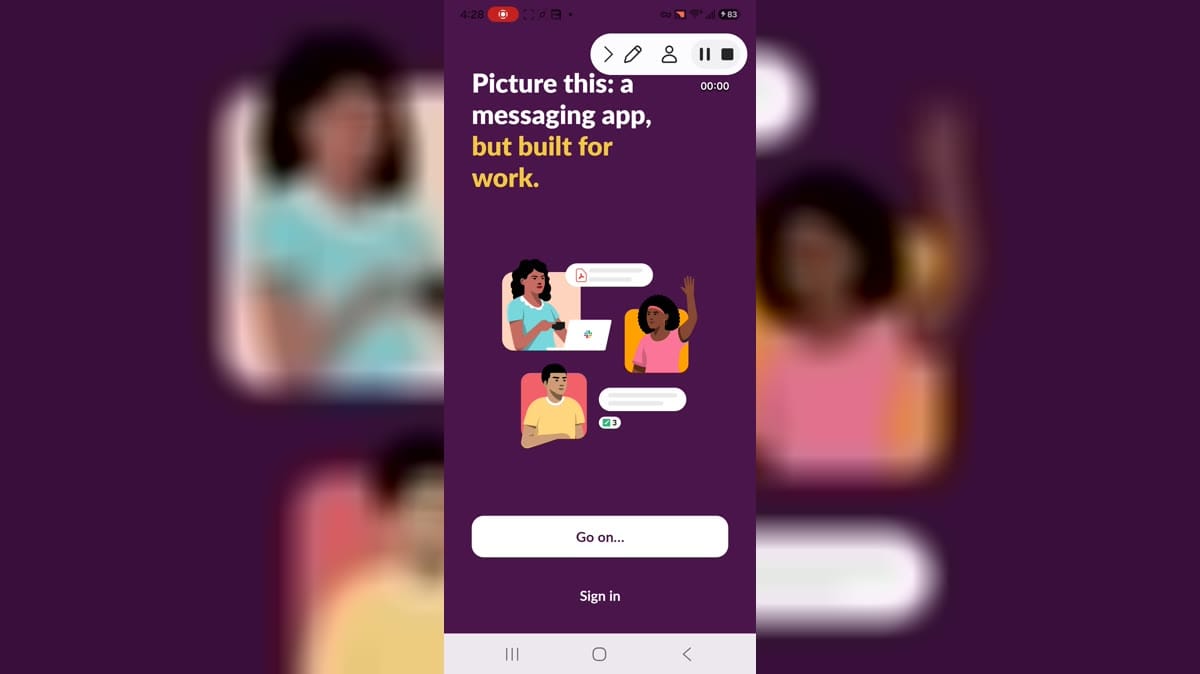
Slack is a team communication app for Android users who need workplace messaging, channels, direct messages, calls, file sharing, notifications, and workspace collaboration from a phone or tablet. It is designed for organizations, teams, communities, and professionals who need searchable conversation and quick coordination. The app opened to Slack landing and sign-in screens during the captured path. It declares accounts, contacts, media, microphone, camera, Bluetooth, overlay, biometrics, notifications, foreground services, network, call management, and AI service binding capabilities.

10.0

CorrLinks app icon

CorrLinks

APP

CorrLinks is a communication app for family and friends who exchange electronic messages with loved ones in participating correctional institutions. It brings the CorrLinks inbox to Android, with faster message downloads, real-time new-message alerts, and previously read conversations kept available on the device. A paid Premier Account connects the mobile experience, while support for up to three devices helps users stay signed in across phones or tablets. Confirmation controls for deleting messages and logging out add practical safeguards for everyday correspondence, making ongoing contact easier to manage away from a desktop.

9.9

Zello app icon

Zello

APP

Zello is a push-to-talk communication app that turns an Android phone or tablet into an internet-connected walkie-talkie. It suits friends, community members, and frontline teams that need fast voice exchanges without placing a conventional call. Users can speak privately with contacts, join public or private channels, replay voice history, and complement audio with text, images, alerts, or location sharing when available. Support for Wi-Fi, mobile data, Bluetooth headsets, and configurable PTT buttons makes conversations practical across everyday coordination, travel, events, and field work.

9.9

AirTalk Wireless app icon

AirTalk Wireless

APP

AirTalk Wireless is a mobile account and enrollment app for people using or applying for the AirTalk Lifeline service. New applicants can begin with a ZIP-code eligibility step, review available phone and monthly-plan benefits, and move into the application flow from one place. Existing customers can sign in with an enrollment ID or username, use one-time-password access, recover account details, and manage supported service tasks. English, Spanish, and Vietnamese language choices make the entry experience more accessible for households handling wireless benefits and account needs on Android.

9.9

HomeWAV app icon

HomeWAV

APP

HomeWAV is a communication app for people who want to stay connected with an incarcerated family member or friend from an Android phone. Visitors create an account, select the relevant facility and contact, then use supported options for video calls, voice calls, or messages. Approved users can also receive availability notifications, manage communication funds, and schedule eligible on-site or lobby visits. Because services and rates depend on each participating facility, the app is most useful as one place to handle approved contact, account details, and visit planning without repeated travel.

9.9

Latest Communication updates

myMail app icon

myMail

APP

myMail is a mobile email client for people who want several inboxes in one Android app. It connects popular services such as Gmail, Outlook, Yahoo, Hotmail, AOL, and compatible IMAP or POP3 accounts, so users can move between mailboxes without separate apps. Messages can be read, replied to, forwarded, searched, organized, and paired with attachments from a clear visual inbox. Custom push controls, contact suggestions, message previews, and swipe actions help keep everyday correspondence manageable. The result is a practical hub for personal and work email on the go.

9.8

Inmate Inbox app icon

Inmate Inbox

APP

Inmate Inbox is a communication app for families and friends who want to exchange electronic messages and photos with people at participating correctional facilities. Users create an account, find an inmate, add that person to their contact list, and manage conversations from a mobile dashboard. The service supports real-time text messaging, staff-reviewed photo delivery, account management, and credit purchases for paid communication. Facility availability, message pricing, and photo review times can vary, so the app is most useful for users whose loved one is served by a participating jail or prison.

8.3

CorrLinks app icon

CorrLinks

APP

CorrLinks is a communication app for family and friends who exchange electronic messages with loved ones in participating correctional institutions. It brings the CorrLinks inbox to Android, with faster message downloads, real-time new-message alerts, and previously read conversations kept available on the device. A paid Premier Account connects the mobile experience, while support for up to three devices helps users stay signed in across phones or tablets. Confirmation controls for deleting messages and logging out add practical safeguards for everyday correspondence, making ongoing contact easier to manage away from a desktop.

9.9

NCIC Visitation app icon

NCIC Visitation

APP

NCIC Visitation is a communication app for people who want to stay connected with an incarcerated family member or friend through participating correctional facilities. Users can create an account, sign in by email or phone, arrange remote video visits, exchange text and video messages, share photos, and manage account details from one mobile service. The app also provides facility information, support access, language choices, and a dark mode. Because available services depend on the facility, it works best as a single place to check connection options, visit availability, messages, and account activity.

7.9

Cuballama app icon

Cuballama

APP

Cuballama is a communication and family-services app built for people who want to stay connected with relatives in Cuba. It brings mobile recharges, international calls, grocery and essential-goods delivery, travel planning, shipments, and balance transfers into one account. Users can choose a country code, sign in with a phone number, then manage services designed around supporting family from abroad. Frequent recharge promotions and access to customer support make recurring tasks easier, while the combined service hub reduces the need to switch between separate calling, shopping, delivery, and travel tools.

8.8

ConnectNetwork app icon

ConnectNetwork

APP

ConnectNetwork by GTL is a mobile account and communication app for people managing services for an incarcerated loved one. It brings ConnectNetwork sign-in, account setup, facility-linked services, deposits, and messaging into one Android interface. After adding a person and their facility, users can access available options such as AdvancePay, Trust Fund, PIN Debit, or Debit Link, depending on local support. Messaging tools can handle inbox conversations, drafts, and photo or video attachments where enabled. The app helps families manage frequent account tasks without relying on a desktop browser.

8.4

Zoom Workplace app icon

Zoom Workplace

APP

Zoom Workplace is an all-in-one communication and collaboration app for people who need to meet, message, and coordinate from an Android phone. Guests can enter a meeting ID or personal link to join a session, while signed-in users can organize meetings and reach teammates through chat and calling tools. Meeting controls bring audio, video, participant, and messaging actions into one mobile workspace, and settings cover meetings, audio, video effects, accessibility, and account options. It helps remote, hybrid, and on-the-go teams stay connected without switching between several separate apps.

9.7

BOSS Revolution app icon

BOSS Revolution

APP

BOSS Revolution is a communication app for people who want to stay connected with family and friends across borders. It brings international calling, app-to-app calls, mobile airtime top-ups, messaging, and selected transfer services into one account. Users begin by verifying a phone number, choose the relevant country code, add calling credit or a suitable plan, and then contact mobile or landline numbers abroad. Top-up tools also let them select a recipient, carrier, amount, and one-time or scheduled recharge. The combined workflow makes recurring cross-border communication and support easier to manage from Android.

8.0

Zello app icon

Zello

APP

Zello is a push-to-talk communication app that turns an Android phone or tablet into an internet-connected walkie-talkie. It suits friends, community members, and frontline teams that need fast voice exchanges without placing a conventional call. Users can speak privately with contacts, join public or private channels, replay voice history, and complement audio with text, images, alerts, or location sharing when available. Support for Wi-Fi, mobile data, Bluetooth headsets, and configurable PTT buttons makes conversations practical across everyday coordination, travel, events, and field work.

9.9

GO Visits app icon

GO Visits

APP

GO Visits is an Android video-visitation app for friends and family who want to stay connected with an incarcerated loved one at participating facilities. It lets users choose the contact's country, sign in with email and password or a phone number and PIN, and access supported remote visit services from a mobile device. The broader GettingOut visit system supports scheduled sessions and on-demand Visit Now calls when a facility offers them. Camera, microphone, notifications, and a reliable internet connection help users prepare for live conversations and respond when a visit becomes available.

9.8

Verizon Call Filter app icon

Verizon Call Filter

APP

Verizon Call Filter is a call-screening app for eligible Verizon customers who want more control over spam, robocalls, and unfamiliar numbers. It labels suspected unwanted calls, can send high-risk spam to voicemail, and lets users report numbers that slip through. The app also supports allowed numbers and configurable filtering, while Call Filter Plus adds caller identification, spam lookup, risk details, and personal blocking tools. Together, these controls make it easier to decide which calls deserve attention and which should be filtered before they interrupt the day.

8.3

AirTalk Wireless app icon

AirTalk Wireless

APP

AirTalk Wireless is a mobile account and enrollment app for people using or applying for the AirTalk Lifeline service. New applicants can begin with a ZIP-code eligibility step, review available phone and monthly-plan benefits, and move into the application flow from one place. Existing customers can sign in with an enrollment ID or username, use one-time-password access, recover account details, and manage supported service tasks. English, Spanish, and Vietnamese language choices make the entry experience more accessible for households handling wireless benefits and account needs on Android.

9.9

TeamReach app icon

TeamReach

APP

TeamReach is a team communication and group management app for coaches, players, parents, clubs, and community organizers. It brings group messages, schedules, event details, availability, and last-minute updates into one shared space. Leaders can create groups and share join codes, while members keep up with practices, games, meetings, directions, reminders, and attendance. The app also supports polls, photos, videos, forms, and files for everyday coordination. By reducing scattered texts, emails, and paper notices, TeamReach helps groups stay informed without requiring members to exchange personal contact details.

7.2

Team AAG app icon

Team AAG

APP

Team AAG is an employee communication app for people connected with Alaska Airlines, Horizon Air, and McGee Air Services. It brings company news, role-based updates, divisional resources, events, and community information into one mobile hub. Users can browse News & Stories, search across available content, explore locations and career links, or sign in for additional features tied to eligible roles. Push notifications can surface time-sensitive updates, while the menu keeps company information organized for faster access during everyday work. This makes workplace communication easier to follow from Android.

9.6

TalkingParents app icon

TalkingParents

APP

TalkingParents is a co-parenting communication app designed for separated or divorced parents who need one organized place to coordinate around their children. It combines timestamped messaging, recorded phone and video calls, a shared calendar, expense tracking, and secure information storage so important decisions do not disappear across scattered texts and emails. Parents can match accounts, manage schedules, document payments, keep private notes, and create records for later reference. By keeping communication and family logistics together, the app helps users maintain clearer boundaries and a consistent history of their shared parenting activity.

8.8

Stack TeamApp app icon

Stack TeamApp

APP

Stack TeamApp is a club communication and coordination app for sports teams, social groups, coaches, parents, and members. Users can find an existing club or create a customized team space, then follow news, events, schedules, chats, photos, and shared documents from one place. Access groups help organizers send the right updates to players, families, committees, or coaching staff, while notifications keep time-sensitive information visible. Event responses, team rosters, member profiles, and administrative tools make it easier to organize both daily communication and season-long club activity.

7.2

Virgilio Mail app icon

Virgilio Mail

APP

Virgilio Mail is an Android email client for people who want to manage several inboxes from one place. It brings Virgilio addresses and external accounts such as Gmail, Yahoo, and Hotmail into a single mobile workspace, with color labels that make each mailbox easy to recognize. Users can compose messages, organize conversations, customize swipe actions, preview snippets, and choose sender display names. Contact suggestions, read receipts, priority controls, and PIN or biometric protection support everyday communication. The result is a flexible inbox for checking personal or work mail on phones and tablets.

9.1

Boost Mobile app icon

Boost Mobile

APP

Boost Mobile is an account-management app for customers who want to handle wireless service from one place. After signing in, members can review data usage, plan details, account balance, and billing information without switching between separate tools. The app also supports payments, AutoPay settings, account security controls, device and plan shopping, and access to help for service or hardware questions. It brings Boost Mobile and Boost Infinite account tasks into a unified experience, making routine checks and updates easier to complete from an Android phone.

9.8

JPay app icon

JPay

APP

JPay is a communication and financial-support app for people who want to stay connected with an incarcerated loved one. After signing in or creating an account, users can send money to a trust account, exchange emails, attach photos and eCards, and share short VideoGrams. The app also supports Snap n’ Send pictures, recurring transfers, stamp purchases, media-account funding, and profile or payment-method management. Service availability depends on the recipient’s facility, but the mobile workflow keeps common communication and support tasks together in one place.

9.4

InmateSales app icon

InmateSales

APP

InmateSales is a communication and account-management app for family members and friends who use services offered by participating correctional facilities. It brings account access, product deposits, video-session scheduling, and email options into one mobile workspace. Users sign in with an email address or username, while new accounts begin with cellphone verification and existing users can request a password reset. Because each facility chooses which products and communication services are available, the app works best as a single place to check supported options and manage contact-related tasks.

7.7

HomeWAV app icon

HomeWAV

APP

HomeWAV is a communication app for people who want to stay connected with an incarcerated family member or friend from an Android phone. Visitors create an account, select the relevant facility and contact, then use supported options for video calls, voice calls, or messages. Approved users can also receive availability notifications, manage communication funds, and schedule eligible on-site or lobby visits. Because services and rates depend on each participating facility, the app is most useful as one place to handle approved contact, account details, and visit planning without repeated travel.

9.9

Instant Church Directory app icon

Instant Church Directory

APP

Instant Church Directory is a private member-directory app for churches and religious organizations that subscribe to the companion online service. Members sign in with the email stored in their directory, then browse family photos, contact details, groups, staff, birthdays, and shared pages from Android. Phone numbers, email addresses, and street addresses connect to calling, messaging, email, and map apps for quicker follow-up. Changes made by a directory administrator sync back to the mobile directory, helping congregations keep information current while giving approved members a convenient alternative to printed lists.

7.7

Call Blocker - Phone - ID app icon

Call Blocker - Phone - ID

APP

Call Blocker - Phone - ID is an Android communication app for people who want more control over unwanted calls and unknown numbers. It combines caller identification, spam filtering, blacklists, whitelists, and a built-in dialer in one phone-focused workspace. Users can block private callers, number patterns, area codes, or entire country codes, while trusted contacts remain allowed. Scheduling tools create quiet periods for meetings or sleep, and a security code can restrict outgoing calls. Together, these controls make everyday call handling calmer and more deliberate.

9.1

LINE app icon

LINE

APP

LINE is a communication app that keeps conversations, calls, and shared moments in one place across Android, desktop, and Wear OS. Users can message friends, join group chats, make voice or video calls, and add stickers or emoji when plain text is not enough. The Home area brings together contacts, birthdays, the sticker shop, and connected services, while Keep Memo offers a private chat for saving notes, links, photos, and videos. Its account-transfer options also help people move between phones or use a supported sub device without rebuilding every conversation from scratch.

8.6

Epistle app icon

Epistle

APP

Epistle is a ministry communication app built for missionaries who want to keep supporters informed without assembling traditional newsletters. Users sign in with the email linked to their Epistle account, create short updates with photos or videos, and let the service turn those posts into scheduled emails for ministry partners. Supporters can respond with likes, prayers, comments, or giving, while missionaries can follow engagement and organize updates for particular partner segments. The result is a focused workflow for sharing field stories, maintaining relationships, and communicating more consistently from Android.

7.6

EverConnect app icon

EverConnect

APP

EverConnect is Foundever's employee communication and community app for associates who want company information available on Android. It brings personalized local and global updates, workplace news, events, corporate documents, and knowledge resources into one mobile hub. Employees can join community discussions, share experiences, find guidance for Foundever tools, and use support chatbots for topics such as IT, HR, payroll, or ideas. Location-dependent IEX scheduling can also help eligible teams review work information, making the app a practical link between daily resources and the wider Foundever community.

8.5

CallApp app icon

CallApp

APP

CallApp is an Android caller ID and call-management app for people who want more context before answering unfamiliar numbers. It identifies incoming callers, highlights potential spam, and lets users search numbers or build personal block lists. The app also brings contacts, dialing, SMS tools, and supported call-recording options into one place, with follow-up actions available after conversations. By combining identification, filtering, and contact organization, CallApp helps users reduce interruptions, recognize important calls, and manage everyday phone communication with clearer information.

9.5

Yandex Mail app icon

Yandex Mail

APP

Yandex Mail is an Android email client for people who want personal and work inboxes in one place. It lets users read, compose, search, organize, and translate messages while handling attachments from a phone or Yandex Disk. Multiple mailbox support helps combine Yandex accounts with services such as Outlook, Yahoo, Rambler, and iCloud, while offline access keeps downloaded mail available during weak connections. Built-in spam filtering, virus checks, quick replies, document scanning, and configurable notifications make daily email management more practical on the move.

7.6

PDing Studio app icon

PDing Studio

APP

PDing Studio is a creator-focused communication and broadcasting app for people who want to build a channel and connect with supporters on Android. After choosing Google, Facebook, X, or email sign-in, new members set a username and complete the service agreements before entering the studio. Approved PD creators can use the platform for livestreams, exclusive video content, one-to-one chats, video calls, and fan gifts. The application path also helps aspiring creators request broadcasting privileges, making the app a practical starting point for managing creator access and closer fan interactions.

9.2

Sonoran CAD app icon

Sonoran CAD

APP

Sonoran CAD is a mobile computer-aided dispatch and records management app built for roleplay gaming communities. Dispatchers, emergency-service units, and community members can use it to stay connected to a shared CAD workspace from an Android phone or tablet. The service supports real-time unit coordination, call handling, record searches, and community-specific workflows. Account-based access links each user to the correct organization, while customization and game integrations help the system fit different patrol styles. It gives active roleplay teams a portable way to manage incidents and operational information.

9.1

Friendi app icon

Friendi

APP

Friendi is a mobile account and recharge app for Friendi customers in Saudi Arabia who want to manage everyday telecom tasks from Android. Users can choose English, Arabic, or Urdu, sign in with an email address or mobile number, and reach account controls designed for checking usage and managing service. A Quick Top Up path also lets someone enter a Friendi number and recharge amount without first opening the full account area. The streamlined flow keeps language selection, customer access, and prepaid recharging in one practical place.

8.1

Contacts app icon

Contacts

APP

Contacts is Google's address book app for creating, finding, and keeping personal or work contact details organized on Android. Users can add phone numbers, email addresses, photos, and labels, then filter the list by contact type or account. Google Account backup and sync make the same records available across signed-in devices, while Trash and restore tools help recover information after a change or phone replacement. Highlights, favorites, birthdays, reminders, recent contacts, and duplicate cleanup turn a basic contact list into a practical hub for everyday communication.

9.5

Talkatone app icon

Talkatone

APP

Talkatone is a VoIP calling and messaging app for people who want a separate phone number without relying on cellular minutes. It lets users choose a U.S. or Canadian number, then place calls and exchange SMS, MMS, and picture messages over Wi-Fi or mobile data. Contacts do not need Talkatone installed for calls or texts to supported phone numbers. Number changes, group conversations, and tablet support add flexibility for travel, temporary communication, and everyday contact. The result is a portable second-line experience across compatible Android devices.

9.0

In The Rooms app icon

In The Rooms

APP

In The Rooms is a recovery community app for people seeking peer support around substance use and behavioral addictions. Members can join live online meetings across AA, NA, and other fellowships, participate by video or listen quietly, and find in-person meetings nearby. The app also brings together community feeds, one-to-one chats, blogs, and practical recovery guides. A free account connects these tools in one place, helping users maintain contact with peers and access recovery-focused resources from Android throughout their daily routines.

8.8

GTL GettingOut app icon

GTL GettingOut

APP

GTL GettingOut is a communication app for adults who want to stay connected with an incarcerated family member or friend at a participating facility. After choosing the contact's country, users sign in or create an account, add the person to their contacts, and access services available for that facility. The app supports sending and receiving messages, sharing photos or videos where offered, managing contacts, and adding funds for eligible communication services. Its mobile workflow keeps account setup, conversations, media sharing, and deposits in one place, helping users maintain contact while away from a computer.

8.9

City Tele-Coin app icon

City Tele-Coin

APP

City Tele-Coin is a communication app for people who need to stay in touch with an incarcerated friend or family member at a participating correctional facility. After creating an account, users can connect with contacts through scheduled or incoming video visits, private messages, and shared pictures when those services are enabled by the facility. The app also brings payments and account history into the same mobile workflow, reducing the need to manage visits and communication through separate channels. Availability and monitoring rules depend on each facility, so the app is most useful for families already served by City Tele-Coin.

9.2

CorrectPay app icon

CorrectPay

APP

CorrectPay is a correctional-services app that helps families and friends support and stay connected with an incarcerated person. After creating an account, users can find a participating facility and choose the services it offers. The app brings commissary, phone-time, bonding, monitoring, and tech-account deposits together with electronic messages, gifts, and video visitation. Available options depend on the facility, so the same account may present different tools for different people. This focused workflow makes routine deposits and communication tasks easier to manage from an Android phone.

7.5

myMetro app icon

myMetro

APP

myMetro is an account management app for Metro by T-Mobile customers who want to handle wireless service and 5G Home Internet from one place. It brings routine tasks such as reviewing usage, paying a bill, enrolling in AutoPay, and changing a plan into a mobile dashboard. Customers can also look for support resources, manage account details, explore weekly T-Mobile Tuesdays offers, and follow setup guidance for home internet equipment. By putting payments, service controls, benefits, and help together, myMetro reduces the need to switch between phone support and separate web pages.

7.7

GTL Schedule Visits app icon

GTL Schedule Visits

APP

GTL Schedule Visits is a communication app for people arranging visits with loved ones at participating correctional facilities. Users select a facility, sign in with an email or visitor ID and password, then plan or cancel visits and keep account details current. The scheduling app works as the first part of GTL's two-app Android setup, while GTL Internet Visits handles the video-visit component. Facility choice, appointment timing, account management, and visit confirmation stay organized in one workflow. It is most useful for approved visitors who need a mobile way to manage upcoming facility visits.

10.0

myNorthwell app icon

myNorthwell

APP

myNorthwell is a community communication app for people who want to follow updates from Northwell Health and its hospitals, clinics, facilities, and practices. Users can browse current news and alerts, watch live or archived videos, and add upcoming events to their Android calendar. The app also supports likes and comments, colleague sharing through email or social channels, notes on presentations and documents, and a contact directory with calling and email shortcuts. These tools bring organizational information and everyday communication tasks into one mobile hub for Northwell community members.

8.1

TextFree Voice app icon

TextFree Voice

APP

TextFree Voice is a communication app that gives users a second phone number for calling and messaging over Wi-Fi or mobile data. After choosing a U.S. or Canadian number, people can send texts, make voice calls, receive voicemail, and keep personal and work conversations separate. Chats support photos, videos, GIFs, PDFs, audio messages, reactions, and group messaging. Contact controls, spam identification, auto-replies, and customizable tones help organize everyday communication. It is designed for users who want an internet-based line without adding another mobile plan.

8.0

TextMe app icon

TextMe

APP

TextMe is a communication app that gives users a second phone number for calling and messaging over Wi-Fi or mobile data. It suits people who want a separate line for personal contacts, side projects, travel, or everyday conversations without adding another physical SIM. Users can send SMS and MMS, join group chats, make voice or video calls, manage voicemail, and contact international destinations. Number controls, message filters, forwarding options, and customizable alerts make the service easier to organize across phones and Android tablets.

8.9

Gmailnator app icon

Gmailnator

APP

Gmailnator is a temporary email tool for people who need a disposable Gmail-style address without exposing their primary inbox. It generates an address that can be copied into sign-up or verification forms, then presents incoming messages in a temporary inbox. Users can refresh the mailbox for new verification links or notices and discard the address when they want a clean replacement. Because the service focuses on short-lived receiving rather than regular two-way mail, it is most useful for low-stakes registrations, one-time confirmations, and reducing promotional clutter.

8.9

ChatAI app icon

ChatAI

APP

ChatAI is an AI-enhanced messaging client built around the familiar Telegram communication model. It is aimed at people who want one-to-one and group conversations alongside tools that can make multilingual chats and everyday tasks easier. Users sign in with a phone number, access synced conversations, share media and large files, make voice or video calls, and use stickers or location sharing. Real-time translation and a personalized AI assistant add help for answering questions and organizing tasks, giving friends and teams a single place for routine communication and smarter conversation support.

7.7

Sideline app icon

Sideline

APP

Sideline is a communication app that adds a separate phone number to the smartphone you already carry. It is designed for professionals, online sellers, and anyone who wants to keep work or public conversations away from a personal line. Users can choose a local number, place calls through their carrier connection, exchange SMS and MMS messages, and manage voicemail from a dedicated inbox. Auto-replies, caller identification, spam recognition, and voicemail transcripts help keep conversations organized. The result is a practical second-line workflow without carrying another phone.

8.5

Wazzup app icon

Wazzup

APP

Wazzup is a business messaging app for sales representatives who need to answer customer conversations away from their CRM desktop. It brings connected client chats to Android, keeps unanswered messages prominent, and lets staff continue discussions without switching between separate channel apps. Managers can reply with text, media, files, or voice messages, use response templates, and follow delivery and read indicators. Messages sent from the phone remain synchronized with the company CRM, helping sales teams preserve context, share responsibility, and respond more consistently while working on the move.

7.8

Burner app icon

Burner

APP

Burner is a second phone number app for Android users who want to separate personal calls and texts from work, listings, shopping, or short-term conversations. You can choose a separate line, call and message through the app, and remove or replace that number when a situation ends. Spam filtering, blocked contacts, quiet hours, voicemail, and auto-replies help keep each line organized. Burner suits people who want clearer communication boundaries without carrying a second phone or sharing their main number everywhere.

7.4

Phone by Google app icon

Phone by Google

APP

Phone by Google is a dialer app for Android users who want to place calls, manage contacts, review recent calls, and use phone-related features from a Google-designed calling interface. It suits people whose device supports it as a compatible dialer or default calling option. The captured build opened to the Dialtacts activity and Android controls. Users should review default-phone-app status, contacts access, call permissions, caller information features, and carrier behavior before relying on it for daily calls.

8.9

Google Chat app icon

Google Chat

APP

Google Chat is a team messaging app for Android users who want direct messages, group spaces, shared conversations, and collaboration around work or community projects. It suits people who already use Google accounts and need a focused place for ongoing discussions. The captured build opened to its startup activity after a system permission prompt and then Android controls. Users should review Google account access, workspace membership, notifications, contacts, camera and microphone permissions, and message privacy before using team conversations.

7.9

imo app icon

imo

APP

imo is a messaging and calling app for Android users who want phone-number based chat, international calls, video calling, contacts, group communication, and lightweight sign-up. It is aimed at users who need simple communication across regions and contacts. This build reached country selection, phone entry, phone permission prompts, notification denial, and Android controls for permissions, storage, mobile data, app links, alarms, and battery behavior. Users should review phone-number verification, contacts, call logs, camera, microphone, subscriptions, notifications, and privacy before using it.

7.3

Yahoo Mail app icon

Yahoo Mail

APP

Yahoo Mail is an email and organizer app for Android users who want inbox access, account sign-in, mail search, notifications, attachments, contacts, and calendar-style planning features on a phone. It is aimed at users who manage Yahoo mail or multiple email accounts from one mobile app. The captured flow reached the Yahoo Mail sign-in entry and Android settings for contacts, location, camera, photos, biometric access, notifications, billing, storage, mobile data, and battery. Users should review account security, mailbox privacy, attachment permissions, purchases, and notification previews before signing in.

9.9

YouMail app icon

YouMail

APP

YouMail is a voicemail, call protection, and spam blocking app for Android users who want help screening unknown callers and managing missed calls. It is aimed at people who receive robocalls, spam calls, and business or personal voicemails on the same phone. The app introduces spam call protection, unknown caller blocking, call screening, voicemail setup, and privacy-oriented identity cleanup messaging. Android controls show notifications, contacts, phone, storage, mobile data, and battery settings. Users should review call permissions, voicemail routing, carrier compatibility, and regional service requirements before relying on it.

9.7

GPChat app icon

GPChat

APP

GPChat is a chat-style communication app for Android users who want mobile messaging or social conversation features when the main workspace opens normally. It is aimed at users who expect account-based chat, notifications, contact-related features, and media-capable communication tools. In this run, launch reached a get-app continuation gate instead of the main interface, while Android settings exposed camera, contacts, location, microphone, nearby devices, phone, photos and videos, notifications, storage, mobile data, and battery controls. Users should review launch compatibility, account requirements, message privacy, media permissions, and notification visibility before using it for conversations.

9.8

Blip app icon

Blip

APP

Blip is a lightweight sign-in based app for Android users who need to access its email-code workflow from a phone. It is aimed at users who already know the Blip service and can sign in with an email address. The visible interface shows a key icon, email sign-in field, code-delivery message, disabled continue button until an address is entered, and Android settings for notifications, music and audio, supported links, storage, battery, and data behavior. Because the app blocks the main experience behind email sign-in, users should confirm account access before installing it for daily use.

9.3

Communication Apps to Start With

Not sure where to start? Think about who you need to reach. Use a familiar messenger for everyday chats, a channel-based app for work or organized groups, a community app for shared interests, or an email app when your conversations are tied to an inbox.

How to Choose a Communication App

Choose the app that the people you need to talk to already use, then think about the kind of conversation you need. A quick private chat, a work channel, a large community, and a shared inbox all call for a different kind of space.

What Makes a Communication App Useful?

The useful ones make it easier to keep a conversation moving without making people think about the app itself. That can mean reliable messages, clear group spaces, quick calls, a searchable history, or a simple way to share a photo, a file, or an update.

Related Android app categories

Explore nearby app categories when you need a related way to stay connected, work with information, manage online activity, or share media with other people.

No published items in this category yet.

Communication APK FAQ

What kind of communication app should I choose?

Start with the people and conversations you have in mind. Use a messenger for everyday chats, a workplace app for organized teams, a community app for groups with shared interests, or an email app for inbox-based communication.

Why do communication apps ask for different access?

Features such as calls, camera messages, media sharing, contact matching, and notifications can need different Android access. Only enable what makes sense for the features you plan to use.

How can I find similar communication apps?

Use nearby categories to move toward Social for friend-focused sharing, Productivity for work coordination, Browser for online access, Media for sharing content, or Security for privacy-focused utilities.