Nemours Children's MyChartIntro: Nemours Children's MyChart is a pediatric patient-portal app for parents, legal guardians, and patients who want a convenient way to manage care from an Android device. It brings appointments, visit notes, test results, messages, prescription refill requests, and billing tools into one place. Families can prepare for visits, join eligible video visits, review health information, and search KidsHealth articles and videos. Account switching helps users view the right child’s information, while reminders and pre-visit tasks make routine care easier to organize between appointments.
Transparent ClassroomIntro: Transparent Classroom is an education and record-keeping platform built for Montessori guides, school administrators, and families. Teachers can organize lesson plans, update each child's progress, connect learning to standards, and review patterns in a visual grid. The service also supports observations, photos, work curves, attendance, daily events, and customizable reports that keep classroom records together. Schools decide what information parents can see, while trial, tutorial, and support links help new teams understand the workflow. It brings planning, documentation, and family communication into one Montessori-focused system.
TalkingParentsIntro: TalkingParents is a co-parenting communication app designed for separated or divorced parents who need one organized place to coordinate around their children. It combines timestamped messaging, recorded phone and video calls, a shared calendar, expense tracking, and secure information storage so important decisions do not disappear across scattered texts and emails. Parents can match accounts, manage schedules, document payments, keep private notes, and create records for later reference. By keeping communication and family logistics together, the app helps users maintain clearer boundaries and a consistent history of their shared parenting activity.
PlaygroundIntro: Playground is a child care management app that connects families, teachers, and center administrators in one shared workspace. Parents can follow daily activities, view reports, exchange messages, complete paperwork, check children in or out, and manage tuition from their phones. Teachers can record meals, naps, observations, photos, and classroom updates while directors coordinate attendance, enrollment, staffing, and compliance tasks. By bringing communication and center operations together, Playground helps each role stay informed without relying on separate paper forms, payment tools, and message threads.
ParentIntro: Parent is a school and family communication app for Android users who need parent sign-in, email or mobile access, password recovery, and social login options from one mobile screen. It is aimed at guardians who already have an account through a school or childcare service. The login page offers email or phone entry plus Google, Facebook, Microsoft, and Apple sign-in options. Users should review account ownership, camera, location, microphone, notifications, storage, mobile data, and external browser redirects before depending on it.
OurFamilyWizard Co-Parent AppIntro: OurFamilyWizard Co-Parent App is a family-organization and communication tool for parents managing life across two homes. It brings parenting schedules, messages, expenses, child information, and shared updates into one workspace instead of scattering details across texts and email. Parents can coordinate events and schedule changes, keep a dated communication record, log costs with receipts, and store medical or school details for quick access. Journal entries add photos, notes, and location-aware check-ins, while audio and video Calls support time together when families are apart. The result is a clearer routine for everyday co-parenting.
Net NannyIntro: Net Nanny is a parental control app for families who want a clearer view of how children use connected devices. Parents can review web searches and app activity, receive alerts about potentially harmful content, and check screen-time totals from a central account. The service also supports adjustable internet limits, website and app blocking, content filtering, and family location views. Its dashboard-oriented approach helps parents turn scattered activity into practical decisions about access, routines, and online safety while keeping everyday supervision easier to manage.
Learning Genie for ParentsIntro: Learning Genie for Parents is an education and family-engagement app that helps families stay connected with preschool and childcare classrooms. Parents can follow daily reports, photos, activities, announcements, and reminders shared by their child’s educators. Books, songs, learning media, and videobooks extend classroom experiences into practical moments at home, while messaging keeps questions and feedback close to the teaching team. A school-linked account and parent code connect each family to the correct child, giving parents one place to understand routines, celebrate progress, and support early learning.
KidsGuard ProIntro: KidsGuard Pro is a family safety and parental-control app for parents who want a clearer view of a child's Android phone habits. It brings device activity into a dashboard where families can review screen time, app use, locations, calls, messages, photos, and browsing-related records. Parents can set routines around school, homework, bedtime, or weekends, while tools such as app limits, alerts, and AI-assisted reports help turn information into practical conversations. The result is a more organized way to balance online independence, daily boundaries, and family safety.
Huckleberry: Baby TrackerIntro: Huckleberry: Baby Tracker is a parenting companion for families who want one organized place to record a child's daily care. Parents can log sleep, nursing, bottles, solids, pumping, diapers, medicine, growth, and other routines from a colorful home screen. Sleep tools turn those entries into schedules, summaries, and suggested timing, while child profiles keep age and routine details together. Reports, reminders, and Berry guidance help caregivers review patterns and prepare the next step, reducing the mental load of remembering every feed, nap, and care task.
Find My KidsIntro: Find My Kids is a family location and safety app for caregivers who want to coordinate routines and stay informed about connected devices. It is intended for people who want a more purposeful mobile option than an unstructured feed or a general-purpose tool. The app can help users set up family-facing device features, review location-related choices, and use alerts deliberately. Families can decide how it fits into a routine, with attention to age suitability, personal information, screen-time preferences, and any connected features. Parents and caregivers should review settings, permissions, content choices, and payment terms before making the app part of a child's regular device use.
FamilyWallIntro: FamilyWall is a family organizer that brings household schedules, shared lists, tasks, messages, and useful contacts into one private space. Family members can coordinate appointments through a color-coded calendar, update grocery or to-do lists together, and keep everyday plans visible across phones, tablets, and the web. It also supports photo sharing, recipes, and separate circles for different groups, while Premium adds tools such as budget tracking, meal planning, calendar sync, documents, and location alerts. The result is a practical hub for reducing back-and-forth when a household has many moving parts.
Contraction TimerIntro: Contraction Timer is a focused labor-tracking app for expectant parents and birth partners who need a simple way to record contraction patterns. Start the timer when a contraction begins and stop it when the sensation ends; the app logs each entry and calculates its duration and start-to-start frequency. Users can review running averages, correct or annotate individual entries, adjust the time window used for calculations, and export or import records as CSV files. Screen, notification, and widget preferences help keep the timer practical during repeated checks without turning the workflow into a complicated health dashboard.
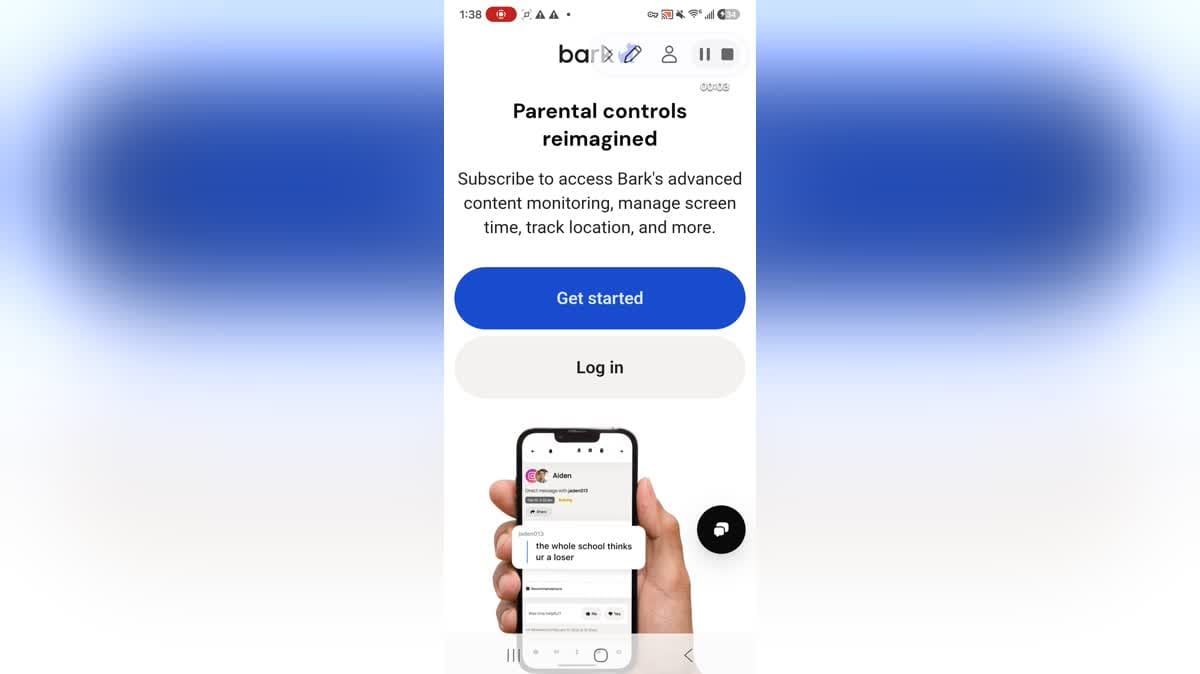
BarkIntro: Bark is a parental control app that helps parents guide how children use phones, tablets, and online accounts. Families can connect a child profile, choose the online issues they care about, and receive alerts when monitored activity may need attention. The service also brings screen-time schedules, website and app filtering, and location tools into a parent-facing dashboard. Setup supports multiple children and device types, while adjustable monitoring sensitivity lets parents focus alerts on topics such as cyberbullying, self-harm, violence, or adult content. It is designed to make ongoing digital-safety supervision more focused and manageable.
Amazon Kids Parent DashboardIntro: Amazon Kids Parent Dashboard is a family-management app for parents and guardians who want to shape how children use compatible Amazon devices. It brings child profiles, screen-time controls, age filters, activity views, and content choices into one place, so adults can adjust settings without interrupting a child's current session. Parents can create up to four profiles, review what each child uses, pause device access, and prioritize learning before entertainment. The dashboard is useful for households managing Fire tablets, Kindle readers, Echo speakers, or Fire TV with clearer routines and more age-aware choices.