Popular Android apps similar to Ringtones for Android
Ringtones for Android, developed by Peaksel Ringtones Apps, has related Android app recommendations picked by matching categories and tags. Use this page to compare alternatives, find apps with similar features, and open the safest download page before installing.
One UI 7 is an Android personalization icon pack for users who want a Samsung-inspired home screen with themed icons, wallpapers, and launcher apply options. It also includes icon browsing, request tools, and coverage details that help users build a more consistent launcher setup.
PieCons is an Android personalization app for users who want a coordinated home screen built around rounded, Pie-inspired icons. It lets you apply the pack through compatible launchers, browse thousands of custom designs, search by icon name, and move through category tabs for quicker choices. The app also connects its icon library with cloud wallpapers, missing-icon requests, and alternate designs. Built-in theme, cache, language, wallpaper-location, and tutorial controls help regular customizers keep the catalog organized while refining a consistent visual style.
Meeye, Classic MeeGo Icon Pack is a personalization app for Android users who want MeeGo-style squircle icons, matching wallpapers, and a calmer home-screen look. It combines themed icon coverage, wallpaper browsing, launcher apply tools, and icon requests so customization feels organized instead of scattered.
Projectivy Launcher is an Android product for people who want to organize a TV-style home screen, launch apps, and tailor a living-room Android interface. It is designed for Android TV and media-device users who want a focused launcher layout, with a focused mobile experience that can be explored in short sessions or configured for regular use. Its value comes from keeping the main workflow close to the device, whether that means quick access, information, creativity, social connection, or interactive play. Before relying on optional features, users should review compatibility, permissions, account choices, storage, data use, and any commercial terms that apply to their setup.
Apex Launcher Classic is an Android product for people who want to customize a home screen with app drawers, icons, grids, gestures, and launcher settings. It is designed for users who want traditional Android launcher personalization and layout controls, with a focused mobile experience that can be explored in short sessions or configured for regular use. Its value comes from keeping the main workflow close to the device, whether that means quick access, information, creativity, social connection, or interactive play. Before relying on optional features, users should review compatibility, permissions, account choices, storage, data use, and any commercial terms that apply to their setup.
Niagara Launcher is an Android product for people who want to organize a minimalist home screen with a focused app list, notifications, and quick access controls. It is designed for users who want fewer home-screen distractions and fast one-handed navigation, with a focused mobile experience that can be explored in short sessions or configured for regular use. Its value comes from keeping the main workflow close to the device, whether that means quick access, information, creativity, social connection, or interactive play. Before relying on optional features, users should review compatibility, permissions, account choices, storage, data use, and any commercial terms that apply to their setup.
S7 Galaxy Launcher is a personalization app for Android users who want a Samsung-inspired home screen, simple app drawer, dark launcher layout, and quick access to wallpapers, widgets, and settings. It presents a welcome tip, launcher pages, app icons, and an app drawer before deeper customization. Because it targets an older Android SDK, modern devices may show compatibility warnings and extra permission review steps. Users should avoid setting it as the default launcher until they understand its storage, shortcut, phone, SMS, account, and wallpaper permissions.
Nova Launcher is an Android home-screen replacement for users who want more control over icons, widgets, folders, gestures, app drawer behavior, and layout details. It helps turn the default launcher into a more personal workspace, whether the goal is a clean minimal home screen or a dense setup with shortcuts and widgets. First-run setup guides users through the launcher flow before deeper customization. It best fits people who are comfortable changing Android default-home behavior and reviewing launcher permissions carefully.
Belle UI Icon Pack is a personalization app for Android users who want a themed icon set for compatible launchers. The app opens to an Apply screen with launcher cards, installed/not-installed labels, a side menu, icon browsing tabs, icon request, wallpapers, settings, FAQ, social, and about areas. Version 2.1.0 adds icons and launcher-card updates in public notes. Because the app targets an older Android level, installation required a low-target-SDK bypass on the review device, and users should review wallpaper, storage, settings, network, and notification permissions.
Apex Launcher is a home-screen replacement for Android users who want more control over icons, folders, gestures, app drawers, docks, and the layout of their daily launcher. Instead of changing only a wallpaper, it lets users choose a drawer style, organize the desktop, add shortcuts, and make the phone feel more personal without leaving the familiar Android launcher model.
Simple App Launcher is an Android product for people who want to open installed apps from a lightweight launcher, organize shortcuts, and simplify everyday home-screen access. It is designed for users who prefer a minimal app list and quick launcher controls, with a focused mobile experience that can be explored in short sessions or configured for regular use. Its value comes from keeping the main workflow close to the device, whether that means quick access, information, creativity, social connection, or interactive play. Before relying on optional features, users should review compatibility, permissions, account choices, storage, data use, and any commercial terms that apply to their setup.
DaFonts is a font personalization app for Android users who want to browse decorative typefaces, preview font styles, manage downloaded fonts, and reach setup help from one simple menu. The home screen highlights Download Fonts, Downloaded Fonts, Set Font Style, How to Use, Share App, Rate Us, and More Apps. Font pages show recently added typefaces and preview-style text, while downloaded-font screens explain when no local font is available. It suits users who enjoy changing the visual tone of text on supported devices.
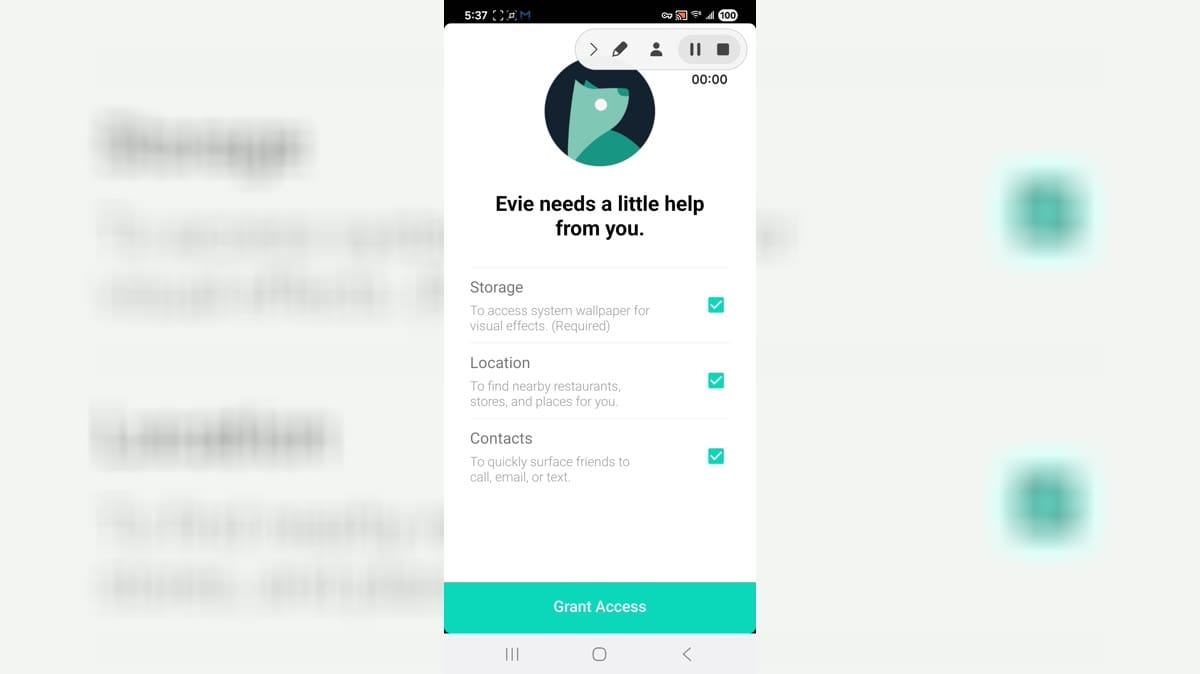
Evie Launcher is an Android home screen replacement for users who want a simplified launcher, onboarding permissions, storage and wallpaper access, location-based suggestions, contacts integration, and default home app setup. It is aimed at people who want a cleaner launcher experience and are comfortable changing system home behavior. The app opened to permission onboarding, location and contacts prompts, default launcher selection, and Android settings screens. Users should review contacts, location, files and media, microphone, phone, settings changes, notifications, storage, and default home implications before use.
Pitch Black Wallpaper is a compact personalization app for Android users who want a plain black home and lock screen without browsing large wallpaper galleries. The main screen asks whether to set a pitch black wallpaper and includes a simple confirmation button, while the menu adds help, lock-screen fix, rating, support, and information entries. It is best for users who prefer a minimal background, AMOLED-friendly dark styling, or a distraction-free phone look. The app keeps the experience narrow and direct instead of turning wallpaper setup into a complex editor.
Rootless Launcher is an Android product for people who want to use a Pixel-style home screen with app drawers, search, icons, and launcher customization. It is designed for users who want a familiar Android launcher experience without changing system root access, with a focused mobile experience that can be explored in short sessions or configured for regular use. Its value comes from keeping the main workflow close to the device, whether that means quick access, information, creativity, social connection, or interactive play. Before relying on optional features, users should review compatibility, permissions, account choices, storage, data use, and any commercial terms that apply to their setup.
J7 Galaxy Launcher and Theme is a personalization app for Android users who want a Galaxy J7-inspired look without building a theme from scratch. It presents launcher-style options for applying the theme, browsing wallpapers, previewing icons, requesting icons, rating the app, and viewing related theme entries. The experience is aimed at users who enjoy changing their phone's visual style, icon pack, and wallpaper mood. It works best for people comfortable reviewing launcher behavior before setting a new default home app.
Edge Lighting is an Android personalization app for users who want animated border lights, RGB live wallpapers, and caller-style screen effects. It lets users choose edge colors, gradients, shapes, notch styles, wallpaper backgrounds, animation direction, and border thickness to make a phone screen look more expressive. The app is built for visual customization rather than productivity or messaging. It suits users who enjoy changing the look of their home screen, lock screen, and app overlay effects.
docomo LIVE UX is a home screen and launcher-style app for Android users in the docomo ecosystem who want carrier-focused home features, magazine-style content, notifications, shortcuts, and default launcher integration. It is aimed at compatible devices where docomo services are expected to work correctly. The app can involve compatibility prompts, magazine service pages, default home settings, notifications, permissions, storage, mobile data, and battery controls. Users should review device compatibility, default-home changes, content services, and permissions.
Samsung Daily Board is an Android product for people who want to support Samsung display and home-mode information screens for compatible devices. It is designed for Samsung device users who use supported display or ambient information features, with a focused mobile experience that can be explored in short sessions or configured for regular use. Its value comes from keeping the main workflow close to the device, whether that means quick access, information, creativity, social connection, or interactive play. Before relying on optional features, users should review compatibility, permissions, account choices, storage, data use, and any commercial terms that apply to their setup.
OKX is a cryptocurrency exchange and market-discovery app for Android users who want to follow digital assets and access trading tools from one place. Its Explore area organizes tokens and pairs such as BTC/USDT and ETH/USDT, while favorites make frequently watched markets easier to revisit. Users can move between market discovery, trading, earning options, asset management, and the Orbit community feed. Public areas are available before sign-in, making the app useful for both casual market monitoring and deeper account-based crypto activity.
Catholic Calendar from Universalis is a liturgical reference and daily prayer companion for Catholics who want the Church calendar close at hand. Users can check each date's feast or memorial, read About Today notes on saints, and move into Mass readings or the Liturgy of the Hours. The app covers morning, daytime, evening, and night prayer, with date navigation for past or future days. Adjustable fonts, brightness controls, offline access, and optional spoken audio make the material easier to use at home, in church, or while travelling.
DuckStation is a PlayStation 1 emulator for Android users who want to organize and run legally dumped games on a phone or tablet. Its setup wizard guides you through choosing a language, theme, and BIOS image before you add a game directory. The library recognizes common disc-image formats, groups titles into flexible views, and sorts them by details such as name or recent play. Graphics, controller, save-state, and per-game options give experienced players room to tune the experience, while sensible defaults keep the first setup approachable.
Miracast - Wifi Display is a screen-mirroring utility for Android users who want to show their phone display on a compatible TV or wireless display adapter. It keeps the setup focused on one task: place the phone and receiver on the same Wi-Fi network, tap Connect, and choose an available display. A built-in checklist and manual guide explain device support, network preparation, and common adapters, while light, dark, and system themes keep the interface readable. It is best suited to quick whole-screen casting when both devices support Miracast.
Temp Number com.tempnumber.Temp Number.Temp Number is an Android app for people looking for Android tools and utilities from a mobile device. It provides a focused experience that users can explore at their own pace, whether they are getting started, returning to a familiar activity, or choosing settings that suit their routine. The app can be useful when a phone is the most convenient place to access its main functions without switching between several services. Users should review available settings, permissions, network use, and any account or payment choices before relying on features that handle personal information or connected content.