
How to choose a Kids & family APK
Check the app name, package name, latest version, file size, update date, source notes, SHA-256, and whether the download page includes clear safety context.
Browse Kids & family APKs for Android with latest versions, file sizes, package details, scan notes, and verified download links.

Coloring Games is a coloring and creative-play app for children who enjoy drawing and filling pictures on a touchscreen. It is intended for people who want a more purposeful mobile option than an unstructured feed or a general-purpose tool. The app can help users choose pictures, use colors and drawing tools, and make simple creative projects. Families can decide how it fits into a routine, with attention to age suitability, personal information, screen-time preferences, and any connected features. Parents and caregivers should review settings, permissions, content choices, and payment terms before making the app part of a child's regular device use.
9.8

Rocket Math Online Tutor is a supplemental math-learning app that helps students build fast, accurate recall of basic facts. Designed for short practice sessions, it guides learners through addition, subtraction, multiplication, division, fractions, and decimals at an individual pace. Each A-to-Z level introduces a small set of facts, mixes them with recent material, and then reviews earlier learning. Timed responses and immediate correction keep practice focused while the space-themed progression gives students clear goals. Teachers and parents create student access, making the app suited to structured classroom, tutoring, or home practice.
9.7

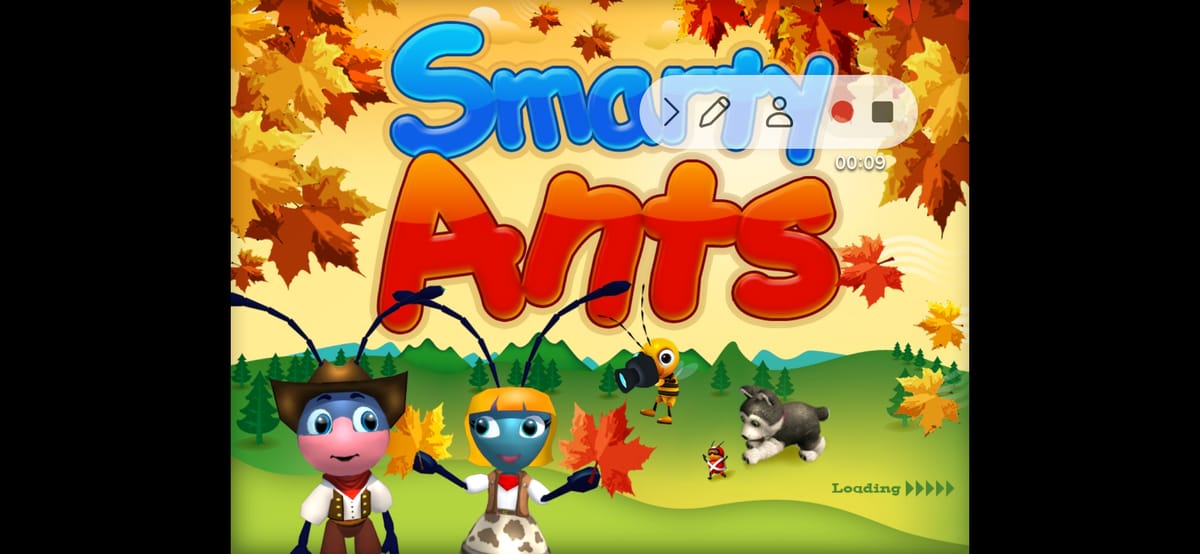
Smarty Ants 2nd Grade is an adaptive literacy app for children working on second-grade reading skills. Learners read fiction and nonfiction texts, build scripts, and record lines for a lesson-ending show in the Greek Theatre. Guided instruction and mini-games develop phonics, vocabulary, fluency, and comprehension while challenges adjust to individual progress. Rewards and a customizable ant avatar keep practice engaging, and saved progress can follow a learner across supported devices. It gives schools and families a structured way to extend assigned Smarty Ants lessons beyond the browser.
9.7

Kids Counting 123 is a colorful early-learning app that helps young children practice counting, number recognition, and simple number writing. Children can tap numbers in order, compare larger and smaller choices, match quantities, arrange sequences, and solve short activities built around balloons, cakes, rockets, tractors, and other familiar objects. A role-selection screen lets a parent, teacher, or child enter the experience, while animations, sounds, and voice guidance keep each task approachable. It works well for short practice sessions, shared parent-child learning, or classroom reinforcement when children are building confidence with numbers.
9.5

KidloLand is a children's learning and activity app for families seeking playful educational content for young learners. It is intended for people who want a more purposeful mobile option than an unstructured feed or a general-purpose tool. The app can help users explore child-focused activities, repeat familiar lessons, and create a routine that suits a child's pace. Families can decide how it fits into a routine, with attention to age suitability, personal information, screen-time preferences, and any connected features. Parents and caregivers should review settings, permissions, content choices, and payment terms before making the app part of a child's regular device use.
9.5

Kids Doodle is a drawing app for children who want to sketch, color, and experiment with touch-based creative tools. It is intended for people who want a more purposeful mobile option than an unstructured feed or a general-purpose tool. The app can help users make simple artwork, try different drawing ideas, and enjoy short creative sessions on a mobile device. Families can decide how it fits into a routine, with attention to age suitability, personal information, screen-time preferences, and any connected features. Parents and caregivers should review settings, permissions, content choices, and payment terms before making the app part of a child's regular device use.
9.4
Bark is a parental control app for parents and guardians who want a clearer view of a child’s digital life. It can monitor messages, email, YouTube, and supported social platforms for possible concerns, then send focused alerts instead of copying every conversation. Families can also set screen-time schedules, allow or block websites and apps, and connect multiple devices through a parent account. On Android, the parent app works with Bark for Kids on the child’s device, giving households a practical way to combine online safety awareness with everyday boundaries.
8.3

Microsoft Math Solver is an Android product for people who want to solve math problems with typed input, camera capture, step-by-step guidance, and learning tools. It is designed for students and learners who want help checking calculations and understanding solution methods, with a focused mobile experience that can be explored in short sessions or configured for regular use. Its value comes from keeping the main workflow close to the device, whether that means quick access, information, creativity, social connection, or interactive play. Before relying on optional features, users should review compatibility, permissions, account choices, storage, data use, and any commercial terms that apply to their setup.
8.7

PBS KIDS Video is a child-focused streaming app that brings educational shows, clips, movies, shorts, and podcasts to families on Android. Children can browse familiar PBS KIDS series, watch live channel programming where available, and select episodes for offline viewing. English and Spanish audio, captions, and accessibility options help families choose a comfortable way to watch, while the grown-ups area adds show information and a local TV schedule. It suits parents and caregivers who want learning-centered entertainment for short trips, quiet time, or shared viewing with children.
8.4
Kids Counting 123 is a colorful early-learning app that helps young children practice counting, number recognition, and simple number writing. Children can tap numbers in order, compare larger and smaller choices, match quantities, arrange sequences, and solve short activities built around balloons, cakes, rockets, tractors, and other familiar objects. A role-selection screen lets a parent, teacher, or child enter the experience, while animations, sounds, and voice guidance keep each task approachable. It works well for short practice sessions, shared parent-child learning, or classroom reinforcement when children are building confidence with numbers.
9.5

BabyTV - Kids Videos & Songs is a child-focused streaming app for toddlers, preschoolers, and the families who choose their viewing. It brings together short cartoons, nursery rhymes, sing-along songs, bedtime videos, and simple early-learning activities in a bright library built around familiar BabyTV characters. Parents can browse themed collections such as Free, Songs, The Tiny Bunch, and Lolli Pops, open individual episodes, and organize favorite content for convenient viewing. With age-focused programming, gentle routines, and playful repetition, the app gives young children an approachable way to watch, listen, and learn.
7.8

FlashGet Kids is a parental-control app for parents who want a clearer view of a child’s location, phone habits, and online routines. It combines live location and geofence alerts with reports about screen time, app activity, notifications, and mobile data. Parents can also set screen-time schedules, manage app rules, guide web and social content, and receive updates from a child’s device. The result is a practical dashboard for setting boundaries and responding to safety concerns while encouraging healthier digital habits.
8.9

Amazon Kids Parent Dashboard is a family-management app for parents and guardians who want to shape how children use compatible Amazon devices. It brings child profiles, screen-time controls, age filters, activity views, and content choices into one place, so adults can adjust settings without interrupting a child's current session. Parents can create up to four profiles, review what each child uses, pause device access, and prioritize learning before entertainment. The dashboard is useful for households managing Fire tablets, Kindle readers, Echo speakers, or Fire TV with clearer routines and more age-aware choices.
7.1
Rocket Math Online Tutor is a supplemental math-learning app that helps students build fast, accurate recall of basic facts. Designed for short practice sessions, it guides learners through addition, subtraction, multiplication, division, fractions, and decimals at an individual pace. Each A-to-Z level introduces a small set of facts, mixes them with recent material, and then reviews earlier learning. Timed responses and immediate correction keep practice focused while the space-themed progression gives students clear goals. Teachers and parents create student access, making the app suited to structured classroom, tutoring, or home practice.
9.7

MathAI is a personalized math-learning app for children in grades 2 through 6, built to support practice at home with an AI-guided coach. Parents and students can choose their role, set up a learning profile, and follow activities matched to the learner’s grade and pace. The program combines math games, worksheets, word problems, mental-math practice, and real-time feedback with progress tracking. Its focus on conceptual clarity, logical reasoning, quick calculation, and self-study gives families a structured way to strengthen everyday skills and prepare for exams or Olympiad-style challenges.
8.5
Coloring Games is a coloring and creative-play app for children who enjoy drawing and filling pictures on a touchscreen. It is intended for people who want a more purposeful mobile option than an unstructured feed or a general-purpose tool. The app can help users choose pictures, use colors and drawing tools, and make simple creative projects. Families can decide how it fits into a routine, with attention to age suitability, personal information, screen-time preferences, and any connected features. Parents and caregivers should review settings, permissions, content choices, and payment terms before making the app part of a child's regular device use.
9.8

Google Family Link is a parental-controls app for parents and guardians who want to guide a child’s digital routine from an Android device. It brings screen-time limits, School Time and Downtime schedules, app controls, content filters, and Google Account settings into one family-management workflow. Parents can review how a child spends time, approve or restrict apps, manage permissions, and use a map to stay connected when location sharing is available. Alerts for arrivals and departures, device ringing, and battery details add practical support for everyday supervision.
7.3

Nick Jr Play is a preschool entertainment app that brings familiar Nick Jr. characters, episodes, short videos, and simple games into one colorful hub. Families can browse show cards, open the Nick Jr To Go playlist, or switch between video and game areas when choosing a quick activity. The playful layout keeps favorite series close at hand while offering new clips and character-led moments to explore. It suits young viewers and parents looking for short, easy-to-find entertainment on an Android phone.
8.4

YouTube Kids is a child-focused video app for Android families who want a simplified viewing environment, parent setup, age-appropriate profiles, search controls, and a more guided way for children to browse videos. It is built for parents or guardians managing screen time and media choices on shared devices. The app opened through setup, profile, content, and search-style screens during the captured path. Its permissions include microphone, notifications, biometric or fingerprint capability, storage reading, media playback foreground service, network access, wake-lock, and account-related service behavior.
7.8

KidsGuard Pro is a family safety and parental-control app for parents who want a clearer view of a child's Android phone habits. It brings device activity into a dashboard where families can review screen time, app use, locations, calls, messages, photos, and browsing-related records. Parents can set routines around school, homework, bedtime, or weekends, while tools such as app limits, alerts, and AI-assisted reports help turn information into practical conversations. The result is a more organized way to balance online independence, daily boundaries, and family safety.
7.9

Find My Kids is a family location and safety app for caregivers who want to coordinate routines and stay informed about connected devices. It is intended for people who want a more purposeful mobile option than an unstructured feed or a general-purpose tool. The app can help users set up family-facing device features, review location-related choices, and use alerts deliberately. Families can decide how it fits into a routine, with attention to age suitability, personal information, screen-time preferences, and any connected features. Parents and caregivers should review settings, permissions, content choices, and payment terms before making the app part of a child's regular device use.
7.6

Messenger Kids is a family-focused messaging app for younger users and the adults who manage their experience. It is intended for people who want a more purposeful mobile option than an unstructured feed or a general-purpose tool. The app can help users communicate with approved contacts, share messages, and keep conversations connected to family routines. Families can decide how it fits into a routine, with attention to age suitability, personal information, screen-time preferences, and any connected features. Parents and caregivers should review settings, permissions, content choices, and payment terms before making the app part of a child's regular device use.
8.8

Duolingo ABC is an early literacy app for young children learning to read English, turning letters, phonics, sight words, tracing, and story practice into short guided activities. Parents start with a simple child setup, then the app moves kids through colorful prompts and hands-on lessons that connect what they hear, see, drag, trace, and say with the first skills needed for independent reading.
8.3
Kids Doodle is a drawing app for children who want to sketch, color, and experiment with touch-based creative tools. It is intended for people who want a more purposeful mobile option than an unstructured feed or a general-purpose tool. The app can help users make simple artwork, try different drawing ideas, and enjoy short creative sessions on a mobile device. Families can decide how it fits into a routine, with attention to age suitability, personal information, screen-time preferences, and any connected features. Parents and caregivers should review settings, permissions, content choices, and payment terms before making the app part of a child's regular device use.
9.4
Smarty Ants 2nd Grade is an adaptive literacy app for children working on second-grade reading skills. Learners read fiction and nonfiction texts, build scripts, and record lines for a lesson-ending show in the Greek Theatre. Guided instruction and mini-games develop phonics, vocabulary, fluency, and comprehension while challenges adjust to individual progress. Rewards and a customizable ant avatar keep practice engaging, and saved progress can follow a learner across supported devices. It gives schools and families a structured way to extend assigned Smarty Ants lessons beyond the browser.
9.7

KidzSearch is a child-focused Android search and browsing app that helps families and schools give young users a more guided way to explore the web. Students can enter a query, browse filtered results, and move into dedicated areas for learning videos, questions, news, facts, images, games, music, and a student encyclopedia. Parents and teachers can adjust filtering levels, manage blocked terms or sites, and review browsing history through account-based controls. The result is a single, approachable hub for school research, curiosity, and age-aware online discovery.
9.4

MasteryConnect Student is a classroom assessment app that gives students a direct way to open teacher-assigned quizzes, tests, and formative activities on Android. Learners begin with a Test ID supplied by their teacher, then use their student identifier to reach the assigned work. The same app also provides a Socrative entry point for joining live classroom activities by room name. Its focused code-entry screens reduce setup during lessons, while support for item-based questions, document-based bubble sheets, and enabled accommodations helps schools deliver different assessment formats from one student-facing tool.
7.0
KidloLand is a children's learning and activity app for families seeking playful educational content for young learners. It is intended for people who want a more purposeful mobile option than an unstructured feed or a general-purpose tool. The app can help users explore child-focused activities, repeat familiar lessons, and create a routine that suits a child's pace. Families can decide how it fits into a routine, with attention to age suitability, personal information, screen-time preferences, and any connected features. Parents and caregivers should review settings, permissions, content choices, and payment terms before making the app part of a child's regular device use.
9.5

JusTalk Kids is a child-focused communication app for families who want a managed way for younger users to stay in touch. It is intended for people who want a more purposeful mobile option than an unstructured feed or a general-purpose tool. The app can help users communicate with approved people, use family-facing conversation tools, and keep adults involved in setup choices. Families can decide how it fits into a routine, with attention to age suitability, personal information, screen-time preferences, and any connected features. Parents and caregivers should review settings, permissions, content choices, and payment terms before making the app part of a child's regular device use.
7.3

Math4Kids is a children's math practice app for learners who want short activities around foundational number skills. It is intended for people who want a more purposeful mobile option than an unstructured feed or a general-purpose tool. The app can help users practice basic math, repeat exercises at a comfortable pace, and support lessons with simple mobile activities. Families can decide how it fits into a routine, with attention to age suitability, personal information, screen-time preferences, and any connected features. Parents and caregivers should review settings, permissions, content choices, and payment terms before making the app part of a child's regular device use.
7.2
Compare highlighted Kids & family APK listings with package details, file sizes, update signals, and available download links.
Check the app name, package name, latest version, file size, update date, source notes, SHA-256, and whether the download page includes clear safety context.
Before installing a Kids & family APK, review package identity, source notes, file verification, permissions, and install behavior.
A Kids & family APK should be checked by package name, version, source, SHA-256, scan notes, and install behavior before installation.