
How to choose a Keyboard APK
Check the app name, package name, latest version, file size, update date, source notes, SHA-256, and whether the download page includes clear safety context.
Browse Keyboard APKs for Android with latest versions, file sizes, package details, scan notes, and verified download links.

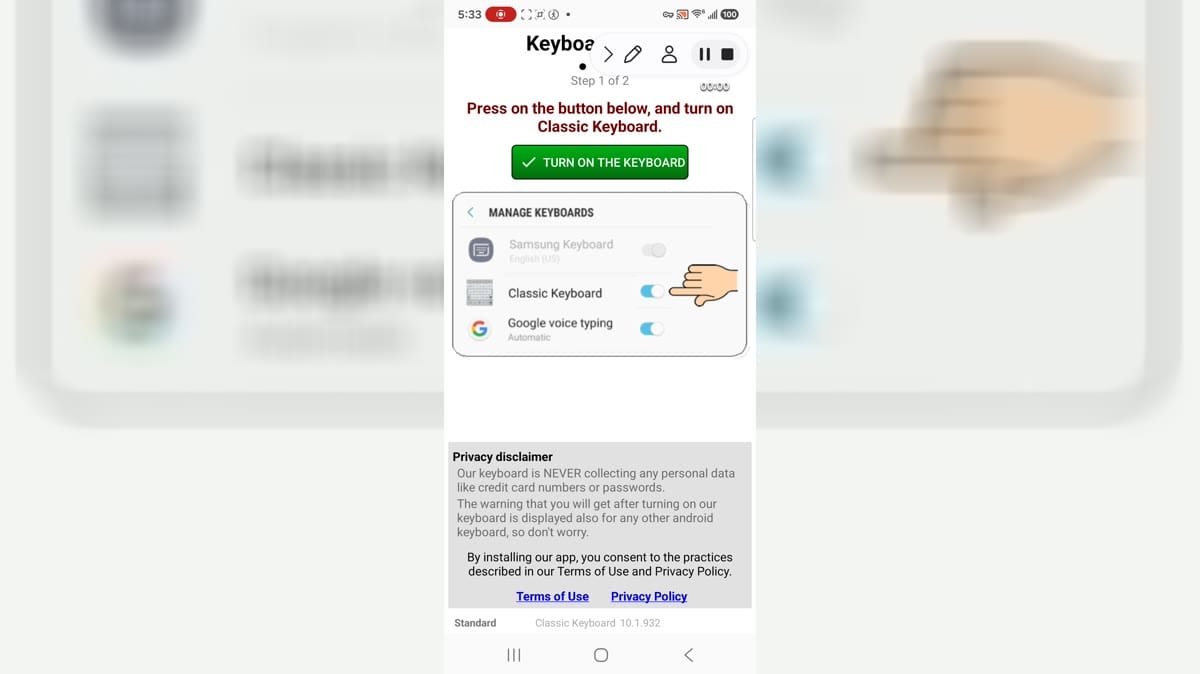
Classic Keyboard is an Android keyboard app for people who want to choose a larger, traditional-looking typing layout and adjust how text entry feels on a phone. It is useful for users who prefer clearer keys, familiar keyboard styling, and a dedicated settings area for input preferences. The app opens to its keyboard settings rather than automatically becoming the active input method, so users remain in control of whether to enable it. Review keyboard permissions, dictionaries, notifications, purchase terms, and any typing-data choices before making it part of everyday communication.
10.0

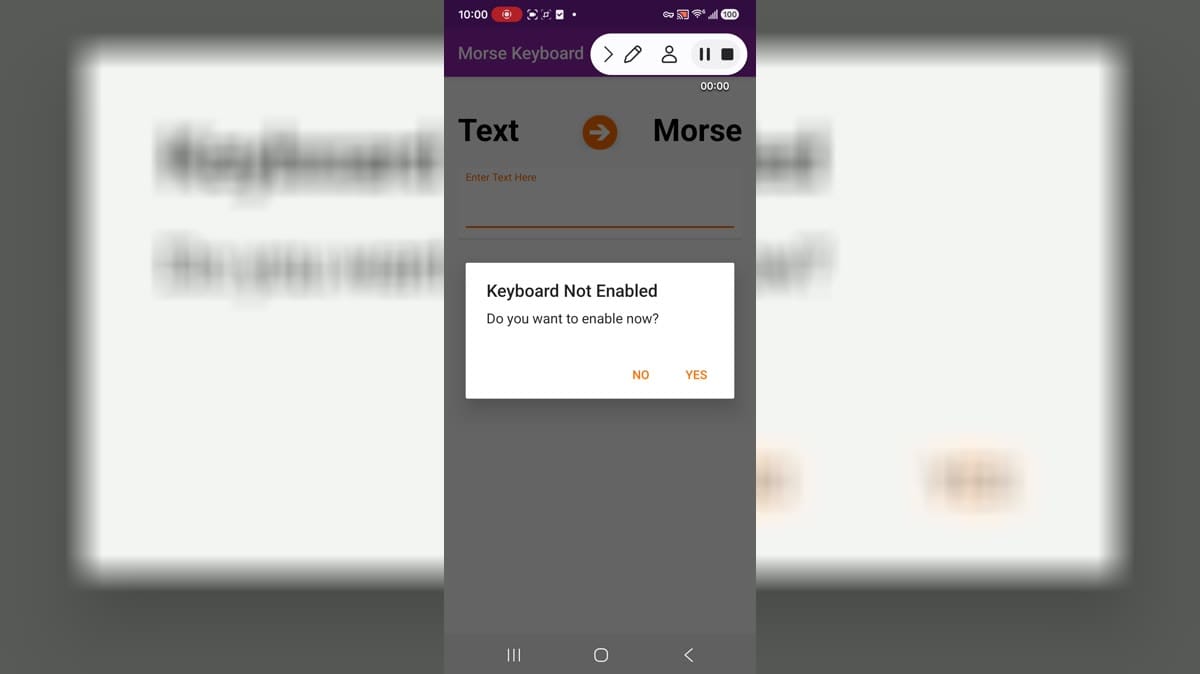
Morse Code Keyboard is an Android input app for people who want to write using Morse-code-style signals instead of a standard letter keyboard. It is suited to learners, hobbyists, and users who want a specialized text-entry method on a phone. The app opens to its main keyboard experience and includes Android keyboard settings for selecting or managing the input method. Users should check compatibility with newer Android versions, typing comfort, vibration feedback, and keyboard selection before making it part of daily communication.
10.0

English Plugin is a language dictionary add-on for Honso’s O Keyboard and Multiling Keyboard apps. It supplies English word data that a compatible keyboard can use while users type, keeping English support separate from the host keyboard itself. Install it alongside a supported Honso keyboard, then manage the English component through that keyboard’s language or dictionary controls when available. The focused Android package is suited to users who maintain a multilingual input setup and want one language component to add or manage without installing a separate writing workspace.
9.9

#iOS Style Emojis is a personalization app and alternative keyboard for Android users who want an iPhone-inspired emoji look in everyday chats. It brings a broad collection of expressive symbols into a familiar keyboard layout, making it easier to pick reactions, faces, gestures, and themed characters while typing. Users can switch between emoji categories, explore an iOS-style panel, and tailor the keyboard with colorful backgrounds and themes. The app also offers appearance choices for a more personal setup. It suits people who want their messages to feel more consistent across devices.
9.9

Microsoft SwiftKey Keyboard is an Android input app for people who want a customizable typing experience across messages, searches, and everyday forms. It combines a full keyboard layout with prediction, language, theme, and personalization options that can be adjusted to suit different typing habits. Users can choose how the keyboard looks and behaves, switch between supported languages, and use its text-entry tools when composing on a phone. As with any input method, enable it deliberately and review the relevant privacy, language, and account choices before using it for sensitive information.
9.9

Keyman is a multilingual Android keyboard and language tool for people who need to type beyond the standard keyboard. It lets you install keyboards and dictionaries for different languages, try them in a built-in typing area, and share what you write through familiar apps. The keyboard can be enabled across the device, set as the default, and adjusted for height, long-press timing, vibration, and spacebar labels. With predictive suggestions and language-specific layouts, Keyman gives travelers, families, students, and multilingual communities a practical way to communicate in their preferred writing systems.
9.6

Game KeyBoard For Cheat Codes is an Android utility keyboard for players who use text-based codes in games that support them. It brings the main setup actions into one place, including enabling the on-screen cheat button, changing the active keyboard to Gboard, and opening a guide for activating codes. Once configured, users can keep a practical input method ready for supported game sessions instead of relying on a physical keyboard or repeating scattered settings steps. The focused workflow is useful for players who want a straightforward way to prepare and enter commands on an Android device.
9.3
English Plugin is a language dictionary add-on for Honso’s O Keyboard and Multiling Keyboard apps. It supplies English word data that a compatible keyboard can use while users type, keeping English support separate from the host keyboard itself. Install it alongside a supported Honso keyboard, then manage the English component through that keyboard’s language or dictionary controls when available. The focused Android package is suited to users who maintain a multilingual input setup and want one language component to add or manage without installing a separate writing workspace.
9.9

Traditional T9 is an Android keyboard built around the familiar 12-key layout of classic mobile phones. It helps users write messages, search, and fill text fields with Predictive, ABC, or Numeric input, whether they type on a touchscreen, physical keypad, or compatible remote control. Word suggestions, configurable hotkeys, language dictionaries, and a virtual keypad make the experience adaptable to different devices. Clipboard commands, undo and redo, custom words, and optional voice input cover common editing tasks. The result is a focused typing tool for anyone who prefers compact, deliberate key-based input.
8.8

Samsung Smart Keyboard is a companion utility for owners of Samsung Smart physical keyboards that use Bluetooth Low Energy on Android. Connect a compatible keyboard to check for firmware updates, follow update progress, and keep track of low-battery notifications from one focused entry point. The app is intended to support both Samsung and non-Samsung Android devices, with nearby-device scanning on newer Android releases and location-based scanning on older ones. It keeps the workflow centered on maintaining the keyboard rather than replacing your phone’s on-screen keyboard.
8.6

AnySoftKeyboard is an open-source Android keyboard for people who want more control over languages, layouts, and typing behavior. After enabling it in Android Settings, users can switch between language packages, choose layouts, adjust correction and dictionary behavior, and shape the keyboard's appearance. The settings app also brings together gesture-typing, swipe actions, voice input, themes, power-saving options, and utility keys for clipboard and navigation tasks. Its privacy-focused design and broad customization make it a practical choice for multilingual typing and users who prefer a configurable keyboard.
7.9

Kika Keyboard: Custom themes is a personalization and keyboard app for Android users who want everyday typing to feel more expressive. It combines a multilingual keyboard with colorful themes, emoji, stickers, GIFs, decorative fonts, and photo based backgrounds. You can choose a ready made design, adjust the keyboard's appearance, or build a look around an image from your gallery or camera. Gesture typing, voice input, autocorrection, word prediction, and flexible layouts help keep messages practical while the theme, widget, and icon options give each device a more personal style.
9.5

Yaps is an AI voice keyboard for Android that turns natural speech into polished text wherever you type. Hold the Yaps voice control, speak at your normal pace, and release to insert cleaner sentences with punctuation, capitalization, and paragraph breaks. It can help shape emails, messages, notes, captions, and quick lists without forcing you to switch away from the app in use. Language choices and on-device processing make the keyboard practical for writers, students, professionals, commuters, and anyone who prefers speaking to thumb-typing.
8.8

Multiling O Keyboard + emoji is a customizable Android keyboard for people who type across languages, scripts, and writing styles. It combines multilingual dictionaries with gesture input, switchable layouts, emoji, text transformation, and editing tools in one input method. Users can resize, reposition, split, float, or dock the keyboard, then shape a DIY layout around a phone, tablet, or physical keyboard. Options such as T9 prediction, Flick or Multi-tap input, voice input, calculator, and autotext make everyday writing more flexible. It is a practical choice for multilingual communication and highly personalized typing.
9.2

Pink KeyRewards is a customizable Android keyboard for people who want a brighter way to type in everyday chats. Choose a pink layout, use it as your active keyboard, and bring stickers, GIFs, predictive text, and an AI writing helper into conversations across popular messaging apps. Its toolbar adds quick access to offer tasks and a built-in wallet, so typing and reward tracking stay in one place. Size, key rows, languages, sounds, vibration, and autocorrect can be adjusted to suit your habits. It turns ordinary messages into a more personal, flexible routine.
8.9
#iOS Style Emojis is a personalization app and alternative keyboard for Android users who want an iPhone-inspired emoji look in everyday chats. It brings a broad collection of expressive symbols into a familiar keyboard layout, making it easier to pick reactions, faces, gestures, and themed characters while typing. Users can switch between emoji categories, explore an iOS-style panel, and tailor the keyboard with colorful backgrounds and themes. The app also offers appearance choices for a more personal setup. It suits people who want their messages to feel more consistent across devices.
9.9

Simeji Japanese keyboard+Emoji is an Android input method for people who want Japanese typing to feel more expressive and personal. It combines Japanese conversion with emoji, kaomoji, ASCII art, stickers, and quick phrases, so messages can move from a single word to a finished reply with fewer steps. The keyboard also supports themes, photo or video backgrounds, sound effects, and a one-tap switch between Japanese, English, Korean, Chinese, and Indonesian layouts. Cloud-assisted conversion helps surface trend terms and unusual names. It suits everyday chats, social posts, and playful customization.
7.5
Keyman is a multilingual Android keyboard and language tool for people who need to type beyond the standard keyboard. It lets you install keyboards and dictionaries for different languages, try them in a built-in typing area, and share what you write through familiar apps. The keyboard can be enabled across the device, set as the default, and adjusted for height, long-press timing, vibration, and spacebar labels. With predictive suggestions and language-specific layouts, Keyman gives travelers, families, students, and multilingual communities a practical way to communicate in their preferred writing systems.
9.6

Fonts is an Android keyboard and text-style app for people who want to add decorative lettering, symbols, and visual personality to messages and social posts. It offers typing-focused tools that help users choose different text looks while composing in compatible apps. The app is useful for creating captions, profile text, short notes, and casual messages with a more distinctive presentation. Users can explore styles, select the options that suit their device, and decide whether to enable its keyboard features after reviewing the relevant input-method permissions and privacy settings.
9.5

Facemoji Keyboard is an Android keyboard customization app for people who want expressive emoji, themes, stickers, and typing tools in their everyday conversations. It combines a full input layout with visual personalization choices, helping users give messages and social posts a more distinctive tone. The app can be useful for finding emoji quickly, changing the keyboard's appearance, and experimenting with casual writing styles. Users can choose which features to enable, test layouts before relying on them, and keep control over the active input method by reviewing the relevant Android prompts, permissions, and privacy settings.
8.9
Microsoft SwiftKey Keyboard is an Android input app for people who want a customizable typing experience across messages, searches, and everyday forms. It combines a full keyboard layout with prediction, language, theme, and personalization options that can be adjusted to suit different typing habits. Users can choose how the keyboard looks and behaves, switch between supported languages, and use its text-entry tools when composing on a phone. As with any input method, enable it deliberately and review the relevant privacy, language, and account choices before using it for sensitive information.
9.9

Bagan Keyboard is an Android input app for people who type in Myanmar and related languages every day. It brings Zawgyi and Myanmar Unicode layouts into one keyboard, with Bagan, Thin Pone Gyi, and Unicode styles so users can keep a familiar typing rhythm while producing readable text. The app also supports Shan, Mon, and Thai layouts, suggestions, shortcut phrases, Unicode conversion, and voice typing tools. Its setup flow guides users through enabling the keyboard and choosing it as the active input method, making multilingual messaging more flexible.
9.3

Voice Typing Keyboard is an Android productivity keyboard that turns spoken words into text for everyday communication. It is designed for people who want to compose chats, emails, notes, and social posts without relying on constant manual typing. Tap the microphone, speak naturally, and review the resulting text before sending or saving it. The app also brings language selection, built-in translation, punctuation support, keyboard themes, fonts, and emojis into one writing tool. It suits students, professionals, multilingual users, and anyone who prefers a more comfortable way to write on a small screen.
9.0

Arabic Keyboard is an Android typing app for people who write in Arabic, English, or other listed languages while messaging, emailing, or posting online. It provides an on-screen keyboard with a language selector, Arabic letter layout, word suggestions, dictionary support, and autocorrection to make everyday text entry easier. Users can switch between Arabic and English, add expressive emojis and stickers, and adjust the look with colorful themes and key-press sounds. Offline typing and a simple setup flow make it useful for multilingual conversations, study, travel, and regular social communication.
7.5

Desh Chinese Keyboard is an Android input tool for people who want to write Simplified Chinese without learning a separate character layout. Users type words phonetically with English letters, then choose Chinese suggestions while chatting, commenting, or composing text in other apps. The keyboard also provides English input, handwriting, and voice typing for different situations. Theme colors, photo backgrounds, key borders, height, sound, and vibration controls make the layout easier to personalize. Emoji and sticker access rounds out a practical keyboard for daily conversations and language practice.
7.6

Japanese Keyboard is a Japanese input app for Android that turns romaji typed with an English QWERTY layout into Japanese character suggestions. It is designed for messaging, social posts, study notes, and other places where users want to write Japanese without learning a separate keypad layout. The keyboard also provides English mode, handwriting, voice typing, emoji access, and word suggestions. Setup follows a clear enable-and-select flow, while themes, keyboard height, sound, vibration, and key borders let users adjust the typing experience to their preferences.
9.0

Tenor GIF Keyboard is an Android GIF-search and sharing app for people who want to add animated reactions to messages, posts, and conversations. It helps users browse popular GIFs, search for a fitting reaction, and share visual responses through compatible apps. The app is useful when a short animation communicates a mood, joke, or reply more quickly than plain text. Users can explore categories, look up specific ideas, and decide how to use its keyboard-related sharing options while reviewing any input-method, network, or privacy choices that apply to their setup.
8.3

Fonts Keyboard & Emoji is an Android customization app for people who want decorative text, emoji, and keyboard styling options for everyday messages and social posts. It brings font-like character choices and expressive typing tools together so users can create captions, bios, and short conversations with a more personal look. The app is useful when simple text needs a little more visual character without opening a separate editor. Users can explore styles, select their favorites, and choose whether to enable keyboard functions after carefully reviewing input-method permissions and privacy preferences.
9.0

TypingLand is an Android typing-practice game for learners who want to build keyboard familiarity through short, guided challenges. It presents typing activities in a game-like format, helping users practice key locations, speed, and accuracy at their own pace. The app can suit beginners, students, and anyone looking for a more playful alternative to repetitive drills. Users can work through lessons, repeat stages, and gradually develop confidence with touch typing or keyboard recognition, while choosing a comfortable practice routine that fits their age, device, and learning goals.
8.5
Classic Keyboard is an Android keyboard app for people who want to choose a larger, traditional-looking typing layout and adjust how text entry feels on a phone. It is useful for users who prefer clearer keys, familiar keyboard styling, and a dedicated settings area for input preferences. The app opens to its keyboard settings rather than automatically becoming the active input method, so users remain in control of whether to enable it. Review keyboard permissions, dictionaries, notifications, purchase terms, and any typing-data choices before making it part of everyday communication.
10.0
Compare highlighted Keyboard APK listings with package details, file sizes, update signals, and available download links.
Check the app name, package name, latest version, file size, update date, source notes, SHA-256, and whether the download page includes clear safety context.
Before installing a Keyboard APK, review package identity, source notes, file verification, permissions, and install behavior.
A Keyboard APK should be checked by package name, version, source, SHA-256, scan notes, and install behavior before installation.