WiFi Analyzer Speed TestIntro: WiFi Analyzer Speed Test is a network utility for Android users who want Wi-Fi scanning, connection details, speed testing, device checks, and router-style troubleshooting from a phone. It is aimed at people diagnosing weak signals, slow connections, or suspicious network behavior. The captured flow shows Wi-Fi tool screens, a Play Store prompt, app settings, and Android controls for location, phone, Bluetooth, VPN service, overlay, notifications, storage, mobile data, and battery. Users should review ads, purchases, location access, call and VPN permissions, and network trust before using advanced tools.
SpeedtestIntro: Speedtest is a network measurement app for Android users who want to check download speed, upload speed, latency, connection quality, and network performance from a phone. It helps users compare Wi-Fi and mobile connections, troubleshoot slow service, and understand whether a network is suitable for streaming, calls, gaming, or downloads. The app declares billing, location, phone state, notifications, advertising services, network, biometric, storage, and foreground-service capabilities. It suits users who want quick diagnostics with location-aware context.
CPU-ZIntro: CPU-Z is an Android product for people who want to inspect processor, memory, battery, sensors, storage, and device hardware information. It is designed for users who need a compact reference for Android hardware and system details, with a focused mobile experience that can be explored in short sessions or configured for regular use. Its value comes from keeping the main workflow close to the device, whether that means quick access, information, creativity, social connection, or interactive play. Before relying on optional features, users should review compatibility, permissions, account choices, storage, data use, and any commercial terms that apply to their setup.
AIDA64Intro: AIDA64 is an Android product for people who want to inspect Android hardware, sensors, memory, battery, display, network, and system information. It is designed for users who want detailed device specifications and diagnostic reference data, with a focused mobile experience that can be explored in short sessions or configured for regular use. Its value comes from keeping the main workflow close to the device, whether that means quick access, information, creativity, social connection, or interactive play. Before relying on optional features, users should review compatibility, permissions, account choices, storage, data use, and any commercial terms that apply to their setup.
Omni Calculator: 3700+ ToolsIntro: Omni Calculator is an Android reference app that groups thousands of guided calculators across science, finance, construction, health, food, conversions, and everyday tasks. Its category screen shows the range of available tools and the number collected in each subject, while individual category pages provide search for finding a specific calculation. The captured catalogue includes practical entries such as aspect ratios, 3D printing cost, render time, aquarium glass thickness, and file-size calculations. It is designed for users who want quick access to specialised estimates without keeping many separate utility apps.
NetSpot WiFi AnalyzerIntro: NetSpot WiFi Analyzer is an Android network analysis tool for people who want to understand weak coverage, crowded channels, and slow connections around a home or workplace. It combines a WiFi Inspector with internet speed testing, site surveys, and color-coded heatmaps. Users can start a Survey or Planning project from an imported floor plan, a camera image, or a blank canvas, then collect or model coverage data. Projects can also move to NetSpot on Mac or Windows for deeper visualization, making routine troubleshooting and future access-point planning easier.
NetSpeedIntro: NetSpeed is an Android network testing utility for people who want a quick picture of connection quality before streaming, gaming, joining a video call, or working online. A large GO control starts a check of ping, download speed, and upload speed, while the result analysis helps translate raw numbers into practical use. Test history, statistics, graphs, Wi-Fi signal tools, and nearby-network views make it easier to compare performance over time or around a room. The app keeps everyday troubleshooting focused and easy to navigate.
Internet Speed MeterIntro: Internet Speed Meter is a lightweight Android network utility for people who want a quick view of connection speed and data use. It places a live speed indicator in the status bar and brings Wi-Fi and mobile usage into one dashboard. The Home screen summarizes today’s and monthly totals, while History separates daily, night-time, Wi-Fi, and mobile activity for easier comparison. Settings let users control the monitoring service, choose day and night boundaries, clear saved usage, and switch between light and dark themes. It suits anyone managing a limited plan or checking an unstable connection.
Smart CompassIntro: Smart Compass is an Android navigation utility for checking directions, bearings, and current-position details in one place. It suits hikers, drivers, walkers, travelers, and anyone who needs a quick orientation check outdoors or around town. Users can read north, south, east, and west, switch among standard, digital, camera, telescope, satellite, and map-style compass views, and open route or location tools. Qibla direction, multilingual support, and day or night display options broaden its practical use for travel, prayer, and everyday navigation.
QR & Barcode ScannerIntro: QR & Barcode Scanner is a utility app for Android users who need camera-based code scanning, image scanning, QR creation, history, favorites, and scanner settings from a phone. It is aimed at people who frequently open links, save scan results, or create contact-style QR codes. The app opened to scan, navigation drawer, image picker, My QR, create QR, history, ad, and Android settings screens. Users should review camera access, ads, subscriptions, notifications, storage, network behavior, scan-link safety, and purchase prompts before use.
Me QR: QR Code GeneratorIntro: Me QR: QR Code Generator is a mobile QR workspace for people who need to create, scan, and organize codes from one Android device. Users can point the camera at a code to open its content, build new QR codes for links and everyday information, and return to previous scans through History. Custom colors and styles help codes fit menus, flyers, product labels, business cards, and event materials. Favorites, scan statistics, and editable dynamic destinations make recurring personal or business QR tasks easier to manage.
FlashLight TorchIntro: FlashLight Torch is a compact Android utility that turns the phone's camera LED into an immediate light source. It suits quick tasks such as finding keys, moving through a dark room, checking equipment, or handling a power cut. A large central control switches the torch on and off without sending users through menus, while the header keeps the current battery level visible. The focused interface makes the core action easy to reach with one hand and helps users get useful light without account setup or a complicated configuration process.
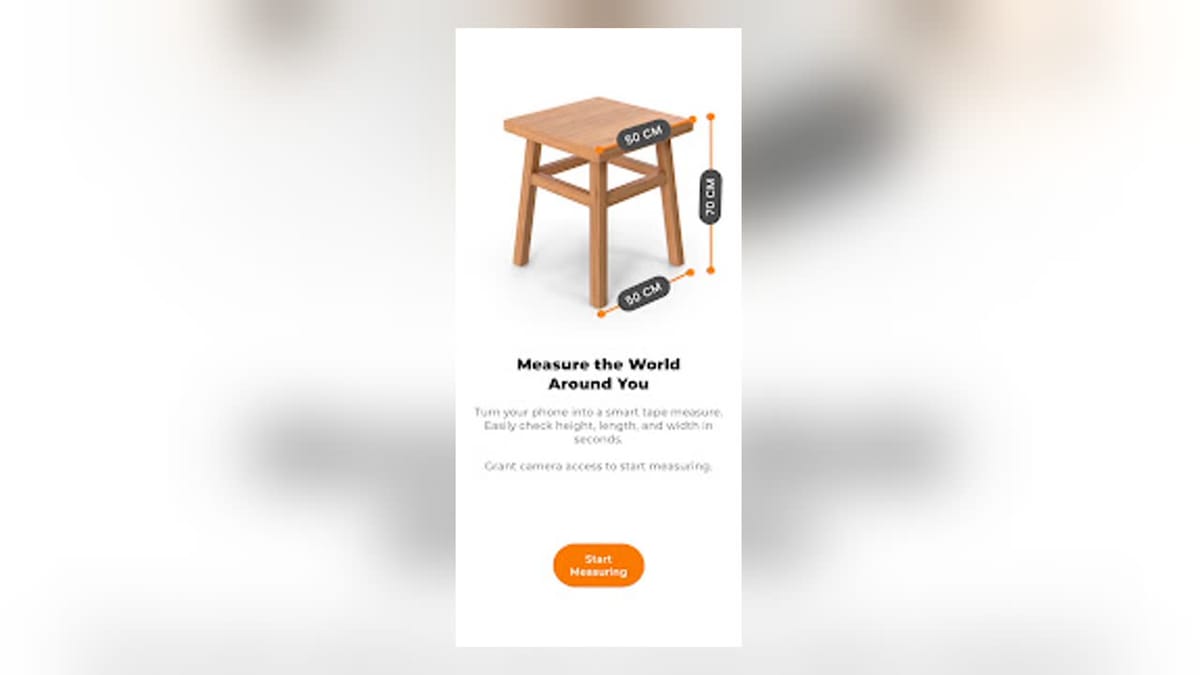
AR Ruler - Tape MeasureIntro: AR Ruler - Tape Measure turns a compatible Android phone into a simple augmented-reality distance tool for quick everyday estimates. Users point the camera at a well-lit, textured surface, wait for ARCore to recognize it, and mark two positions to measure the gap in centimeters. The interface supports discrete or continuous measuring, an optional surface grid, undo controls, and a camera button for saving a measured scene. Sharing lets users pass the captured result to another app. It suits furniture checks, small room planning, and situations where a physical tape is not close at hand.