MANGA Plus by SHUEISHAIntro: MANGA Plus by SHUEISHA is a manga reading app for fans who want newly released chapters and an easy way to follow popular series on Android. Readers can browse daily updates, view rankings, search by title or author, and choose content languages before building a personal list of favorites. Its catalog includes simulpub chapters released alongside Japan, well-known ongoing titles, and selected completed series through optional MANGA Plus MAX plans. Clear navigation between Updates, Hot, Browse, Creators, and My Shelf helps readers discover, organize, and return to stories without navigating a complicated storefront.
Shonen Jump Manga & ComicsIntro: Shonen Jump Manga & Comics is an Android app for manga discovery and reading navigation. In the supplied session, the app reached the available manga interface. The package installed successfully and had an unconfirmed launch outcome. The page focuses on the available interface and package details; 未进入购买流程。
WEBTOONIntro: WEBTOON is a mobile comics reader and creator community for discovering manga, manhwa, webcomics, and graphic novels across genres such as romance, action, fantasy, thriller, and drama. Readers can browse featured series, follow favorites, continue episodes, and explore video highlights through the Watch tab. The app also connects fans through comments and gives aspiring artists a place to publish with CANVAS. Free chapters make casual reading easy, while Coins can unlock selected premium or early episodes for readers who want more from ongoing series.
MantaIntro: Manta is a digital reading app that brings manga, manhwa, webcomics, and novels into one mobile library. Readers can browse by format and genre, open a series page, review its episode list, and move between comics, manga, and novels without leaving the app. Home, Search, Today’s Offer, and My Series organize discovery, limited-time selections, and saved reading. Free Passes, membership titles, and Gems provide different ways to unlock chapters. This structure suits readers who want romance, fantasy, BL, and other serialized stories in a focused Android reading hub.
TapasIntro: Tapas is a digital reading app for people who enjoy comics, webtoons, manga, manhwa, and serialized novels on Android. Browse Home recommendations, switch between Comics and Novels, and follow stories across romance, action, fantasy, BL, and other genres. The Community tab adds free-to-read creator series and featured collections, while Library keeps subscriptions, free episodes, wait-until-free chapters, likes, comments, and downloads together. Inbox and notifications help you keep up with updates, and Ink, gift passes, events, and redeem codes add optional ways to support or unlock more reading.
MangaToon: Comic & MangaIntro: MangaToon is a mobile reading app for people who enjoy comics, manga, webtoons, novels, and chat-based stories in one place. Readers can browse recommendations, rankings, genres, and weekly updates before opening a title or saving it to their library. The app combines vertical comic reading with novel lists, short chat stories, downloads, and multilingual content. Task Center rewards, check-ins, vouchers, and points offer additional ways to unlock chapters, while creator tools let aspiring writers start and post their own stories.
VYVYMANGAIntro: VYVYMANGA is an Android manga reader that combines a featured home feed, genre discovery, searchable catalogs, and an in-app chapter viewer. The home area highlights selected titles and a Latest Manga row, while dedicated Manga and Chapters tabs organize trending, popular, and top-rated entries. Discover adds search plus genre choices such as action, adventure, comedy, and drama. A manga detail path opened a chapter list and loaded Chapter 1 without requiring an account. Downloads, offline reading, bookmarks, history, profile features, and library synchronization were not covered, so those behaviors remain unconfirmed.
MangayomiIntro: Mangayomi is a reading and media library app for Android users who want manga, anime, novels, browsing sources, local content, downloads, history, settings, and reader or player controls in one open-style interface. The app opens with empty Manga, Anime, and Novel library tabs, plus browse, categories, statistics, download queue, and settings sections. Version 0.7.80 adds fixes and improvements around startup errors, webview handling, streaming links, library state, downloaded chapters, dialogs, and dependencies. It suits users who manage their own reading and anime sources and understand broad storage access.
TachiyomiIntro: Tachiyomi is an Android manga reader for users who want a self-managed library, reading history, update checks, downloads, local entries, and extension-based catalog browsing. The setup flow lets users choose a theme and storage folder before opening library, updates, history, browse, and more controls. It does not provide a built-in paid storefront, so users need to configure their own catalogs and respect content rules. This build suits experienced manga readers who want flexible organization while understanding that the original project is no longer actively developed.
MangakakalotIntro: Mangakakalot is an Android manga and webtoon browser built around title search, genre exploration, and simple reading tools. The home screen provides a comic search field and an Explore Genres area without requiring account entry. A tools menu offers bookmarks, history, read mode, no-picture mode, dark mode, incognito browsing, cookie clearing, and URL copying. Bookmarks and history were accessible but empty in the fresh session. Manga details, chapter lists, reader pages, downloads, and offline behavior were not reached, so users should confirm catalog availability and reading performance for the titles they want.
MangagoIntro: Mangago is a manga reading app for Android users who want a mobile library interface for browsing comic titles, reading chapters, and moving between home, rankings, library, and account-style tabs. The app is aimed at readers who prefer a lightweight manga client rather than a general web browser. It can help users discover series, continue reading, and organize common manga navigation from the bottom bar. Version 2.4.1 is an older build listed with bug fixes.
Manga ReaderIntro: Manga Reader is a comics reading app for browsing manga, manhwa, anime-inspired stories, and Western-style series from one Android library. Readers can search by title or genre, open series pages, move through chapters, and keep favorite titles close for later sessions. The app also supports offline access, dark viewing, reading-progress tracking, and personal collection tools for people who switch between quick breaks and longer reading time. Its mix of discovery, bookmarking, and flexible reader controls helps both newcomers and regular comic fans organize what they want to read next.
Manga FoxIntro: Manga Fox is a manga and comic reader app for Android users who want search, web-based manga discovery, reading history, bookmarks, downloads, feedback, and share tools in one interface. It is aimed at readers who browse manga catalogs, search the web, and keep track of recently read pages. The app opened to a privacy agreement, search home, keyboard search suggestions, browser-style results, a login prompt, and a premium ads-free entry point. Users should review camera, phone, notifications, advertising, billing, network, and page-routing behavior before use.
All MangaIntro: All Manga is a manga reader for Android users who want to discover, read, and save chapters from a range of online catalogs. Search by title or genre, filter and sort results, and switch between continuous or paged layouts with left-to-right, right-to-left, portrait, and landscape options. Reading controls can adjust brightness and progress, while favorites and reading history help you return to a series. Download queues, background transfers, Wi-Fi-only mode, themes, cache controls, and external storage support make longer reading sessions easier to manage.
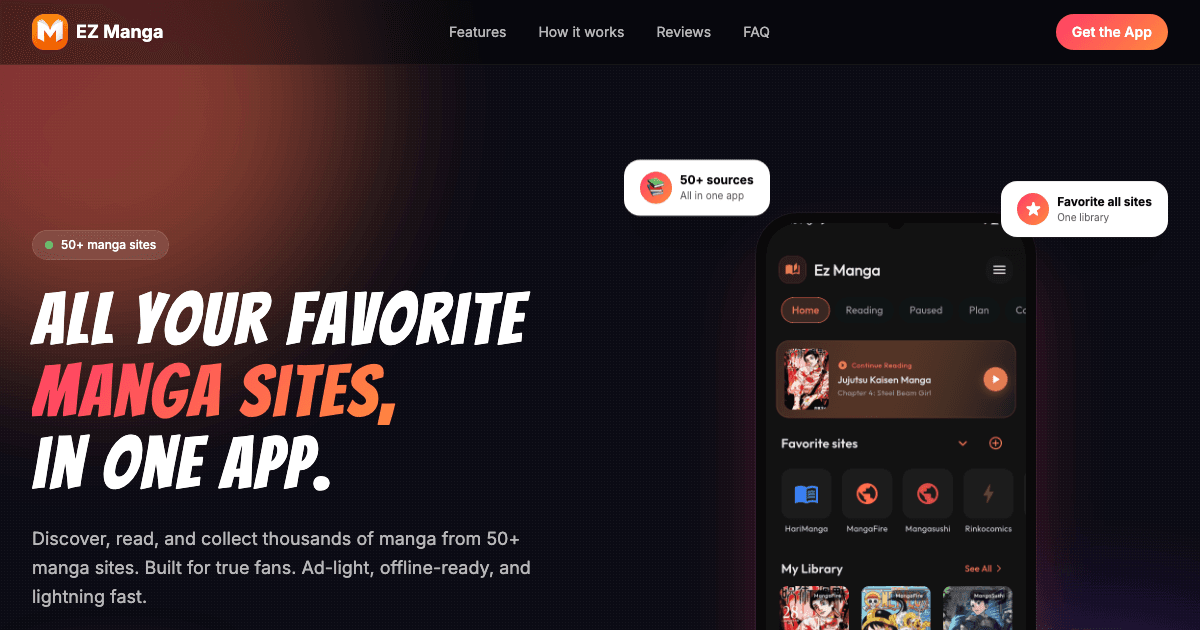
Ez MangaIntro: Ez Manga is a comic-focused Android browser built for readers who follow manga, manhwa, webtoons, and other serialized stories across the web. Its home screen brings favorite sites, search, and reading shortcuts into one dark, compact workspace, while History, My Library, and Downloads keep ongoing series organized. Reader-focused tools such as continuous vertical scrolling, cleaner chapter layouts, dark-mode controls, bookmarks, and progress tracking reduce the friction of long sessions. Guest access makes it easy to begin browsing, with optional sign-in available for readers who want library synchronization across devices.
Kiwi MangaIntro: Kiwi Manga is an Android app for manga category browsing, library, and configuration screens. The reviewed session could browse category tiles, inspect the empty library, and open configuration entries. The supplied package installed and launched on the selected Android device. No advertisement, purchase screen, forced login, or forced update appeared in the captured path. Reading depth, account behavior, offline use, subscriptions, and longer-session behavior were not fully reviewed, so they remain unconfirmed.