GauthIntro: Gauth is an AI study companion designed for students who want help understanding homework across math, physics, chemistry, biology, and other subjects. Users can photograph a question, submit it for analysis, and follow step-by-step explanations instead of seeing only a final answer. The app also brings together live tutoring, voice and whiteboard guidance, calculators, reading and writing tools, and saved question history. With quick camera input and subject-focused support, Gauth helps learners turn difficult exercises into clearer study steps at home, in class, or during exam preparation.
BrainlyIntro: Brainly is an education app that brings homework support, AI-guided explanations, test preparation, and student Q&A into one mobile workspace. Learners can search for existing answers, ask the community, scan a problem with the camera, or start an AI tutoring session when a lesson becomes difficult. The Home screen also groups study tools for exam practice, smart notes, document questions, and focus audio, while the Community area lets users answer classmates' questions and build a points profile. It suits students who want flexible help moving from a quick answer toward clearer understanding and regular study habits.
Chegg Study - Homework HelperIntro: Chegg Study - Homework Helper is a mobile learning companion for students who want structured support with assignments, difficult concepts, and exam preparation. Users can search a large library of worked problems, review step-by-step explanations, and submit questions when an existing solution does not cover their course needs. The app also supports photo-based question entry and flashcards across subjects such as mathematics, science, engineering, and English. By bringing search, expert Q&A, and self-paced review into one place, it helps students move from a confusing problem toward a clearer study plan.
VaiaIntro: Vaia is an all-in-one study app for school and university learners who want a clearer way to prepare for classes and exams. It combines personalized study planning with flashcards, notes, quizzes, explanations, and mock exams in one mobile workspace. Students can choose their subjects, organize learning goals, create or find study materials, and review difficult topics with spaced repetition. AI tools can also turn uploaded notes into learning resources and provide targeted explanations, helping users move from planning a study session to practicing and tracking progress.
SkillshareIntro: Skillshare is an online learning app for people who want to build creative and practical skills through project-based classes. Learners can explore illustration, graphic design, photography, animation, writing, film, crafts, productivity, and other subjects, then follow lessons from working creators at their own pace. Personalized recommendations and curated Learning Paths turn broad interests into a clearer study routine. Search, saved classes, watch history, lists, and offline downloads help organize learning across everyday sessions. It suits hobbyists and professionals who prefer flexible, hands-on education on Android.
AirlearnIntro: Airlearn is a language-learning app built around concise lessons that explain vocabulary, grammar, and cultural context before moving into practice. Learners can choose from languages such as Spanish, French, German, Japanese, Korean, Chinese, and English, then work through clear modules at a comfortable pace. Short quizzes and revision activities reinforce each topic, while practical dialogues connect new words to everyday situations. XP, daily goals, streaks, achievements, and weekly leagues add visible progress without replacing the learning material. It suits beginners and returning learners who want structured study in manageable mobile sessions.
Anatomy LearningIntro: Anatomy Learning is an interactive 3D anatomy atlas for students, healthcare trainees, educators, and anyone who wants a clearer view of the human body. Explore a full anatomical model by rotating and zooming through the body, then hide structures or switch systems to reveal relationships between bones, muscles, joints, vessels, nerves, and organs. The atlas also adds muscle and joint animations, cross-sectional views, and location quizzes for active revision. With a structured browser, multilingual labels, and focused study tools, it turns complex anatomy into a more visual, hands-on learning session.
AdaptedMind Math: Learning AppIntro: AdaptedMind Math: Learning App turns math practice into a colorful, game-based learning path for children from PreK upward. Students begin with activities matched to their level, then work through puzzles, challenges, and lessons that adjust as their skills develop. Short instructional videos provide extra help when a concept is difficult, while points, badges, and friendly monster characters make repeated practice feel more playful. Parents can follow progress and identify strengths or learning gaps, making the app useful for homework support and regular skill building.
Learn to Read - Duolingo ABCIntro: Duolingo ABC is an early literacy app for young children learning to read English, turning letters, phonics, sight words, tracing, and story practice into short guided activities. Parents start with a simple child setup, then the app moves kids through colorful prompts and hands-on lessons that connect what they hear, see, drag, trace, and say with the first skills needed for independent reading.
Google ClassroomIntro: Google Classroom is an education app for teachers and students who need to organize schoolwork from an Android phone. Teachers can create classes, share announcements, distribute assignments, and review submitted work, while students can join classes, check deadlines, turn in assignments, and follow feedback. The app brings class cards, calendar, notifications, offline files, archived classes, and Classroom folders into one navigation drawer. It is especially useful for keeping lessons and paperless coursework moving between school and home, provided users have the right Google Account and any companion Google editing apps their classwork requires.
SeesawIntro: Seesaw is an education app that brings teachers, students, and family members into the same learning space. Teachers can organize classroom activities, while students join a class with an email, text code, QR code, or supported school sign-in and share their work through posts. Families can follow approved learning updates and communicate around a child’s progress. With photo, video, voice, drawing, and other multimodal tools, Seesaw turns everyday classroom work into a visible journal that supports participation, feedback, and home-school connection.
Alef StudentIntro: Alef Student is a mobile learning companion for students who use the Alef Platform at school or at home. It brings assigned lessons, activities, practice, and learning games into one organized space, while a To-Do list helps students see what is due next. Progress tools make completed work and upcoming tasks easier to follow, and interactive content supports guided practice across supported subjects. With school account access, students can keep their daily learning routine focused and avoid missing important assignments.
eClass Student AppIntro: eClass Student App is a school-connected learning and campus companion for students whose schools use the eClass service. It brings study plans, lesson timetables, learning materials, homework, school messages, email, calendars, and shared media into one mobile workspace. Students can also review extracurricular records, reading history, and portfolio activity as their school enables those modules. The onboarding flow begins by finding a participating school and signing in with a school-issued account. This setup helps students keep daily academic tasks and wider campus life organized from an Android phone or tablet.
My Study LifeIntro: My Study Life is an Android app for people interested in student planning, classes, and task organization. It offers a focused way to open a session, choose from the available screens, and return to familiar features from a phone. The reviewed material shows the available interface alongside Android-level settings that can affect notifications, storage, or other device choices. Its layout suits people who want a straightforward mobile experience while keeping permissions and connected features deliberate. Review the available options, connection needs, and any purchase choices before relying on features beyond the captured path.
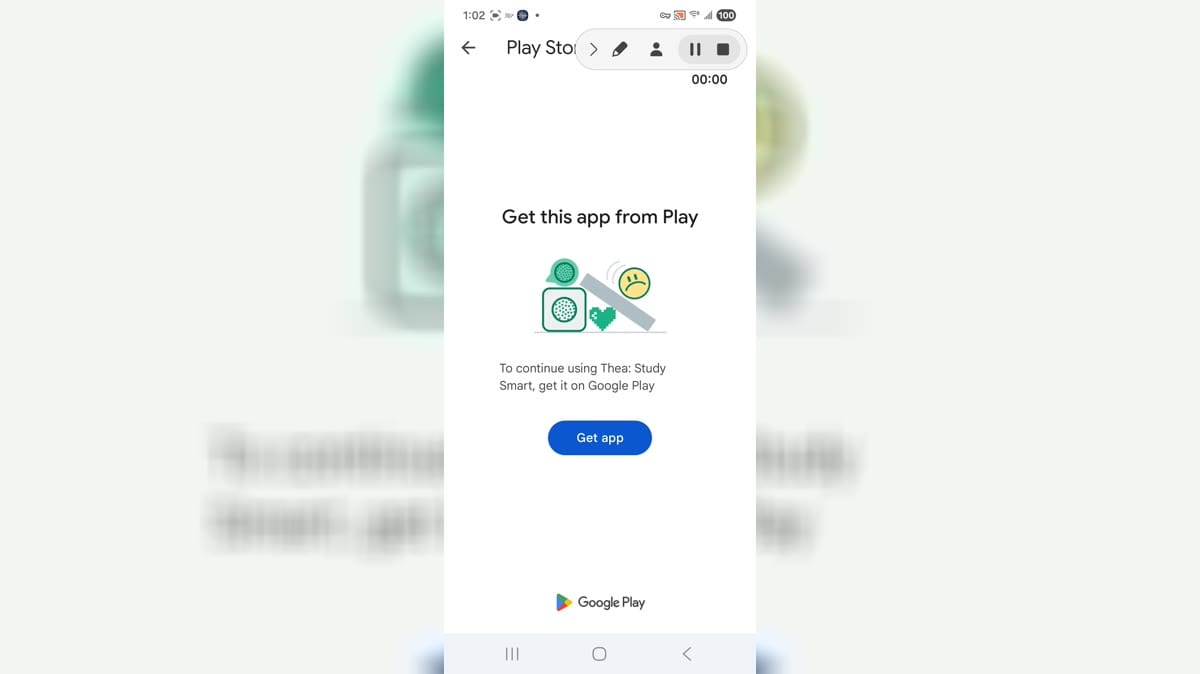
TheaIntro: Thea is a study app for Android users who want mobile access to Thea Study Smart on a compatible device. It is aimed at learners who use the Thea service for study support, planning, or web-based learning workflows from a phone. This build installed, but launch reached a get-app message before the main study interface opened. Users should review account requirements, install compatibility, notifications, storage, mobile data, battery behavior, supported links, and web-app privacy before relying on it for study sessions.
Study EdgeIntro: Study Edge is a mobile learning app built for students enrolled with Study Edge Institute. It provides a focused entry point for accessing the institute's online classes from an Android phone, beginning with mobile-number verification through a one-time password. New registrations can receive a demo batch, giving learners a practical way to begin with the available class access. The simple student-specific setup keeps the experience centered on institute learning, making it useful for learners who want a direct mobile route into their online lessons.