Popular Android apps similar to PowerDirector - Video Editor

PowerDirector - Video Editor, developed by Cyberlink Corp, has related Android app recommendations picked by matching categories and tags. Use this page to compare alternatives, find apps with similar features, and open the safest download page before installing.

Reviews
9.8
Size
-
Updated
2026-09-12
Download

PREQUEL AI Filter Photo Editor is a creative photo and video editor for Android users who want to give everyday media a stronger visual identity. You can browse cinematic, vintage, VHS, anime, Y2K, and other aesthetic filters, then build a look with AI effects, retouching tools, text, stickers, textures, and color adjustments. The app also supports video effects, templates, and Reels-oriented editing for short-form content. It suits social creators, casual photographers, and anyone who likes turning ordinary pictures and clips into polished, mood-led posts with a few focused taps.

LightX AI Photo Editor Retouch app icon
LightX AI Photo Editor Retouch

AndOr Communications Pvt Ltd

Reviews
9.2
Size
-
Updated
2026-09-12
Download

LightX AI Photo Editor Retouch is a creative photo and video editor for Android users who want to turn ordinary images into polished social posts, portraits, and product visuals. Start with an existing photo or video, then combine AI tools with manual adjustments for background removal, color changes, filters, retouching, and layout work. You can also explore AI expansion, object replacement, generated backgrounds, and customizable templates for faster creative projects. Its mix of quick edits and deeper controls suits beginners, creators, small shops, and anyone who wants flexible visual editing on a phone.

OpenCut app icon
OpenCut

HUIYIN

Reviews
7.7
Size
-
Updated
2026-08-17
Download

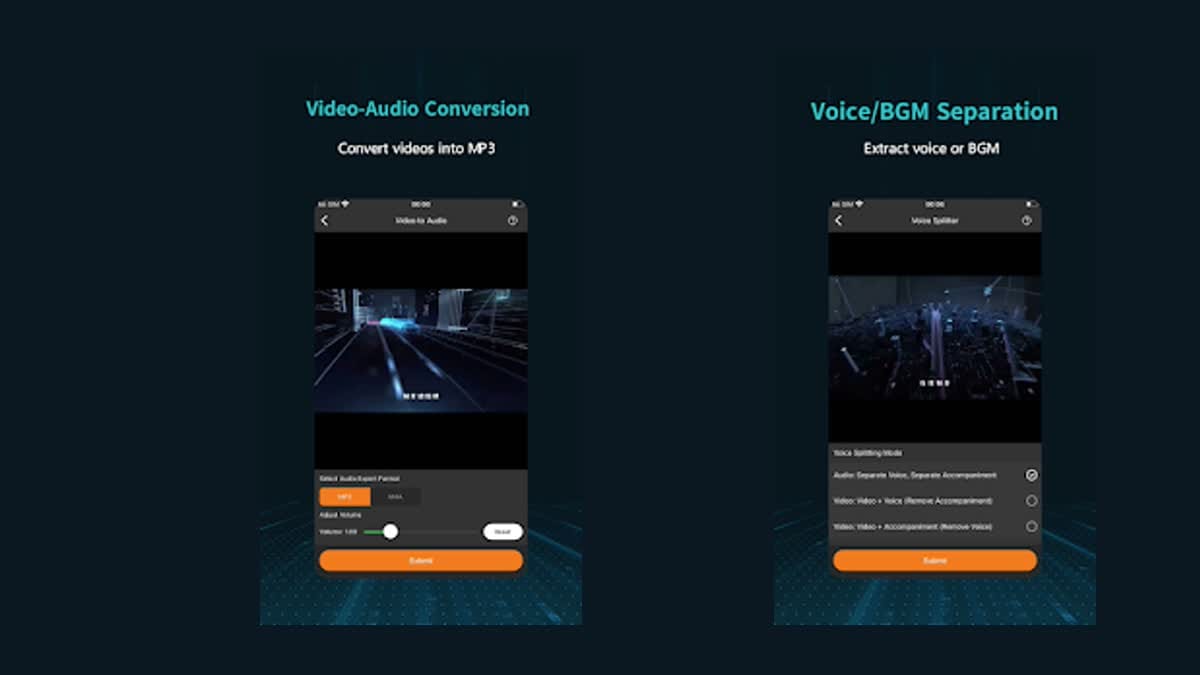
OpenCut is an AI-assisted media editing app for creators who want to handle video, audio, and image tasks from one Android workspace. Its home screen organizes tools for video translation, voice separation, audio extraction, image enhancement, GIF creation, text extraction, and animated effects. Users can search for a specific tool, move among video, audio, image, and AI categories, then prepare media for reuse in other projects. The broad tool set helps short-video makers complete common conversion and cleanup jobs without switching between several separate apps.

Zeemo app icon
Zeemo

Bluepulse INC.

Reviews
7.4
Size
-
Updated
2026-08-19
Download

Zeemo is an AI video and caption editor for creators who want to turn footage, prompts, or images into social-ready content. You can begin with an AI video idea, generate visuals, add automatic captions, or translate subtitles for a wider audience. The Android app also brings together template-led video creation, AI images, short-form story tools, and a Projects area for keeping work organized. Dynamic caption styles, music, stickers, and basic editing controls help shape the final result. It suits creators, marketers, educators, and small teams building videos on the go.

Reviews
10.0
Size
-
Updated
2026-09-14
Download

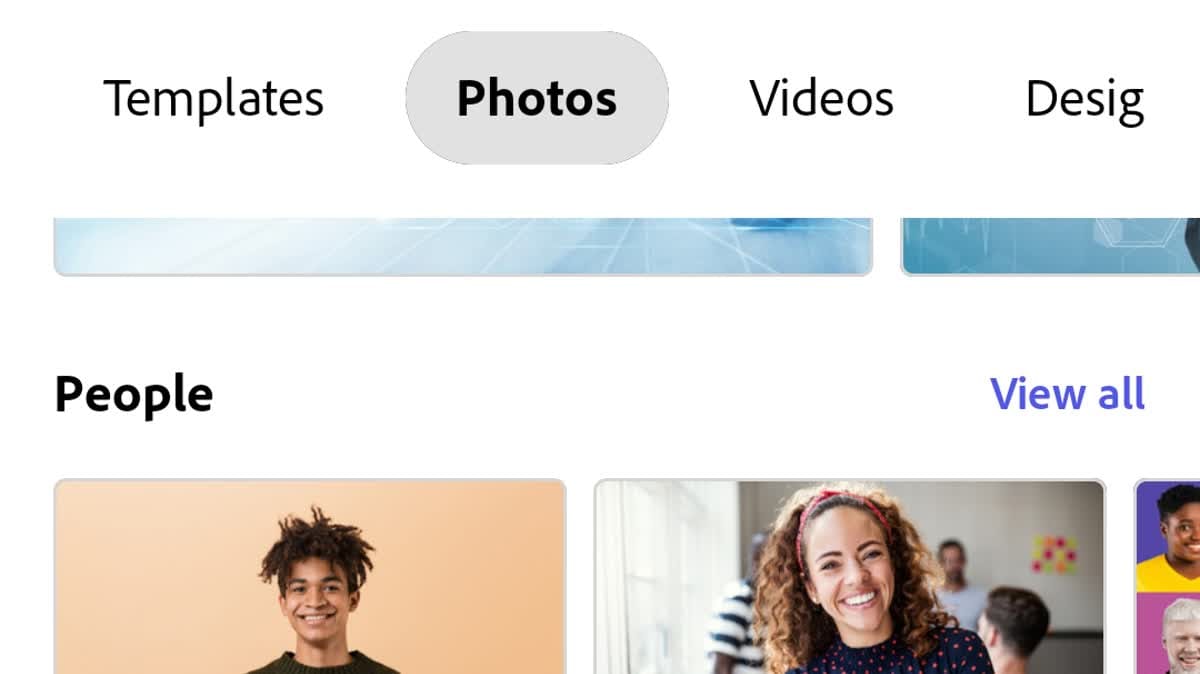
Adobe Express is a mobile design and content-creation app for turning everyday ideas into social posts, images, videos, flyers, and other polished assets. Creators can start with templates, browse photos and videos, import media from the gallery, or jump into focused Quick Actions such as background removal, resizing, logo creation, and QR-code generation. The home screen also brings search, recent files, and new-project entry points together. With optional brand tools, AI-assisted creation, captions, music, and transitions, it supports fast personal, school, and small-business work.

FFace app icon
FFace

ZANKHANA PTE LTD

Reviews
9.9
Size
84.3 MB
Updated
2026-06-25
Download

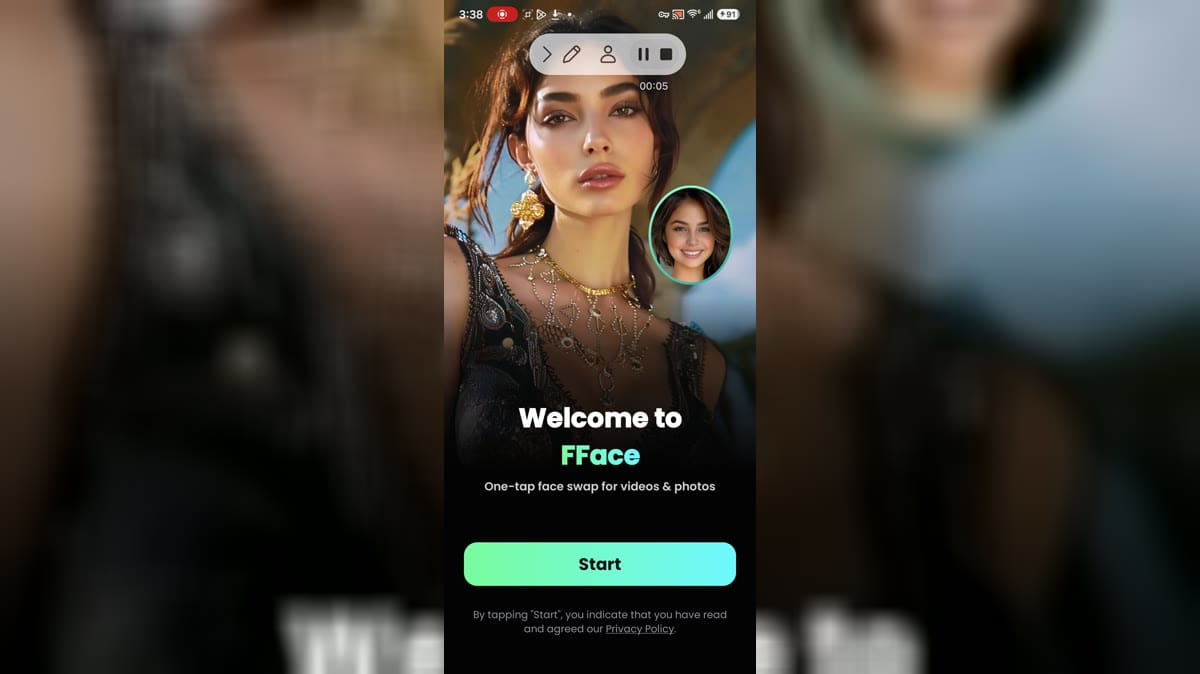
FFace is an AI photo and video editor for Android users who want to create playful face-swap clips, reface portraits, and animated images from prepared templates. Choose a selfie or portrait, browse looks for weddings, quinceañeras, festivals, couples, or trend-led scenes, and apply a visual effect with a simple workflow. The app also supports audio-led effects, HD export, saving, and sharing. It suits casual creators who want quick social media ideas, while face privacy, media access, advertising, and subscription choices deserve attention before use.

TimeCut app icon
TimeCut

changpeng

Reviews
10.0
Size
81.0 MB
Updated
2026-07-22
Download

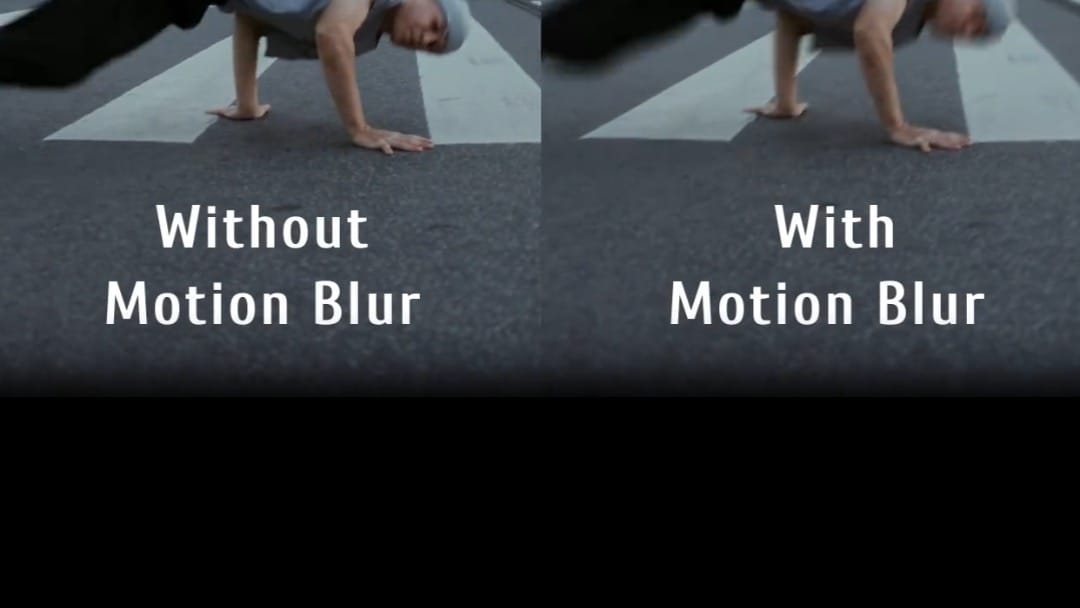
TimeCut is a mobile video editor built for creators who want smoother slow motion, speed ramps, and motion effects without moving to a desktop workflow. Users can import a clip, reshape its pace with a custom speed curve, freeze selected moments, or convert footage between common frame rates. Optical-flow and deep-learning interpolation help add frames for fluid slowdowns, while motion blur and visual effects refine fast action. Filters, music, and quality-enhancement tools support polished short videos. The result is a focused workspace for sports clips, dance edits, social posts, and creative timing experiments.

EPIK app icon
EPIK

SNOW Corporation

Reviews
9.6
Size
-
Updated
2026-09-14
Download

EPIK is an AI-assisted photo and video editor for creators who want to turn ordinary media into polished visual posts. Start with a photo or clip, then use enhancement, portrait retouching, smart cutouts, object removal, filters, text, stickers, collages, or video effects to shape the result. Professional controls such as HSL, curves, crop, perspective, and batch editing give more deliberate projects extra control, while templates provide quick starting points. It suits social content, profile images, memory collages, and everyday mobile editing.

Vinkle.ai app icon
Vinkle.ai

BIG HEAD BROTHERS

Reviews
9.5
Size
-
Updated
2026-08-09
Download

Vinkle.ai is an AI-focused video creation app for turning photos and short clips into colorful, music-led edits. It places beginners in a one-click workflow where ready-made effects and visual scenes do much of the creative work. You can explore stylized templates, add your own media, and shape a short video with transitions, music, and expressive effects. Premium options highlight full video access, watermark-free saving, HD export, and an ad-free experience. It suits casual creators who want polished social clips without learning a complex timeline editor.

Unfold app icon
Unfold

Squarespace Inc

Reviews
9.4
Size
-
Updated
2026-09-14
Download

Unfold is a mobile social-content creation app for turning photos and video clips into polished stories, posts, and Reels. Creators can start with hundreds of ready-made templates, add text and media, and refine the result with fonts, filters, effects, and AI background removal. Feed Planner helps preview how posts work together on Instagram, while Bio Sites gathers important links in one shareable destination. Optional Plus and Pro tools add broader design resources and brand controls, making Unfold useful for creators, freelancers, and small teams building a consistent social presence from an Android phone.

VivaVideo - Video Cut & Editor app icon
VivaVideo - Video Cut & Editor

QuVideo Inc. Video Editor & Video Maker App

Reviews
9.1
Size
-
Updated
2026-09-12
Download

VivaVideo is a mobile video editor and AI video maker for turning clips, photos, and creative ideas into shareable stories. Beginners can trim, split, merge, and arrange footage, then add music, transitions, text, stickers, filters, and captions. More advanced projects can use keyframes, picture-in-picture layers, masking, chroma key, motion tracking, background removal, slow motion, and AI-assisted creation tools. Its one-tap Reels, auto captions, AI music, and image-to-video features give creators a flexible way to make polished content on Android. It combines quick presets with hands-on controls for everyday creators.

Beat.ly app icon
Beat.ly

AI Dreamweaver

Reviews
8.8
Size
-
Updated
2026-09-14
Download

Beat.ly is a mobile video editor and AI music-video maker for turning photos, selfies, and short clips into shareable vertical videos. It gives creators ready-made templates, animated motion, music timing, transitions, filters, and AI portrait effects so they can start with a style instead of arranging every cut from scratch. Use it for a birthday montage, travel memory, lifestyle post, or playful selfie animation, then refine the look and export an HD result for social sharing. The template-led workflow keeps creative editing approachable for beginners while leaving room for more expressive visual choices.

Akool app icon
Akool

AKOOL INC

Reviews
8.9
Size
77.52 MB
Updated
2025-09-27
Download

Akool is an AI content creation app for people who want to produce visual media from a phone. Creators can animate still images, swap faces in photos or videos, translate spoken video, and build talking-avatar clips from scripts or recorded speech. Its workflow centers on choosing a tool, adding source media or text, adjusting the result, and generating export-ready content. Image-to-video effects, multilingual dubbing, lip synchronization, and AI voices help marketers, educators, and social creators adapt one idea for several formats and audiences. The mobile layout keeps these production tasks available away from a desktop.

AI Video Editor: ShotCut AI app icon
AI Video Editor: ShotCut AI

Shotcut Video Workshop

Reviews
8.5
Size
-
Updated
2026-09-12
Download

AI Video Editor: ShotCut AI is a mobile video editor for creators who want to turn clips, photos, and ideas into shareable videos. You can begin with a project, browse ready-made templates, or use AI-focused tools such as auto captions, script-to-video, filler-word removal, and enhancement. Traditional controls cover trimming, splitting, speed changes, music, filters, overlays, and background work, while themed template tabs help you find a starting point for lifestyle, business, or short-form content. It suits quick social posts as well as more deliberate edits, keeping creation flexible on Android.

Canva app icon
Canva

CANVA PTY LTD

Reviews
8.4
Size
-
Updated
2026-09-13
Download

Canva is a mobile design studio for turning ideas into social graphics, documents, presentations, photos, and short videos. Start with a template or a custom canvas, then arrange type, images, colors, illustrations, audio, and motion in a single workspace. Its editing tools cover quick photo adjustments, collages, video sequences, and AI-assisted image creation, while sharing and brand options support repeat projects. Students, creators, educators, small businesses, and everyday users can use the app to make polished visual work without carrying a full desktop workflow.

Blurrr app icon
Blurrr

PINGUO TECHNOLOGY HK CO LIMITED

Reviews
8.2
Size
-
Updated
2026-08-17
Download

Blurrr is a mobile video editor for creators who want more control over effects, motion, and layered timelines. You can combine video, audio, and image layers, then shape movement with keyframes, curves, speed changes, and visual effects. The app also brings a Playground for browsing editable templates and a Creation area for starting or importing projects. Presets, 3D tools, AI-assisted features, and a membership collection give beginners an approachable starting point while leaving room for more detailed edits and stylized short-form videos.

Reviews
7.9
Size
-
Updated
2026-08-29
Download

Reels & Story Maker Storybeat is a mobile photo and video editor for creators, small businesses, freelancers, and anyone who wants polished social posts. Start with photos or clips, choose a story or reel template, then shape the result with music, beat sync, filters, effects, animated text, fonts, stickers, and slideshows. Its AI tools add captions and avatar-style artwork, while export and sharing options help send finished pieces to platforms such as Instagram, TikTok, Facebook, and YouTube. The workflow makes quick, branded content easier to assemble on Android.

Reviews
7.5
Size
-
Updated
2026-09-07
Download

Snapcut Video Editor & Maker is an AI-assisted video editor and video maker for turning phone clips, photos, and audio into shareable videos. It suits creators making Reels, TikToks, YouTube Shorts, vlogs, or longer personal projects. You can trim and join clips, adjust ratios and speed, add music or voice-over, and refine the look with filters, transitions, text, stickers, and overlays. AI tools can generate captions, remove backgrounds, apply effects, and track moving elements. Export controls for HD, 4K, and up to 60 FPS help tailor the finished work to each platform.

Triller app icon
Triller

Triller LLC

Reviews
7.6
Size
-
Updated
2026-08-23
Download

Triller is a social video platform for people who want to watch, create, and share short music-driven clips from one Android app. Users can browse Following and Discover feeds, explore trending sounds, or begin a new recording from the central creation button. Its editor combines recorded takes with music, filters, effects, text, and other visual touches before publishing. Profiles and social tools help creators follow accounts and distribute finished clips inside Triller or to other services. The result is a compact creation-to-sharing workflow suited to casual viewers, musicians, dancers, and short-form video creators.

BroChill: Video, Quote, Status app icon
BroChill: Video, Quote, Status

Brochill Internet Private Limited

Reviews
7.3
Size
-
Updated
2026-08-17
Download

BroChill: Video, Quote, Status is a regional-language video maker and social content app for turning photos, clips, music, and text into shareable status videos. Users can choose lyrical templates for birthdays, festivals, love, family moments, or daily greetings, then adjust the soundtrack and publish the result to WhatsApp or other social networks. A short-video feed adds jokes, quotes, stickers, and themed clips for browsing and sharing. With Indian-language collections and AI-style image effects, BroChill helps creators make personal updates without starting every edit from scratch.

Filmora app icon
Filmora

Wondershare Filmora

Reviews
7.2
Size
-
Updated
2026-09-12
Download

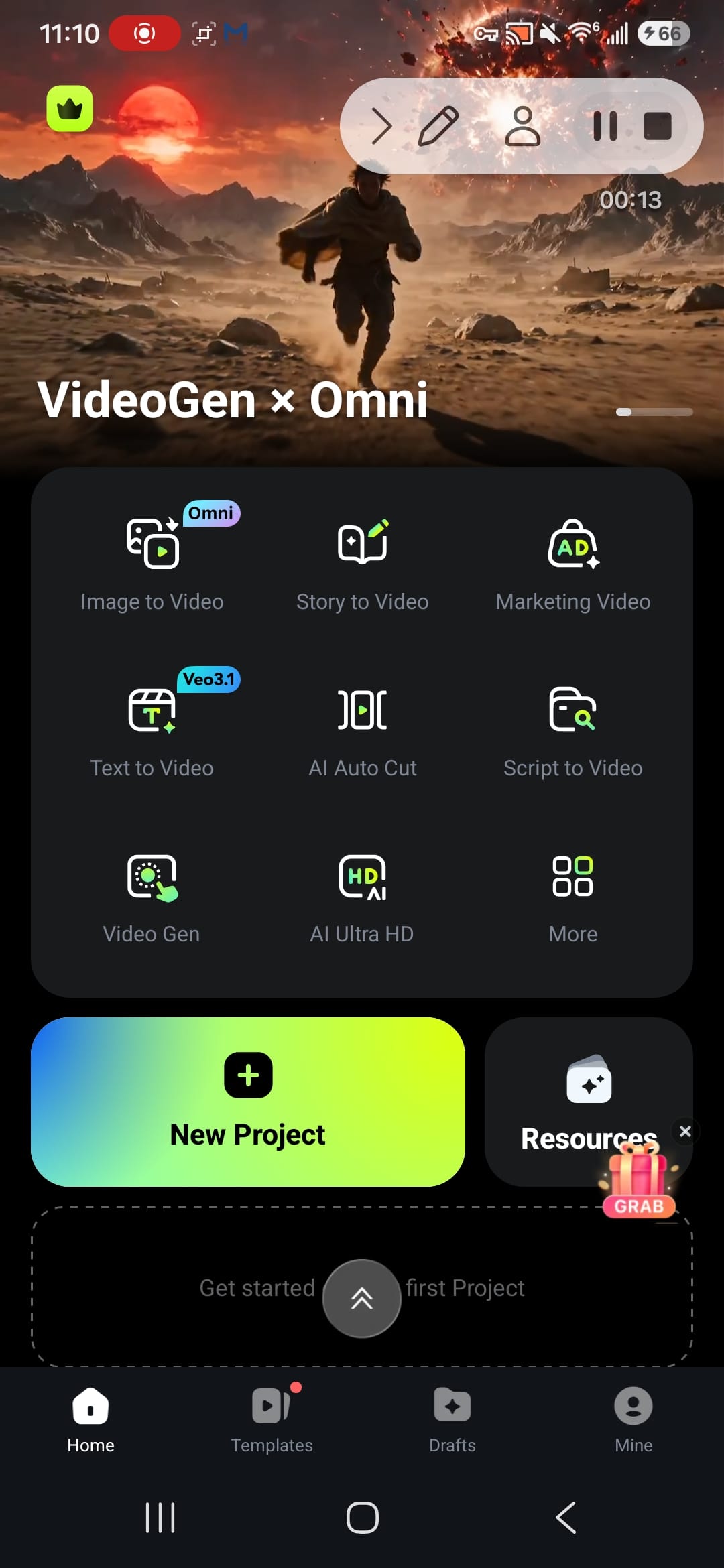
Filmora is a mobile video editor for creators who want to turn phone footage, photos, and ideas into polished short videos. It combines AI-assisted creation with ready-made templates and a practical editing workspace, so you can begin from a New Project, a visual template, or tools such as Image to Video, Story to Video, and Text to Video. Trim clips, add text, music, effects, and transitions, then keep projects organized in Drafts. The result is a flexible Android workflow for social posts, marketing clips, travel memories, and everyday creative experiments.

Lomotif app icon
Lomotif

Lomotif Pte Ltd

Reviews
7.2
Size
-
Updated
2026-08-09
Download

Lomotif is a social video app for turning everyday photos and clips into music-led short videos. It suits creators who want to assemble a quick edit for a personal post, a themed channel, or a shareable moment without a long production setup. Choose media, arrange the sequence, pair it with music, and add finishing touches such as titles, emojis, filters, or a preferred frame shape. You can also browse community videos, explore channels, and revisit saved favorites. The result is a lightweight creative workspace that connects editing with discovery and sharing.

Motion Ninja app icon
Motion Ninja

changpeng

Reviews
7.0
Size
-
Updated
2026-09-12
Download

Motion Ninja is a mobile video editor for creators who want animated, music-driven, and effects-focused projects without a desktop timeline. You can start a new project, build multi-layer compositions, and shape clips with keyframes, speed changes, motion blur, and visual adjustments. Tools such as Smooth SlowMo, Velocity Edit, Color Lab, Frame Doubler, Moving Photo, Magic Sky, and AI Effects support different styles of short-form creation. Templates, tutorials, and community edits give beginners practical ideas while experienced editors can refine fan edits, AMVs, and social videos.

Film Maker app icon
Film Maker

cerdillac

Reviews
9.9
Size
-
Updated
2026-08-20
Download

Film Maker is a mobile video editor for beginners and creators who want to turn clips, photos, and music into shareable videos. Start a project from the home screen, arrange media on a multi-track timeline, and shape the result with trimming, cropping, speed controls, transitions, filters, and animated text. Intro templates, stickers, voice-over tools, green-screen effects, picture-in-picture layers, and blending modes add room for more distinctive edits. Export and share finished videos for social posts, vlogs, tutorials, or personal memories when a phone-based workflow is more convenient.