Popular Android apps similar to YAPE

YAPE, developed by Blackthorn Team, has related Android app recommendations picked by matching categories and tags. Use this page to compare alternatives, find apps with similar features, and open the safest download page before installing.

FaceApp app icon
FaceApp

FaceApp Technology Ltd

Reviews
9.8
Size
75.91 MB
Updated
2026-08-28
Download

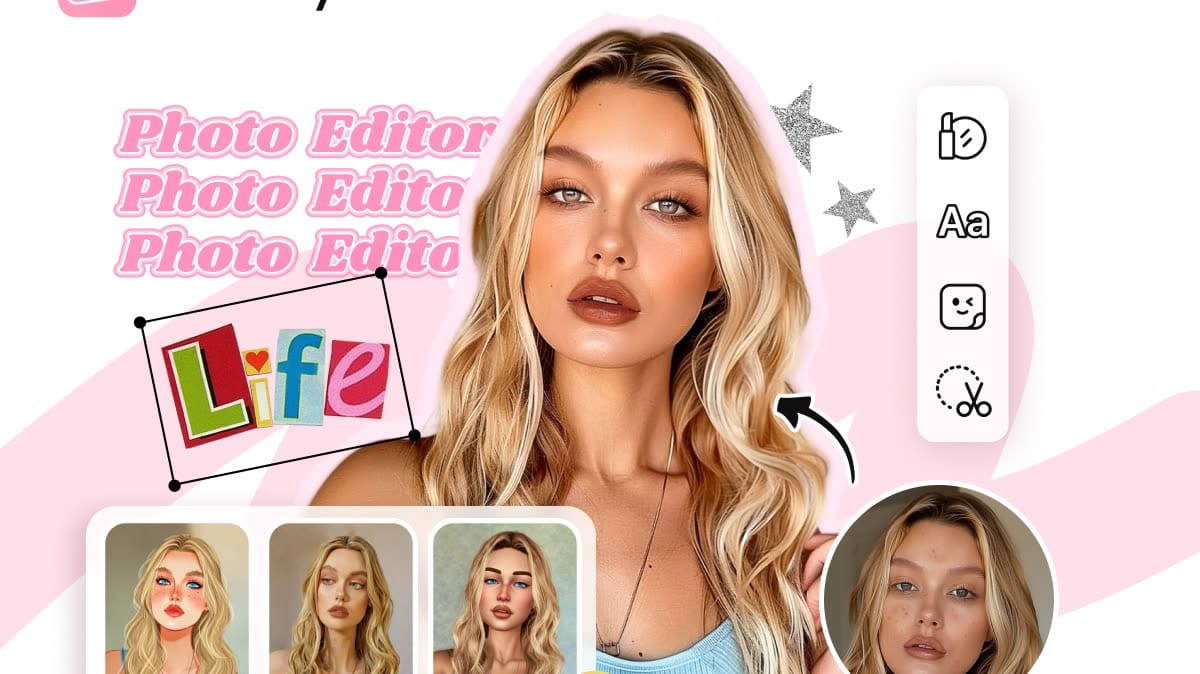
FaceApp is an AI-powered portrait editor for people who want realistic selfie improvements and creative transformations without a complicated desktop workflow. Start with a camera shot, a gallery image, or a demo portrait, then apply one-tap filters for retouching, makeup, hairstyles, hair color, facial features, age, and more. Before-and-after comparison helps users judge each change, while adjustment tools keep the final look under control. Saved edits and sharing options make it practical for profile photos, social posts, style experiments, and quick portrait touch-ups.

Reviews
9.8
Size
-
Updated
2026-08-26
Download

NewProfilePic: Profile Picture is a photography app for turning favorite portraits into fresh social avatars. Choose a selfie or another personal photo, then explore AI-generated portrait styles, cartoon filters, and art effects that can give the image a painted, illustrated, or mood-based look. The app keeps generated pictures available for later use and lets you download a finished result for messaging or social profiles. It suits people who want to refresh a profile image often without building an edit from scratch, while still leaving room to try different visual ideas.

Photo Lab app icon
Photo Lab

PHOTO LAB DMCC

Reviews
9.5
Size
-
Updated
2026-08-14
Download

Photo Lab is an AI photo editor for Android that turns portraits and everyday images into stylized artwork, playful effects, and shareable compositions. It suits anyone who wants to experiment with a selfie, test a new look, or give a favorite picture a more imaginative finish without learning a professional editor. Choose a photo, explore neural art styles, face montages, photo frames, filters, collages, or looks such as hairstyles and colors, then refine the result for a profile image, wallpaper, or social post. Its broad template library keeps casual editing quick and visual.

Remini app icon
Remini

Bending Spoons

Reviews
9.2
Size
-
Updated
2026-08-28
Download

Remini is an AI photo-enhancement app for people who want clearer, more usable images from old, blurred, pixelated, or damaged originals. Choose a portrait, selfie, group picture, or family photo and let the app improve sharpness, facial detail, color, and visible texture with a simple workflow. Its creative tools also support AI-generated photos for users who want polished profile images or new visual ideas. The result is a practical way to revive memories, prepare social content, or give low-quality pictures a cleaner, higher-definition finish on Android.

Lensa app icon
Lensa

Prisma Labs, Inc.

Reviews
8.9
Size
-
Updated
2026-08-28
Download

Lensa is an AI-powered photo editor for Android that helps turn everyday portraits into polished, shareable images. It is built for users who want quick retouching without learning a full desktop workflow: add a photo, apply a style, and refine the result with a few taps. The app brings together portrait enhancement, background adjustments, camera effects, and Magic AI collections such as filters and avatar styles. Its dark, simple layout keeps Photos, Magic AI, and Settings easy to reach, making casual editing approachable for social posts, profile images, and personal projects.

SNOW app icon
SNOW

SNOW Corporation

Reviews
7.7
Size
-
Updated
2026-08-31
Download

SNOW is a camera and creative photo editor for people who want polished selfies, playful portraits, and quick social-ready videos. Use the camera with AR makeup, custom beauty effects, stickers, seasonal filters, and high-resolution or retro-inspired modes. Its editing tools add AI hair, wrinkle removal, body-shape adjustments, layouts, templates, and other ways to refine a picture after capture. Video editing and themed options help turn everyday moments into short, expressive creations, while specialized previews such as Baby Growth and Future Baby add a lighter, experimental touch.

Reviews
7.0
Size
-
Updated
2026-08-19
Download

Retake AI: Face & Photo Editor is a photography app for turning imperfect selfies and candid pictures into more polished, natural-looking shots. It guides you through choosing favorite reference photos, then uses a personalized AI face model to create alternative expressions, poses, and retakes from a single image. You can compare different results, choose the version that fits the moment, and prepare it for sharing. The photo-first workflow suits social posts, family memories, travel albums, and everyday pictures where a missed blink or awkward expression deserves another chance.

Reviews
10.0
Size
-
Updated
2026-08-29
Download

Filter Cam for WA Video Call is a photography app for adding playful or polished effects to WhatsApp-style video chats. It gives callers a simple home screen for Video Call, Beauty Looks, Beauty Camera, Essentials, and Help Center tools. Users can browse themed effects, smooth or reshape a face, apply filters and stickers, and change the background before or during a call. Real-time controls make it easy to adjust a look without leaving the camera view. It suits social callers who want more expressive self-presentation and a lighter, more creative video-chat routine on Android.

Photify AI app icon
Photify AI

Ex-human, Inc.

Reviews
9.9
Size
-
Updated
2026-08-24
Download

Photify AI is an AI photo and video generator for people who want to turn a selfie into a more expressive visual identity. Upload one image, choose a style or describe an idea, and create polished portraits, playful transformations, or imaginative scenes. The app suits profile headshots, dating photos, creative experiments, and quick visual concepts, with an extensive style library and rapid generation designed for short sessions. Photo and video tools let you explore different looks without rebuilding every image from scratch.

PicMa app icon
PicMa

MTTech Ltd.

Reviews
9.7
Size
-
Updated
2026-08-22
Download

PicMa is an AI-powered photo and video enhancer for people who want to restore memories, refine portraits, and turn still images into expressive clips. Upload a photo or video, choose a focused tool, and let the app improve clarity, color, detail, or motion before saving the result. Its creative styles cover cinematic black-and-white looks, trend-driven transformations, object cleanup, and animated effects such as dance or affectionate video scenes. Flexible editing paths make it useful for casual social posts, family keepsakes, and creators shaping polished visual stories on Android.

ToonMe app icon
ToonMe

PHOTO LAB DMCC

Reviews
9.8
Size
-
Updated
2026-08-08
Download

ToonMe is a photo-editing app for turning selfies and everyday pictures into cartoon portraits, stylized avatars, and shareable art. It suits anyone who wants a playful profile image, a creative post, or a quick visual makeover without starting from a blank canvas. Choose a ready-made style, add a photo, and explore portrait, full-body, background, animation, text, and lens-effect ideas. Home groups trending collections such as Retro Daydreams and Art & Sketch Styles, while the profile area gives creative users a place to collect effect combinations. The result is a low-friction way to experiment with personal images.

Photic app icon
Photic

42 Dijital

Reviews
9.8
Size
-
Updated
2026-08-04
Download

Photic is an AI photo and headshot generator for people who want to turn selfies into polished portraits without building an edit from scratch. Users can browse themed looks, select a photo from the gallery or camera, and apply styles designed for business profiles, nostalgic yearbook images, seasonal scenes, couples, and illustrated portraits. Filter categories keep different visual directions easy to compare, while canvas presets help prepare results for posts or stories. This makes the app useful for profile updates, social sharing, and quick creative experiments with personal photos.

BeFunky app icon
BeFunky

BeFunky

Reviews
9.6
Size
846 KB
Updated
2026-08-17
Download

BeFunky is an all-in-one photo editor, collage maker, and graphic design app for people who want to create polished visuals on an Android device. You can open a photo, make essential adjustments, apply filters, retouch portraits, or transform an image with artistic and AI-assisted effects. The same workspace also provides collage layouts, blank canvases, and ready-made templates for social posts, cards, and other designs. Clear navigation between editing, projects, and creative tools keeps quick fixes and larger visual projects within one approachable workflow.

Gradient: You Look Like app icon
Gradient: You Look Like

TICKET TO THE MOON, INC.

Reviews
9.4
Size
-
Updated
2026-08-27
Download

Gradient: You Look Like is an AI-powered photo and portrait editor for Android users who enjoy playful transformations as well as practical retouching. Choose a photo to explore celebrity look-alike comparisons, AI quizzes, beauty filters, artistic styles, and hairstyle experiments. The editor also offers makeup, body, object-removal, face-lighting, smile, and classic adjustment tools for polishing everyday images. Clear feature cards make it easy to move from a quick quiz to a more deliberate edit, while shareable results suit social posts, profile pictures, and casual creative sessions.

Reviews
9.4
Size
-
Updated
2026-08-19
Download

AI Video - AI Video Generator is a mobile AI creation app for turning written ideas and photos into short animated videos. Creators, marketers, educators, and storytellers can start with a scene, script, or image, then explore motion-led styles for social posts, product explainers, lessons, memories, and playful edits. The workflow brings generation, light refinement, and mobile-ready export into one place, helping users move from a rough concept to a shareable vertical clip without a desktop editor. Templates and character-focused options add variety when a simple prompt needs a more visual direction.

BeautyPlus app icon
BeautyPlus

PIXOCIAL TECHNOLOGY (SINGAPORE) PTE. LTD.

Reviews
9.4
Size
286 MB
Updated
2026-06-13
Download

BeautyPlus is an AI photo editor and selfie camera for users who want fast portrait retouching, filters, makeup looks, templates, background tools, and camera effects from one Android app. Its flow moves from onboarding into a visual home screen, Discover templates, image-quality tools, and camera or editing features that are made for social-ready photos rather than desktop-style editing.

Cosplay app icon
Cosplay

Ömer Gündeşli

Reviews
9.2
Size
-
Updated
2026-08-28
Download

Cosplay is an AI photo creativity app for couples, families, and anyone curious about future faces or playful transformations. Upload selfies to blend two people into a possible baby portrait, explore age-progressed looks, or turn a photo into a cartoon, costume, or character-style image. Guided photo tips help you choose clear, varied angles, while skin-tone choices and separate female and male inputs make the setup easy to follow. It is a lighthearted way to create imaginative portraits for personal moments and playful experimentation.

Photo Studio app icon
Photo Studio

KVADGroup App Studio

Reviews
9.3
Size
-
Updated
2026-08-11
Download

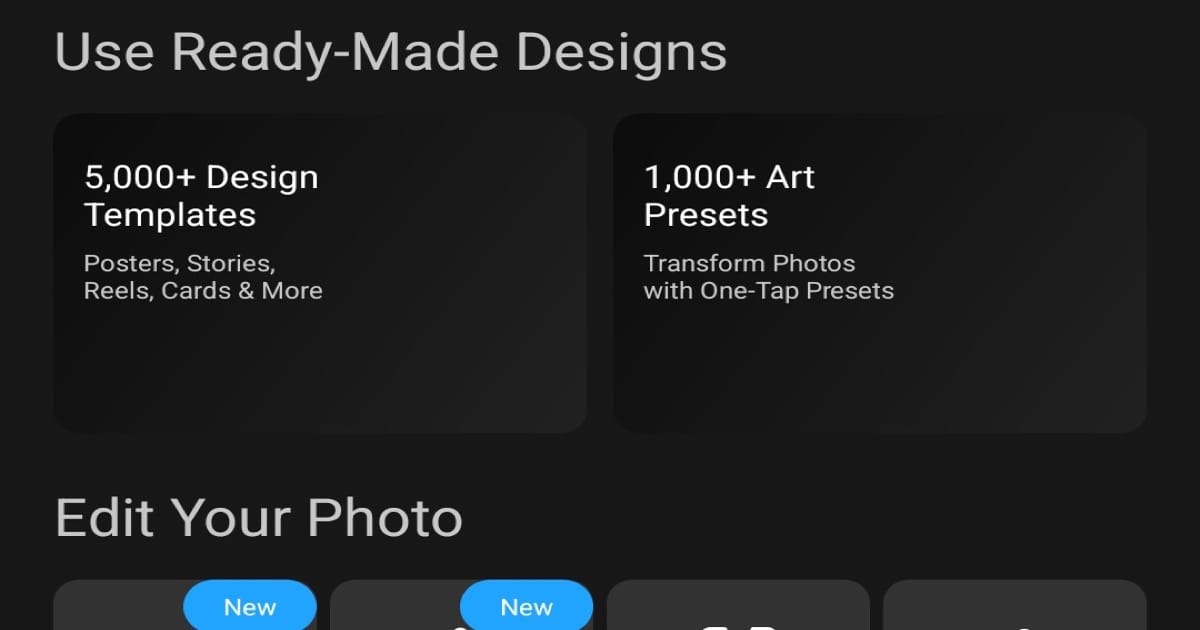
Photo Studio is an Android photo editor and collage maker for creators who want to turn everyday pictures into polished visual content. Choose a photo, build a collage, or edit several images in a batch workflow from the home screen. The app combines ready-made designs, art presets, filters, background changes, object removal, text, frames, and AI-assisted tools in one creative workspace. Its Templates and Ideas sections help you browse visual starting points, while the dark, organized layout keeps quick edits and more expressive projects easy to explore.

Reviews
9.0
Size
-
Updated
2026-08-20
Download

GlowCam: Selfies in the Dark is a photography app for taking brighter selfies when available light is weak. It uses the phone display as a virtual front flash, helping illuminate the face without a separate lighting accessory. Before capturing, you can preview the lighting effect, adjust brightness, and choose a color that matches the mood. The focused camera workflow keeps controls approachable for quick night portraits, indoor snapshots, and creative social photos. By combining practical fill light with color styling, GlowCam gives Android users a simple way to make low-light selfies more balanced and expressive.

Veo Camera app icon
Veo Camera

Veo Technologies

Reviews
9.2
Size
16.53 MB
Updated
2026-06-30
Download

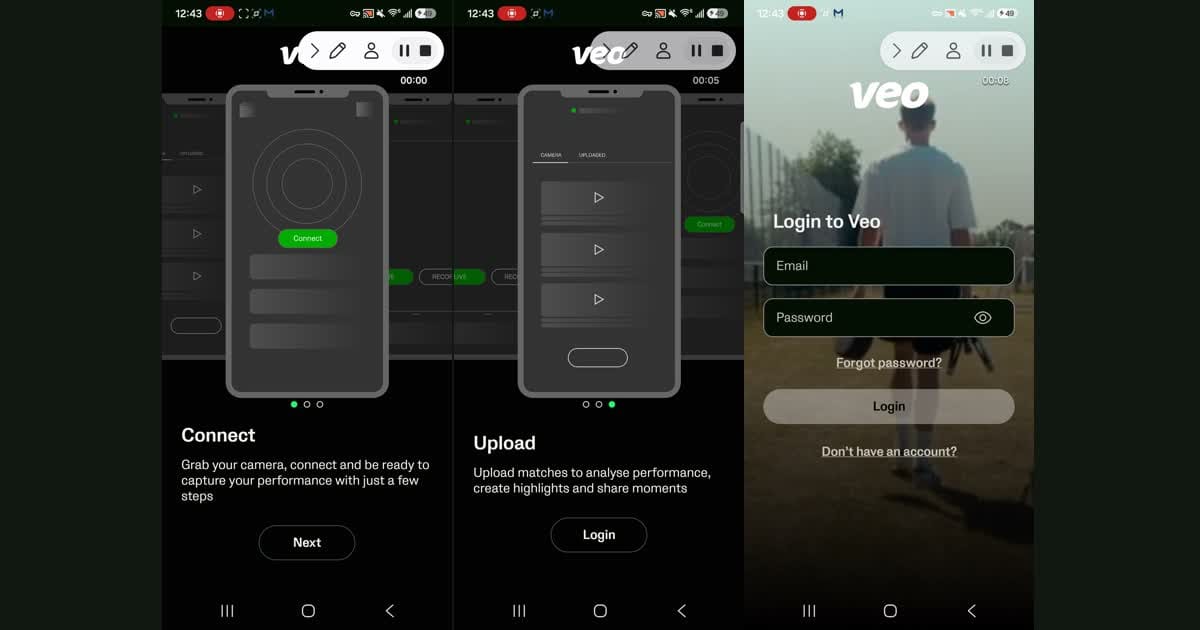
Veo Camera is a companion app for coaches, team staff, and camera operators who use Veo sports cameras on match day. It helps users connect to Veo Camera 1, 2, or 3, start and stop recordings, begin livestreams, and monitor camera status from an Android phone. Recorded matches can be uploaded and organized for later review, where teams can work with highlights and analysis. Built-in help topics and support chat also make setup and troubleshooting easier before each scheduled event.

Cutout Pro - Background Remove app icon
Cutout Pro - Background Remove

Video Maker & Editor Studio

Reviews
9.0
Size
24.57 MB
Updated
2025-01-30
Download

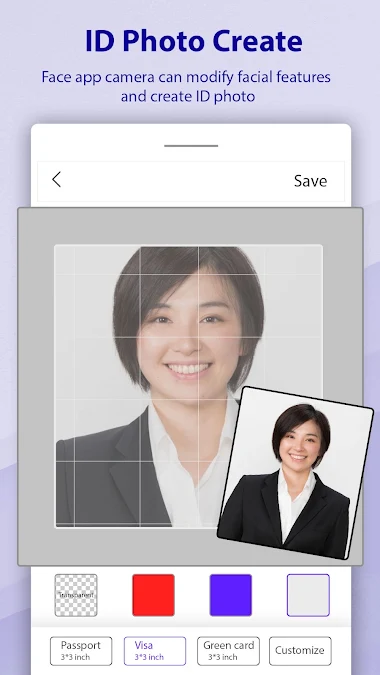
Cutout Pro - Background Remove is a photo-editing app for people who need clean cutouts, replacement backgrounds, or quick passport-style images on Android. Users can select a picture from the camera or gallery, let AI isolate the subject, or refine edges manually. The editor also supports pasting cutouts onto new scenes, applying blur and color-splash effects, and saving finished creations for later use. Its focused tool menu keeps common background tasks in one place, making it practical for profile pictures, invitations, product shots, and everyday photo compositions.

Clip Studio Paint app icon
Clip Studio Paint

CELSYS, Inc.

Reviews
8.8
Size
464.6 MB
Updated
2026-07-02
Download

Clip Studio Paint is a digital drawing and painting app for artists working on phones and tablets. Use it to sketch illustrations, develop character art, plan comics or webtoons, and build animation ideas in a portable workspace. The app combines customizable brushes, layers, canvas presets, reference materials, and a simplified smartphone mode so beginners can start quickly while experienced creators keep more control. Asset catalogs, projects, notices, and account tools sit alongside the canvas workflow, making it easier to move from a rough idea to a polished page or sequence.

Magic Studio app icon
Magic Studio

MagicStudio.com

Reviews
8.8
Size
-
Updated
2026-08-01
Download

Magic Studio is an AI photo editor designed for people who want polished images without learning complex desktop software. Users can clean up pictures, remove unwanted objects, separate subjects from their backgrounds, and place them into new scenes with guided tools. Text-based creation and drawing features also turn simple ideas into new visual elements or complete images. Whether the goal is a social post, a product photo, a restaurant promotion, or a real-estate listing, the app keeps common editing tasks approachable on Android.

Polarr app icon
Polarr

Polarrcan

Reviews
8.5
Size
-
Updated
2026-08-17
Download

Polarr is a photo editing app for creators who want precise control over color, light, retouching, and personal style. You can start with a photo, apply a community filter, or build a look with masks, overlays, face adjustments, and AI-assisted object edits. Its Discover area brings together creator-made filters, while tutorials help turn an idea such as warm tones or a minimalist finish into a repeatable workflow. With sharing, QR filter tools, and batch export options, Polarr fits both quick social edits and more deliberate visual projects.